Contents
Takes about 30 seconds
Can a blurry photo be unblurred?
Partly, and the honest version of the answer is worth having before you try anything. A blurred photograph is not a photograph with the detail hidden. It is a photograph where the detail was never recorded, and no software can go and fetch it back.
What AI does instead is predict what was probably there, from everything it has learned about how faces, fabric, brick and foliage look when they are sharp. On a photo spoiled by camera shake that prediction is close enough to reconstruction that the result is genuinely the photo you meant to take. On a badly out-of-focus face it is an educated invention that happens to look convincing. Both come back looking crisp, which is precisely why the distinction matters.
So the useful question is not whether it can be unblurred but which kind of blur you have. That is the next section, and it takes about ten seconds to work out.
Three kinds of blur
Look at whether the whole frame is soft or only part of it. That single observation puts your photo in one of these three, and the three have very different prospects.
- Camera shake, or motion blurUsually fixable
- The camera moved while the shutter was open, so every edge is smeared in the same direction. This is the most recoverable kind, because the smear is consistent and a model can work backwards from it. Expect a real improvement.
- Out of focusPartly fixable
- The lens was focused somewhere else, so detail was never resolved at the sensor. A model can rebuild plausible detail from what it knows about faces and fabric and brick, but it is rebuilding rather than recovering. Faces come back looking like faces; whether they look like the right person depends on how soft the original was.
- Too small, or over-compressedInvented, not fixed
- A 300-pixel image emailed in 2009 is not blurry so much as absent. Upscaling invents every pixel it adds. The result can look good at a glance and should never be treated as a record of what was there.
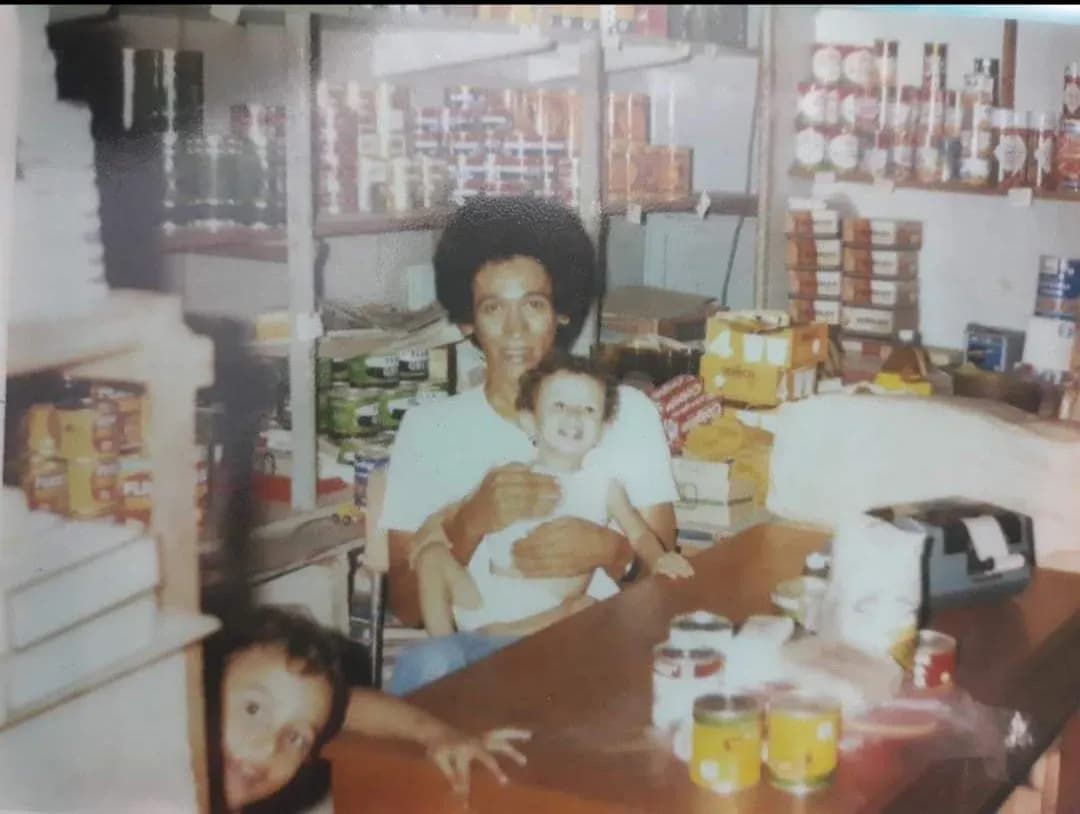
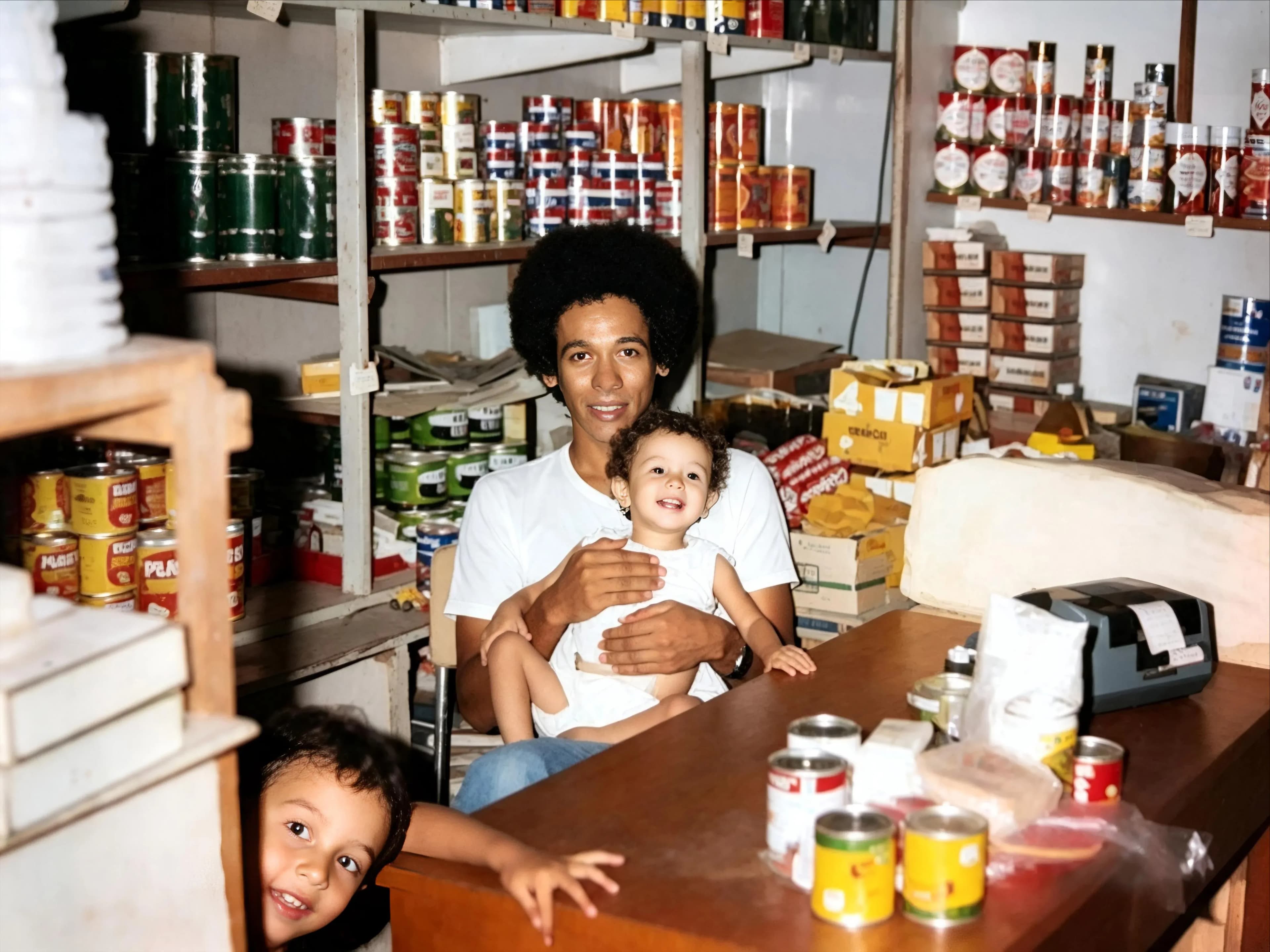
A fourth case turns up constantly with old photographs and gets misdiagnosed as blur: the print is sharp and the scan is soft. If that is what happened, rescan at 600 dpi rather than sharpening, because rescanning recovers real detail and sharpening only predicts it. There is more on getting that right in how to restore old photos.
Try Google Photos first, it is free
This is the most searched question on this subject and the answer costs us a sale, so here it is plainly: Google Photos can unblur your photo for nothing. Photo Unblur has been available to every Google Photos user on Android and iOS since 15 May 2024. No Google One subscription, no Pixel phone. The ten-saves-a-month cap that often gets quoted alongside it applies to Magic Editor, not to Unblur.
Open the photo in Google Photos, tap Edit, then Tools, then Unblur. If the photograph is an ordinary soft phone shot and it is already in your library, that is very likely the end of the job and you should stop reading here.
Where it runs out is on the cases it was not built for: a photograph that is also torn, stained or faded, a scan that needs colour as well as sharpness, or a batch of two hundred prints that you do not want to edit one at a time on a phone. That is the gap the rest of this page is about.
Upload it, we do the rest
You do not need an editor, a plugin or any idea what a radius setting is. Drag the photograph into the page, choose what is wrong with it, and download the result about thirty seconds later. It runs in the browser, so there is nothing to install and a phone gets the same output as a laptop.
- Drag the photo into the page. Or tap to choose one from your phone. Nothing to install, no account needed until you download, and several photos can be queued at once.
- Pick a style. Sharpen for a blurry photo. One click, no sliders, no settings to learn. The full list is below.
- Download the result. About thirty seconds later you get a 1080p file with no watermark. It stays in your history for 30 days so a second download never costs a second credit.
The styles you can pick
Six of them. Sharpen is the one for a blurry photograph, but old prints usually need more than one thing done, so the others are worth knowing about before you start.
| Style | What it does | Cost |
|---|---|---|
| Sharpen | Out-of-focus shots, camera shake and soft scans rebuilt | 1 credit |
| Restore | Scratches, creases, tears, water stains and fading removed | 1 credit |
| Enhance | General quality: detail, contrast and tone on a tired print | 1 credit |
| Cleanup | Dust, speckling and film grain taken off without flattening detail | 1 credit |
| Colorize | Black and white or sepia turned into full colour | 1 credit |
| Animate | A still portrait turned into a four-second video clip | 3 credits |
A credit comes off when a photo finishes, not when you upload it, so a job that fails costs you nothing.
The reason to come here rather than to Google Photos is almost never the sharpening on its own. It is that old photographs arrive with several problems at once, and sharpening is rarely the one to fix first. A faded, scratched, slightly soft print needs the damage repaired and the contrast recovered before anything is sharpened, and doing those in one pass gives a better result than three tools in a row, each working on the compressed output of the last.
Text, screenshots and number plates
If you came here looking to unblur or deblur text, read this section before anything else, because the answer is mostly no and the tools that say otherwise are not telling you what they did.
A specific warning, because this is where sharpening stops being a cosmetic choice and starts being a problem. Ask any AI tool to sharpen an unreadable licence plate, a street sign or a line of small print and it will give you readable characters. Those characters are frequently not the ones that were there.
The model is doing what it always does: generating the most plausible content for the region, in the right typeface, at the right angle, with the right lighting. It has no way to know what the actual letters were and no way to tell you it is guessing. The output looks exactly as confident as a correct answer would.
| If you are sharpening | Use | Because |
|---|---|---|
| A face, for the family album | AI | Invention is acceptable; it only has to look like them |
| A landscape or a building | AI | Nothing depends on the exact pixels |
| Text you intend to read | Photoshop sharpening | It cannot invent letters, only emphasise real ones |
| A document, number or name | Neither, go to the original | A plausible wrong answer is worse than none |
This is the one place on this page where we recommend against our own category rather than against a competitor.
Text that was deliberately blurred, pixelated or redacted is a separate case, and a simpler one: it is gone. Pixelation throws the information away rather than hiding it, so anything a tool shows you afterwards was invented from scratch. No amount of processing brings it back.
The Photoshop route
Photoshop sharpens what is present and refuses to invent what is not, which makes it weaker on a genuinely out-of-focus photo and more trustworthy on anything that has to be accurate.
- For camera shake
- Filter, Sharpen, Shake Reduction. It estimates the direction of the smear and works backwards along it, which is the one case where a non-AI tool does something close to a real reconstruction.
- For general softness
- Filter, Sharpen, Smart Sharpen. Amount around 100 to 150 percent and Radius around 1 to 2 pixels is a sane starting point. Work on a duplicate layer so you can pull the opacity back afterwards.
- The mistake everyone makes
- Overdoing it. Past a certain point sharpening produces bright halos along every edge and crunchy noise in flat areas, and that is far more obvious to a viewer than the original softness was.
Free tools, and the watermark question
Plenty of sites offer to remove blur free. They are paid for in one of four ways, and it is worth knowing which before you spend twenty minutes on one: a watermark across the result, a download capped at a few hundred pixels, ads with a daily limit, or a card for a trial that renews.
The test that settles it takes a minute. Produce a result, download the actual file, and open it at full size. A clean preview means nothing, because the watermark and the resolution cap are both applied at export rather than on screen. Do that before paying anything, on every tool you are considering.
The genuinely free option for ordinary blur is the one above: Google Photos, no watermark, no cap, and no account beyond the Google one you already have.
Since this is the section about marked-up downloads, our own answer should be on the record. Nothing is stamped on what you get from us: no watermark, no logo, no corner badge, and no resolution cap. The file you download after sharpening a photo is 1080p at every pack size, including the smallest, and it is the same file whether you spent $6.99 or $109.99. There is no watermarked tier to upgrade out of, because there is no watermark.
What we do not have is a free tier, which is worth saying on a page about free tools. We sell one-time packs from $6.99, nothing renews, and the money is earned on the photographs Google Photos is not built for: the ones that are torn and stained as well as soft.
What it costs here
One credit sharpens one photo, and a credit is between $0.44 and $0.70 depending on the pack. No subscription, nothing renews, and the credits do not expire.
| Pack | Photos | Price | Full 1080p | No watermark | Never expires | |
|---|---|---|---|---|---|---|
| Basic | 10 | $6.99$0.70 each | Full 1080p: included | No watermark: included | Never expires: included | Buy |
| Plus | 25 | $16.99$0.68 each | Full 1080p: included | No watermark: included | Never expires: included | Buy |
| Probest value | 50 | $29.99$0.60 each | Full 1080p: included | No watermark: included | Never expires: included | Buy |
| Studio | 100 | $54.99$0.55 each | Full 1080p: included | No watermark: included | Never expires: included | Buy |
| Max | 250 | $109.99$0.44 each | Full 1080p: included | No watermark: included | Never expires: included | Buy |
One credit restores one photo. Every pack includes the same everything: nothing is held back for the larger ones, and the only difference is how many photos you get.
Every style costs the same single credit, so sharpening, repair and colour are priced identically and you are never pushed toward the cheap operation. Results stay in your history for 30 days, the download is 1080p with no watermark, and there is a 30-day money-back guarantee. If you want the wider field, we compare seven tools in the photo restoration app comparison.
Questions people ask
How do I unblur text in an image?
If the text is merely soft because the camera missed focus, sharpening in an editor such as Photoshop can make it readable, because sharpening emphasises edges that are genuinely in the file. If the text is heavily blurred, an AI tool will hand you crisp, confident characters that are frequently the wrong ones: it generates the most plausible letters rather than recovering the real ones, and it cannot tell you it guessed. If the text was deliberately pixelated or redacted, the information was destroyed and nothing can recover it. For anything you intend to rely on, go back to the original document.
Is there a free deblur text tool that works?
There are many, and the honest issue is not the price but what any of them can do. Deblurring text is not a solved problem; it is a guess dressed as a result. A free tool and a paid tool fail in the same way, and the paid one fails more convincingly. Spend the effort on getting a better capture instead: put the page flat, turn the flash off, hold the camera parallel to it and let the autofocus settle.
Can you actually unblur a photo?
Partly, and the honest framing matters. Nothing recovers detail that was never recorded: a blurred photograph is missing information, and no software can go and fetch it. What AI does is predict what was probably there, using everything it has learned from millions of sharp photographs. For camera shake that prediction is close to reconstruction and the result is often excellent. For a badly out-of-focus face it is closer to an educated invention that happens to look convincing. The practical test is to compare the result with the original at full size and decide whether the face still looks like the person.
Does Google Photos unblur photos for free?
Yes. Photo Unblur has been available to every Google Photos user on Android and iOS since 15 May 2024, with no Google One subscription and no Pixel phone required. The ten-saves-a-month limit that gets quoted applies to Magic Editor, not to Unblur. If the photo is already in Google Photos and the problem is ordinary softness, open it, tap Edit, then Tools, and use Unblur before paying anybody anything.
How do I unblur a picture in Photoshop?
Filter, then Sharpen, then Shake Reduction for camera shake, or Smart Sharpen for general softness with Amount around 100 to 150 percent and Radius around 1 to 2 pixels. Work on a duplicate layer so you can reduce the opacity afterwards, because the usual mistake is overdoing it and producing halos along the edges. Photoshop sharpens what is there and does not invent new detail, which makes it more honest than AI and much weaker on a photo that is genuinely out of focus.
Can AI unblur text in a photo?
It will produce readable text, and that is exactly the problem. A model asked to sharpen an unreadable licence plate or a street sign generates letters that look plausible in that typeface and context. They are frequently not the letters that were there. For anything you intend to rely on, a document, a number, a name on a form, treat AI-sharpened text as a guess and go back to the original. Photoshop sharpening is the safer tool here precisely because it cannot invent.
Why are my photos blurry in the first place?
Four usual causes. The shutter was open too long for a handheld shot, which is camera shake and shows as a directional smear. The subject moved, which blurs the subject but not the background. The lens focused on the wrong thing, which leaves part of the frame sharp and part soft. Or the file was resized or compressed for messaging, which destroys detail permanently. Look at whether the whole frame or only part of it is soft: that one observation tells you which of the four you have.
Can ChatGPT unblur a photo?
It will return something sharper, but it regenerates the image rather than sharpening the one you gave it, so the output is a new picture that resembles your input. For a photograph of a person that is the wrong trade: faces drift, and the result looks like your subject rather than being them. It also returns whatever size the model produces instead of your original resolution. Compare the faces at full size and the difference is immediate.
Will unblurring work on an old scanned print?
It depends on whether the print is soft or the scan is. If the photograph itself is out of focus, the same limits apply as to any other blurred image. If the print is sharp but the scan is soft, rescan it at 600 dpi rather than sharpening a bad scan, because that recovers real detail instead of predicted detail. Old prints usually arrive with several problems at once, and sharpening is rarely the one to fix first.