
On this page
Why the answer has changed in the last 5 years
Before 2021, the answer to "where to restore old photos" was straightforward: find a local photo lab or a Photoshop freelancer. AI photo restoration has fundamentally changed this because it removed the human labor bottleneck. A skilled retoucher can restore maybe 3–5 photos per day. An AI model can restore thousands per hour at a fraction of the cost. This does not make human retouchers obsolete — they still handle cases AI cannot — but it does mean the default first answer for most people is now an AI tool, not a local shop.
- AI eliminated the labor cost that made restoration expensive
- Face sharpening AI now exceeds what manual Photoshop tools can achieve
- Independent photo labs are closing — fewer local options exist each year
- Big-box stores never offered real restoration, only basic scanning and printing
- The best workflow in 2026: AI first, human specialist only when needed
What to expect
The two options most people overlook
When people search for where to restore old photos, they typically think of local stores and online tools. Two options that fly under the radar are freelance retouchers and mail-in specialty studios.
Freelance retouchers on Fiverr and Upwork charge $15–$50 per photo and deliver in 2–7 days. Quality varies enormously — some are skilled Photoshop professionals, others are beginners using basic auto-correction. The lack of quality guarantee is the main risk. Always request a portfolio of previous restoration work before committing, and start with a single test photo before sending a batch.
Mail-in specialty studios (like ScanCafe, MemoryWeb, or local archival services) handle the entire workflow: you ship your prints, they scan them on professional equipment, restore them digitally, and ship the originals back. This is the most hands-off option, but also the most expensive ($30–$100+ per photo) and slowest (2–6 weeks including shipping). It makes sense for people who have valuable originals that need archival-quality drum scanning in addition to digital restoration.
For most people, the practical decision tree is simple: try AI first (free, instant, good for 90% of photos), escalate to a freelancer for the 10% that need hand-editing, and reserve mail-in studios for museum-grade work on irreplaceable originals.

“My grandma cried when she saw her wedding photo restored. Absolutely incredible.”
Maria K.

“Uploaded a blurry photo from the 70s and got back a crystal clear image. Like magic.”
James T.

“Finally recovered old family photos I thought were lost forever. So easy to use.”
Sarah M.
How it works
3 simple steps.
Option 1: Online AI Tools
AI web apps: fastest, cheapest, and good enough for 90% of photos.
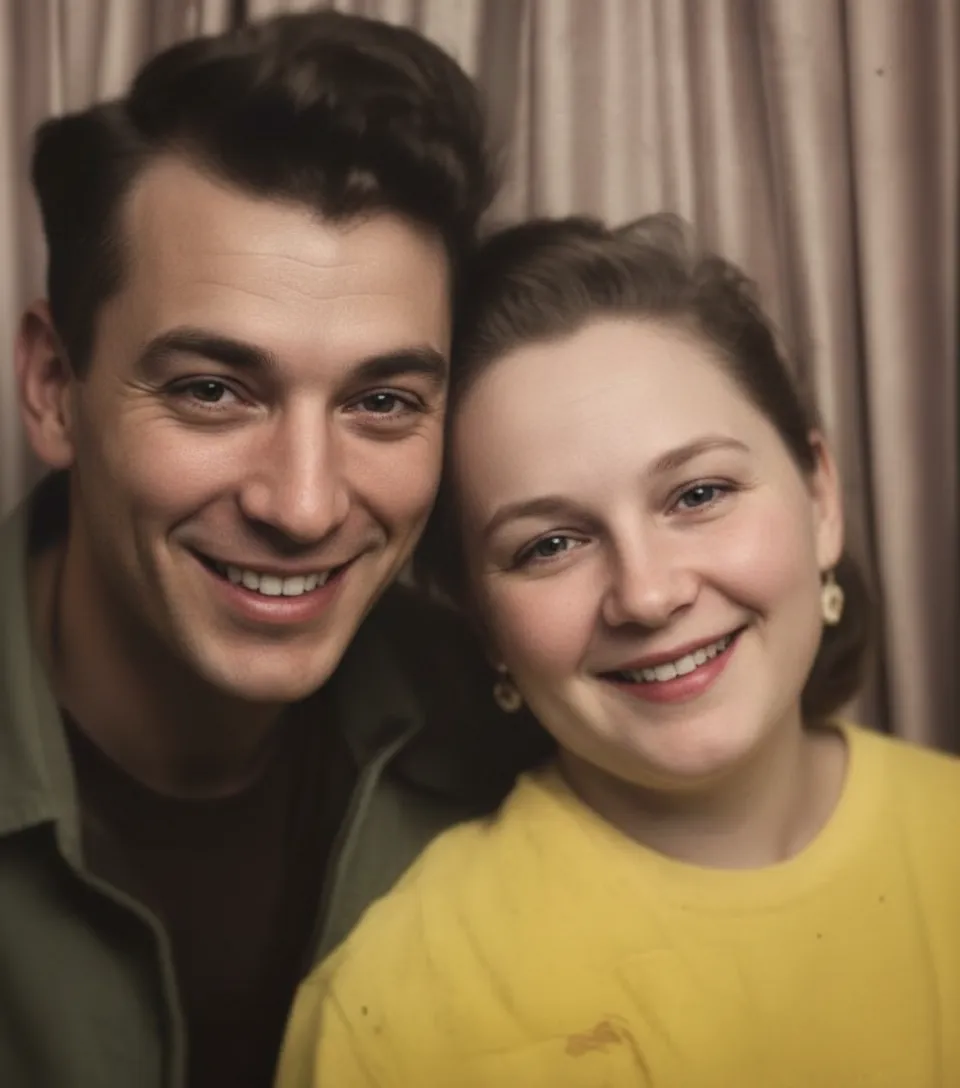
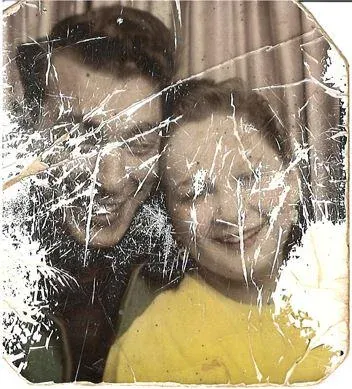
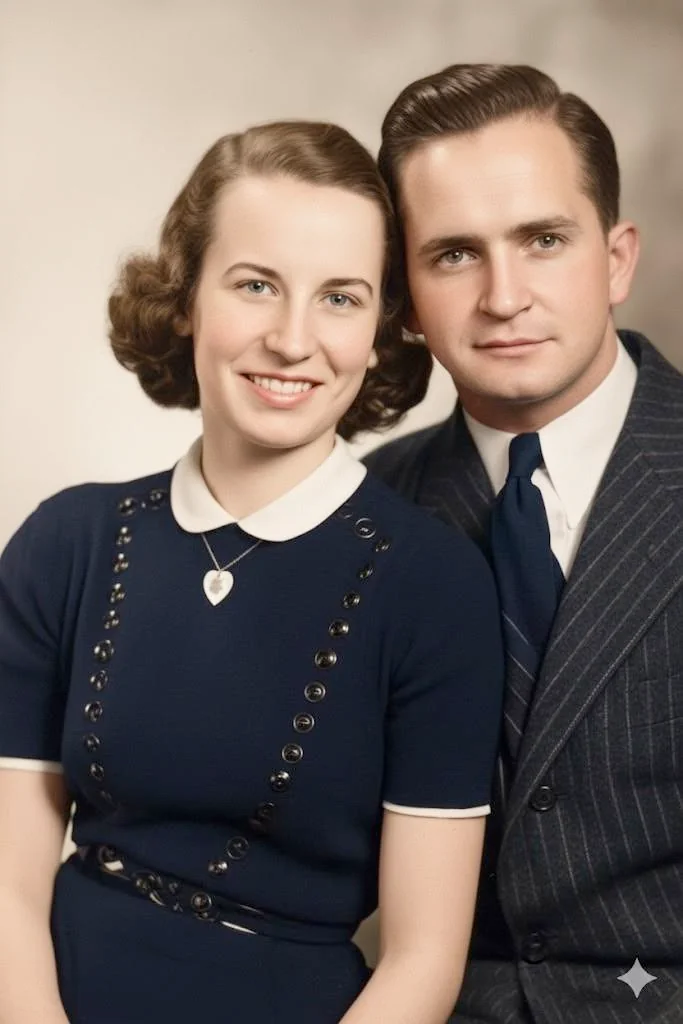
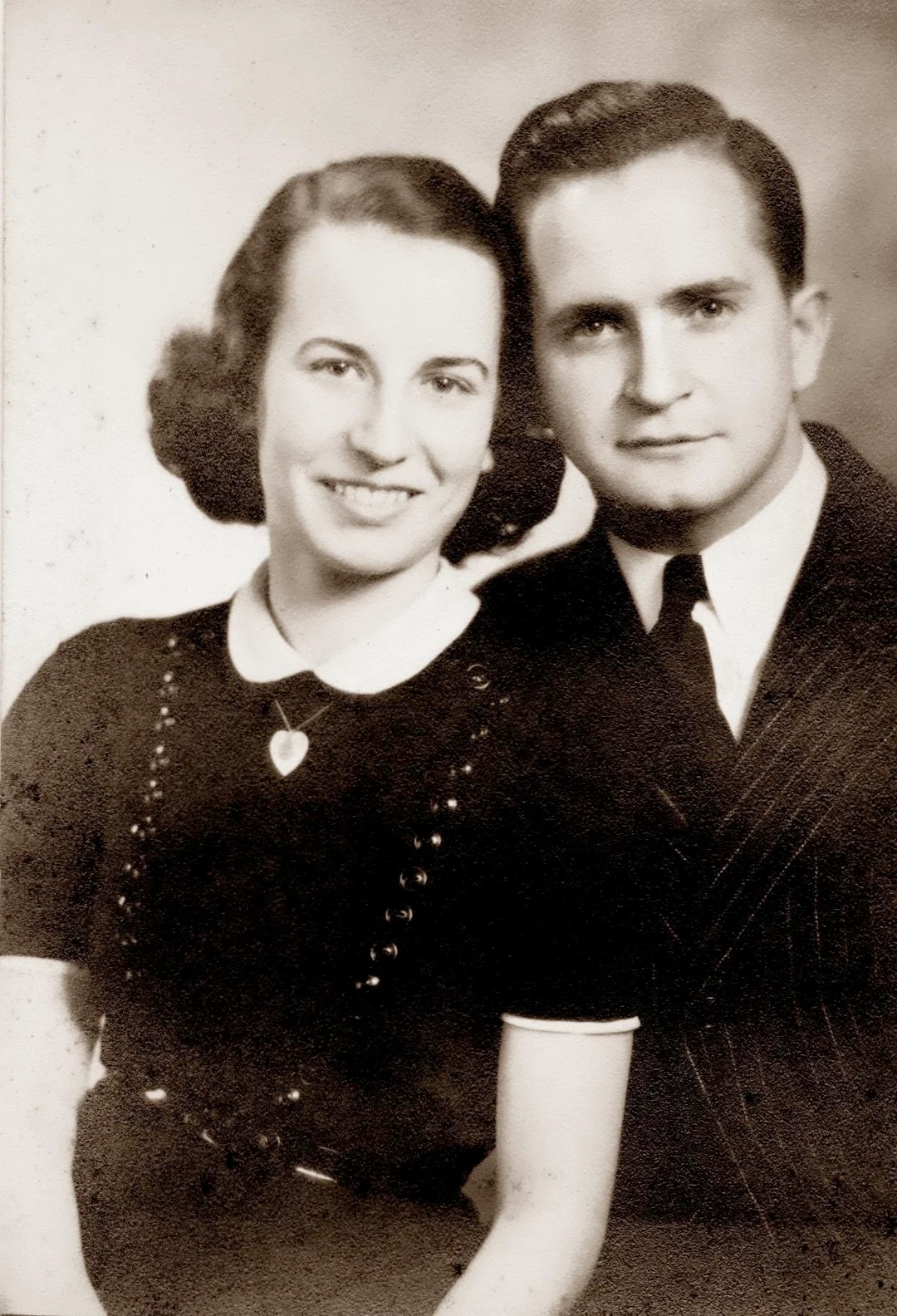
Online AI restoration tools like RestorePhotosApp run entirely in your browser. You upload a photo, the AI processes it in about 30 seconds, and you download the result. No appointment, no shipping, no waiting days for a human to get around to your project. The AI handles fading, color shifts, scratches, blur, and face sharpening in a single automated pass. For typical family photo damage — the kind that accumulates over decades in a shoebox — AI produces results that match or exceed a mid-range professional studio.
- ✦Done in 30 seconds, not days or weeks
- ✦Costs $0.60–$0.70 per photo (vs $50–$300 at a studio)
- ✦No appointment, no shipping, no leaving the house
- ✦Best face sharpening available — better than manual Photoshop
Option 2: Local Photo Labs
Local photo labs: personal service, but shrinking availability.
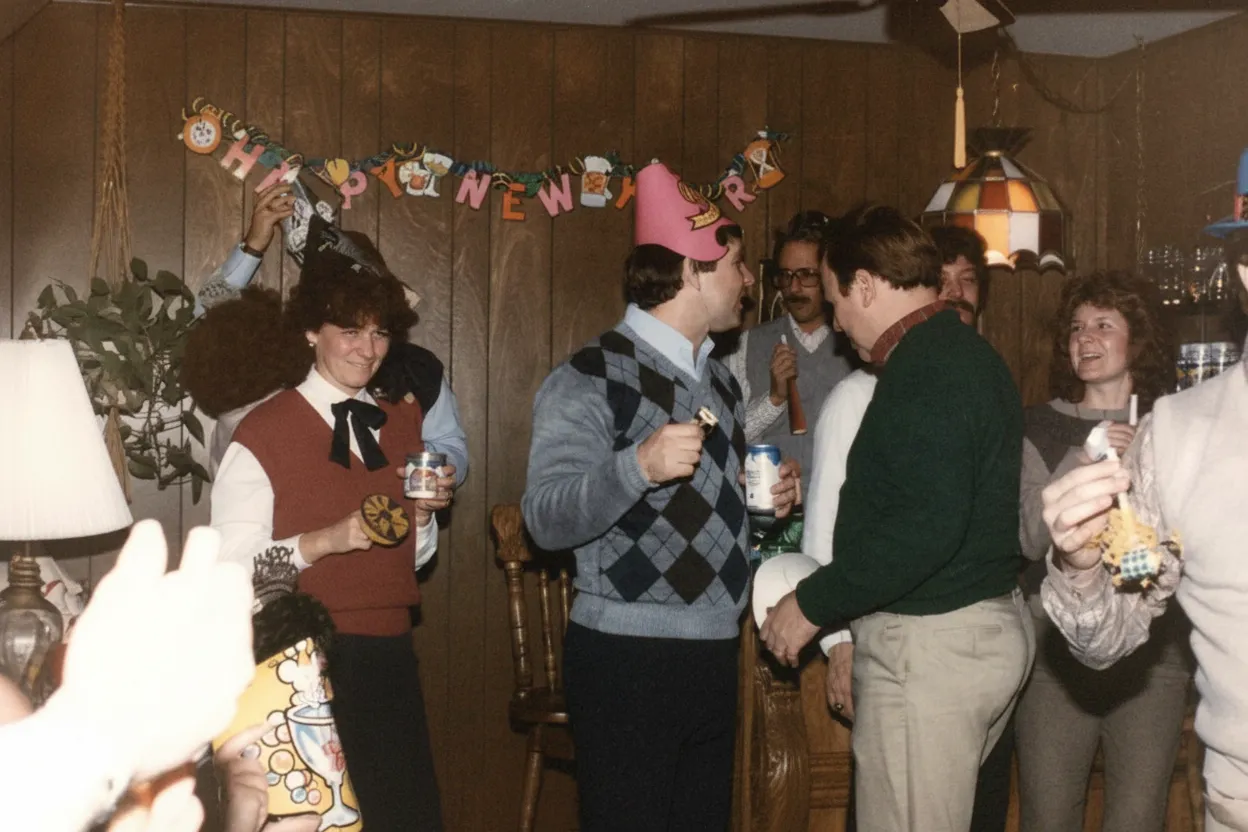
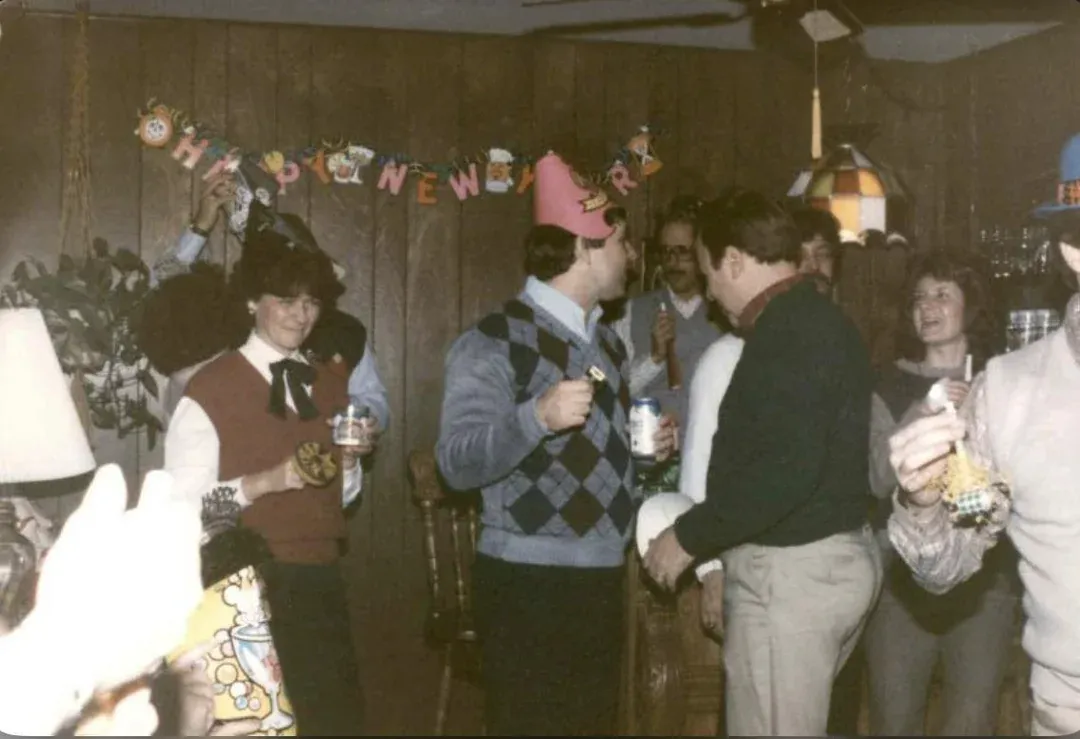
Independent photo labs and camera stores used to be the default answer to "where do I restore old photos." A trained technician would scan your print on a professional drum scanner, manually retouch it in Photoshop, and print the result on archival paper. The quality was excellent. The problem in 2026 is finding one. Independent photo labs have been closing steadily since the early 2010s as digital photography eliminated their core film processing business. The ones that remain charge premium prices ($40–$100 per photo) and often have multi-week turnaround times because restoration work is a side business, not their main revenue.
- ✦Professional drum scanning captures maximum detail
- ✦Personal, hands-on service from a trained technician
- ✦Declining availability — many cities have none left
- ✦Typical cost: $40–$100+ per photo, 1–3 week turnaround
Option 3: Big-Box Stores
Walgreens, CVS, Costco: convenient but very limited.
Large retailers with photo departments (Walgreens, CVS, Costco, Walmart) can print, scan, and sometimes offer basic photo editing. However, their "restoration" services are extremely limited. Most locations only offer basic cropping, red-eye removal, and brightness adjustments — not real damage repair. The staff running the photo kiosk are retail employees, not trained retouchers. For scanning and reprinting an old photo that is in good condition, big-box stores are fine. For restoring a damaged, faded, or scratched photo, they are not equipped to help.
- ✦Convenient locations with extended hours
- ✦Fine for scanning and reprinting undamaged photos
- ✦No real restoration capability for damaged or faded photos
- ✦Staff are retail workers, not photo restoration specialists
In-depth guide
How to choose where to restore your old photos
The right place to restore old photos depends on four variables: how many photos you have, how damaged they are, how much you are willing to spend, and how fast you need them back. Every option excels on some of these variables and fails on others. No single service is best for everyone.
If you have 1–5 photos with moderate damage (fading, scratches, yellowing, soft faces), an AI tool is almost certainly the best option. You get results in seconds, pay pennies per photo, and the quality rivals a mid-tier professional studio. The two free restorations on RestorePhotosApp let you evaluate the result before spending anything. If the AI handles your hardest photo acceptably, it will handle the rest.
If you have a single irreplaceable photo with severe physical damage — a torn wedding portrait, a water-damaged wartime letter with a photo attached, or a fire-damaged family heirloom — you want a human specialist. Not because AI cannot improve it (it can), but because a human retoucher can make creative decisions about reconstructing missing content that AI handles more mechanically. A skilled retoucher will look at the torn-off corner of a group photo and rebuild the missing person using visual clues from the rest of the image. The cost ($75–$300 for complex work) is justified for a photo that exists nowhere else.
If you have 20–200+ photos (a full family archive), economics dictate the answer. Sending 100 photos to a studio at $75 each is $7,500. Hiring a freelancer at $25 each is $2,500. Restoring them with AI at $0.55 each is $55. Even if 10% of the photos need manual follow-up, the total cost (AI + freelancer for the hard ones) is still about $300 — a fraction of the all-studio approach. See our full photo restoration cost breakdown for detailed pricing at every tier.
If speed matters, nothing beats AI. A same-day family reunion where you want to show restored photos of grandparents? AI handles the entire project in an evening. A freelancer needs days. A studio needs weeks. A mail-in service needs a month or more.
If you are not tech-savvy and want someone to handle everything, a mail-in service or local lab (if one still exists in your area) removes the burden. You hand over the box, they do the work, you get back restored digital files and your originals. The convenience premium is significant ($30–$100 per photo), but for some people the peace of mind is worth it.
The hybrid approach is what we recommend for most families: restore everything with AI first ($30–$55 for a full archive), review the results, and send only the handful of photos that need additional work to a freelancer or studio. This captures 90%+ of the value at 5% of the all-professional cost.
Expert tips
What to look for when choosing a restoration service
Ask for before/after samples of real restorations
Any service worth using should show examples of actual restoration work, not stock photos or AI-generated demos. Look for samples that match your damage type: fading, scratches, water damage, or torn edges.
Check if they return originals (for physical services)
If you are mailing or dropping off original prints, confirm in writing that they will be returned. Some services scan and discard. For irreplaceable family photos, this is non-negotiable.
Beware of subscription-based AI tools
Many AI restoration apps charge monthly subscriptions you forget to cancel. For a one-time family project, one-time credit packs (like RestorePhotosApp offers) are cheaper and safer. Credits never expire, and there is nothing to cancel.
Test with your hardest photo first
Whether you are trying AI, a freelancer, or a studio, always test with the most damaged photo in your collection. If the service handles the worst case acceptably, every other photo will be easier.
Separate scanning from restoration
If your photos are still physical prints, you can save money by scanning them yourself (phone camera or flatbed scanner) and using an AI tool for restoration. Paying a service for both scanning and restoration doubles the cost.
Check turnaround time before committing
Local labs and freelancers often quote 1–3 weeks for restoration. Mail-in services can take 4–6 weeks. If you need photos for an event, birthday, or reunion, plan accordingly or use AI for instant results.
Pricing
One-time pricing. No subscription. Credits never expire.
Starter
Perfect for trying it out on a few precious photos.
$0.70 / credit · 10 restorations
Start Restoring Photos- 10 AI credits included
- High-Resolution Output
- Credits Never Expire
- Animate Photos with Credits
30-Day Satisfaction Guarantee
Pro
For restoring a small album of memories.
$0.68 / credit · 25 restorations
Get Pro Access- 25 AI credits included
- High-Resolution 1080P Output
- Credits Never Expire
- Animate Photos with Credits
30-Day Satisfaction Guarantee
Family
Restore your entire family photo collection.
$0.60 / credit · 50 restorations
Get Family Plan- 50 AI credits included
- High-Resolution 1080P Output
- Credits Never Expire
- Animate Photos with Credits
30-Day Satisfaction Guarantee
Studio
For entire archives, professionals, and power users.
$0.55 / credit · 100 restorations
Get Studio Plan- 100 AI credits included
- High-Resolution 1080P Output
- Credits Never Expire
- Animate Photos with Credits
30-Day Satisfaction Guarantee
Prices don't include VAT.
FAQ
Frequently asked questions
Where is the cheapest place to restore old photos?
Online AI tools are the cheapest option by far. RestorePhotosApp charges $0.60–$0.70 per photo with no subscription. Freelancers on Fiverr start around $15 per photo. Local labs charge $40–$100+. The free tier (2 restorations, no credit card) lets you test AI quality before spending anything.
Can Walgreens or CVS restore old photos?
Not really. Walgreens and CVS photo departments can scan, crop, and reprint photos, but they do not offer real restoration for damaged, faded, or scratched images. Their staff are retail employees, not trained retouchers. For actual damage repair, use an AI tool or a specialty restoration service.
Does Costco restore old photos?
Costco Photo Center can print and scan photos but does not offer restoration services for damaged prints. Their services are limited to reprinting, enlarging, and basic formatting. For restoring faded, scratched, or damaged old photos, you need a dedicated restoration tool or service.
Is it worth paying a professional to restore old photos?
For most family photos, no — AI produces comparable results at 1% of the cost. Professional restoration is worth the premium ($75–$300 per photo) only for severely damaged heirlooms with large missing sections, or museum-grade work on historically significant images. Try AI restoration free first and escalate only if needed.
Where can I restore old photos near me?
Search for "photo restoration" + your city name. Independent photo labs and camera stores sometimes offer restoration, though availability has declined significantly since 2015. Many people now skip the local search entirely and use online AI tools, which deliver better results for typical family photo damage at a fraction of the cost.
Can I restore old photos at home?
Yes. With an AI restoration tool, you can restore old photos at home in about 30 seconds per photo. Scan or photograph the print with your phone, upload it to restorephotosapp.com, and download the restored version. No software to install, no editing skills needed.
Where should I go to restore water-damaged photos?
Start with AI restoration — it handles water stains, color bleeding, and discoloration effectively when the image underneath is still visible. For photos where water has dissolved the emulsion (blank white or brown areas), a specialist retoucher can manually reconstruct missing content, but expect to pay $100–$300 per photo for complex water damage.
Are online photo restoration services safe?
Reputable services like RestorePhotosApp process your photo temporarily for restoration and do not store or share your images. You are uploading a digital copy, not mailing the original, so there is zero risk of physical loss. Always check the privacy policy of any service before uploading sensitive family photos.
How do I choose between AI and a human retoucher?
Try AI first. If the result looks good (it will for 90%+ of typical family photos), you are done. Send photos to a human retoucher only if they have large missing sections that the AI could not reconstruct, or if you need specific creative decisions (like reconstructing a face from a partially destroyed photo).
Where can I get old photos restored for free?
RestorePhotosApp gives every account 2 free restorations with no credit card and no watermark. This is enough to test the AI on your most damaged photos. Beyond that, credit packs start at $6.99 for 10 photos. There are no free services that offer unlimited restoration without significant quality limitations or watermarks.























