
On this page
Quick verdict
If you want to enhance recent selfies on your phone, Remini is excellent. If you want to restore old family photos on a desktop or laptop without paying a monthly subscription, RestorePhotosApp is the better fit. Both use modern AI face-restoration models, but they target very different use cases and price points.
Choose RestorePhotosApp
Best for restoring old family photos on the web with one-time pricing.
Choose Remini
Best for enhancing modern phone selfies with a polished mobile app.

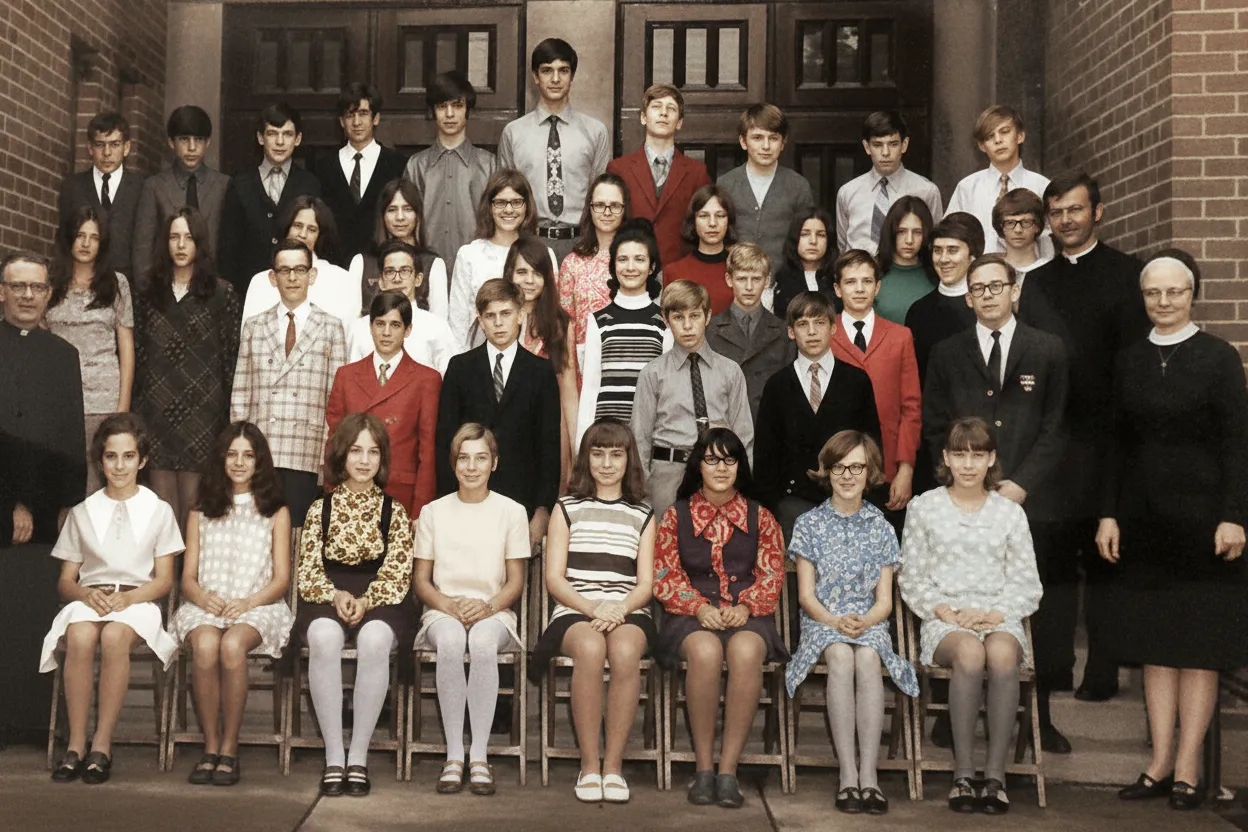
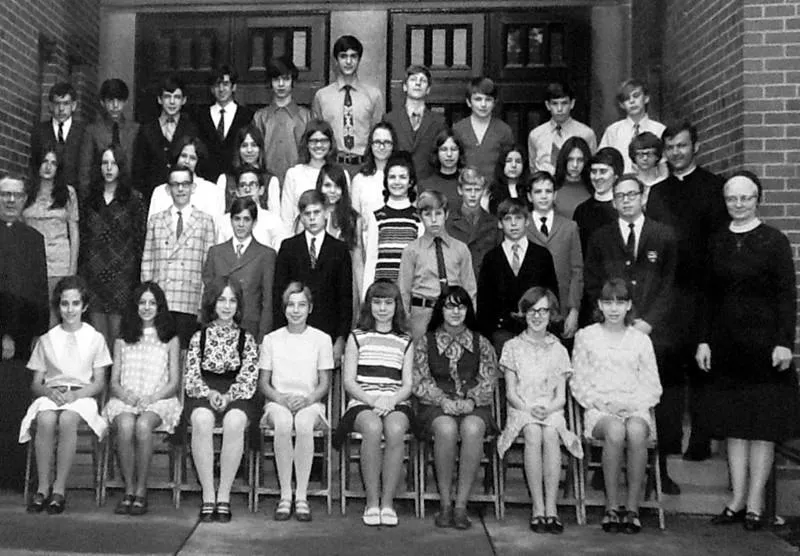
“My grandma cried when she saw her wedding photo restored. Absolutely incredible.”
Maria K.

“Uploaded a blurry photo from the 70s and got back a crystal clear image. Like magic.”
James T.

“Finally recovered old family photos I thought were lost forever. So easy to use.”
Sarah M.
See the difference on your own photos
No watermark · No subscription · From $6.99
Why people start looking for a Remini alternative
Remini is a great app, and it would not have hundreds of millions of downloads if it were not. The reason this page exists is not that Remini is bad. It is that Remini was designed for a very specific job, and the people landing on this page usually want a different one.
Remini was built around modern phone selfies. Its parent company, Bending Spoons, optimized the app for the daily ritual of taking a photo of yourself and wanting it to look a little sharper, a little brighter, a little more dramatic. The viral moment for Remini came when people realized you could throw a low-resolution face into the app and get back a hyper-detailed portrait that looked almost like a professional headshot. That single use case drove most of the downloads, and most of the product decisions ever since.
The problem is that restoring a faded 1962 photograph of your grandmother is not the same job as enhancing a 2026 phone selfie. The damage is different (real physical wear, not low resolution), the goal is different (faithfulness to the original, not glamour), and the workflow is different (you are usually working from a scan on a desktop, not a fresh shot on your phone). When people use Remini for old photos, they often complain that the AI over-smooths skin, makes faces look plastic, or invents details that were never there. That is not Remini failing. It is Remini being asked to do a job it was not designed for.
The subscription problem nobody talks about
The other reason people end up here is the pricing model. Remini sells access through weekly, monthly, and yearly subscriptions managed inside the App Store or Google Play. This makes total sense for a daily-use selfie app: you use it constantly, so paying a small recurring fee feels fair. It makes much less sense for restoring old family photos, which is almost always a one-time project.
Here is the typical scenario. You find a box of old photos in your parents' attic. There are maybe forty of them. You want to restore them, share them with the family, and print a few favorites. That is a project that takes one weekend, not a year. Paying a monthly Remini subscription for a one-weekend project means you are paying for eleven months you will not use, and then having to remember to cancel the subscription before it auto-renews. App store subscriptions are notorious for being easy to start and hard to find when you want to cancel, and a non-trivial number of people forget about them entirely until they notice the charge on a bank statement months later.
RestorePhotosApp was built for the one-weekend project. You buy a credit pack once, you use the credits whenever you want, and there is nothing to cancel because there is no subscription. The Family plan covers 50 photos for $29.99, enough for a typical attic box, and anything left over waits for whenever you find the next one. Credits never expire, so if you take three years to get around to it, that is fine.
A note on the desktop workflow
There is one more reason people switch: the workflow. Old photos almost always start as physical objects. To restore them, you need to scan them or take a phone picture of the print, then process the digital version. The scanning step is much easier on a desktop or laptop, and the actual restoration step is much easier on a screen larger than four inches. Cropping, comparing the before and after, downloading, organizing the files into folders for different family branches: all of this is fiddly on a phone and obvious on a laptop.
Remini is mobile-first, and that is by design. You can use it on a phone browser version, but the experience is clearly built for the app. RestorePhotosApp is the opposite. It is web-first, runs in any browser including the one on your phone, and is designed around the desktop scanning workflow. If you have a flatbed scanner, an iPhone with the built-in document scanner, or a folder of existing scans, RestorePhotosApp drops directly into that workflow. If you primarily take selfies on your phone and want them touched up before posting them, Remini is genuinely the better tool.
Skip the research — see the result on your own photo.
No watermark. No subscription. From $6.99.
Side by side
RestorePhotosApp vs Remini
| Feature | RestorePhotosAppOur pick | Remini |
|---|---|---|
| Free tier | 2 full-quality restorations, no watermark | Limited daily uses, watermarks on output |
| Pricing model | One-time credit packs from $6.99 | Weekly, monthly, and yearly subscriptions |
| Cost per photo (best plan) | $0.55 per photo | Subscription only, no per-photo option |
| Platform | Web (works on any device) | Mobile app first, web limited |
| Subscription required | No | Yes, for full features |
| Watermark on free output | No | Yes |
| Credits expire | Never | N/A (subscription resets) |
| Best for | Old, faded, and damaged photos | Modern selfie enhancement |
| Money-back guarantee | 30 days | Subscription cancellation only |
Restoring old family photos in 2026
How AI photo restoration actually works for vintage prints
How to restore old photos online without a monthly subscription
The workflow for restoring old family photos has not really changed since flatbed scanners became cheap. You scan the print (or take a flat phone photo of it under good light), upload the image to an AI photo restoration tool, wait about thirty seconds, and download the cleaned version. The only thing that has changed is the quality of the result, which is now good enough that most people stop trying to do it manually in Photoshop and let the AI model handle the heavy lifting.
A one-time pricing tool is a better fit for this workflow than a monthly subscription because the workflow itself is finite. You scan the photos you have, restore them, file the results, and you are done until the next time someone in the family digs up an old box. Paying a recurring fee for a project that takes one weekend means most of what you pay covers months you will never use the tool, which is exactly the friction that drives most people to look for a free Remini alternative in the first place.
What kind of damage AI photo restoration can actually fix
Modern AI photo restoration handles most of the damage you find on real family photos: surface scratches, dust spots, faded color, yellow color casts from aged paper, soft focus, low resolution from small original prints, and the kind of cracking and creasing that happens when a photo has been folded inside a wallet for forty years. It does not work miracles on photos where the face itself is missing, and it cannot recover detail from a print that was already very small to begin with, but for the typical attic-box photo it gets you to a result that looks intentional rather than damaged.
For black and white photos, the same restoration model can be paired with a colorization pass to convert the image to natural-looking color. The colorization is most convincing on portraits and outdoor scenes, and slightly less convincing on indoor photos with unusual lighting, but the result is generally far closer to "what this scene actually looked like" than the grayscale original. This combination of restore plus colorize is what most people actually want when they search for AI tools to fix old family photos.
Why a desktop browser beats a phone app for old photos
Almost every old family photo restoration project starts with physical prints, which means scanning. Scanning is genuinely easier on a desktop or laptop, and the resulting files are easier to organize, crop, and compare in a browser running on a real screen than on a four-inch phone display. A web-first photo restoration tool drops directly into that desktop workflow without forcing you to install anything or move files between devices.
You can still use the same browser-based tool from your phone if a print turns up at a relative's house and you want to restore it on the spot. The point is not that phones are bad. It is that the desktop is usually the natural environment for an old photo restoration project, and a tool designed around the desktop avoids fighting that workflow at every step.


See the same effect on your own photos.
No watermark. No subscription. From $6.99.
Comparison information is based on publicly available product details and may change. Last updated 2026. Read how we test photo restoration tools.
About Remini
Remini is an AI photo enhancer owned by Bending Spoons, best known for its mobile app available on iOS and Android. It uses a face-restoration model to sharpen blurry photos, enhance facial details, and improve overall image quality. The app became viral on social media for transforming low-resolution selfies and old photos into high-detail portraits.
Remini's strength is its mobile-first design and polished user experience inside the app. It has been downloaded hundreds of millions of times and is one of the most recognizable AI photo apps on mobile. However, it operates on a subscription model with weekly, monthly, and yearly tiers, and the free version applies watermarks and daily usage limits.
Pros
- +Excellent face-restoration quality on selfies
- +Polished mobile app experience
- +Widely recognized and tested by millions of users
- +Many creative AI styles and filters
Cons
- −Subscription-only with no one-time purchase option
- −Free tier applies watermarks and daily limits
- −Mobile-first design, limited desktop experience
- −Can over-smooth faces, making them look plastic
- −Cancelling the subscription can be confusing on mobile app stores
The alternative
Why people switch from Remini to RestorePhotosApp
The most common reason people look for a Remini alternative is the subscription model. If you only want to restore a handful of family photos, not enhance selfies every day, paying a recurring subscription is poor value. RestorePhotosApp uses one-time credit packs that never expire, so you only pay for what you actually restore.
The second reason is the desktop experience. Restoring old photos usually means working from scans of physical prints, and that workflow is much easier on a laptop than a phone. RestorePhotosApp runs in any browser with no install, so you can drag and drop scans directly from your desktop.
No subscription, ever
Pay once, use credits whenever you want. Credits never expire and there is no auto-renewal to remember to cancel.
Cheaper for occasional use
The Family plan is $29.99 for 50 photos, about 60 cents each. Restoring a 100-photo album costs $54.99 once, with nothing to cancel afterwards.
No watermarks on the free tier
Every account gets 2 free, watermark-free, full-resolution restorations. No credit card required to try.
Built for old photos, not selfies
RestorePhotosApp is tuned for vintage family photos: fading, scratches, color loss, and severe damage. Remini is optimized for modern phone selfies.
Web-first workflow
Works on any browser, on any device. Drag and drop scans from your desktop without needing a mobile app.
Join 470,000+ people restoring their family photos.
No watermark. No subscription. From $6.99.
In practice
A real-world example: the attic box
Imagine the situation we hear from RestorePhotosApp users almost every week. A parent or grandparent has passed away, and the family is going through their belongings. In the back of a closet, there is a shoebox or a tin or a battered photo album with about fifty old prints. Most are black and white. Some are slightly faded. A few have water damage along the edges. There is one (always one) that everybody in the family agrees is the most important: a wedding photo from the 1950s, or a portrait of a great-grandparent who died young.
The family wants to restore these photos so each sibling can have a copy, frame the most important one, and post the best ones in the family group chat. That is the actual job. Nobody in this scenario wants to subscribe to a monthly app. Nobody wants to learn Photoshop. Nobody wants to spend hundreds of dollars on a studio. They want to restore fifty photos this weekend and never think about photo restoration software again until the next time someone finds an old box.
Subscription apps fail this user, not because the AI is bad, but because the pricing model assumes you will keep using the tool forever. RestorePhotosApp was specifically designed for the attic-box scenario: pay once, do the project, and walk away. Credits never expire, so even the photos you cannot bring yourself to look at right now will still be restorable in five years when you are ready.
The short answer
Which one should you choose?
- You have old family photos, scans, or vintage prints to restore
- You want one-time pricing with no subscription
- You work primarily on a laptop or desktop
- You need watermark-free output for printing or framing
- You want to test the AI on your photos before paying
- You enhance selfies and modern photos on your phone every day
- You prefer a native mobile app over a website
- You want creative AI filters and styles, not just restoration
- You are happy with a recurring subscription
Made your choice? Restore your first photos today.
No watermark. No subscription. From $6.99.
Bottom line
Final thoughts
Both Remini and RestorePhotosApp are built on top of similar AI face-restoration research, and the underlying model quality is broadly comparable for the kinds of photos each is designed for. The decision between them is not really about which AI is "better" in the abstract. It is about which one is a better fit for what you are actually trying to do.
If your goal is to enhance daily phone selfies inside a polished mobile app, Remini is probably the right answer and we are not going to try to convince you otherwise. If your goal is to restore a finite collection of old family photos using a desktop or laptop, with no recurring charges and no risk of forgetting to cancel a subscription, then RestorePhotosApp is built for exactly your situation. Try the free tier first, on your hardest photo, and see if the result holds up to your standards before you spend a cent.
FAQ
Frequently asked questions
Is RestorePhotosApp a free Remini alternative?
Yes, you can try RestorePhotosApp for free: every account gets 2 full-quality restorations with no watermark and no credit card required. Those free restorations run through the same Google Gemini AI pipeline as paid ones and come back at 1080p in seconds, so the trial shows you exactly what a paid credit buys. Remini's free tier works differently: it applies watermarks and daily usage limits, so judging its full output quality means subscribing first. To be clear, RestorePhotosApp is not unlimited-free either. After the 2 free restorations you buy a one-time credit pack, starting at $6.99 for 10 photos and going up to a $54.99 Studio pack with 100 credits, which works out to about $0.55 per photo. If a pay-once model suits your project, start with the free tier and only buy a pack after you have seen results on your own scans.
How does RestorePhotosApp compare to Remini in quality?
Both tools use modern AI face-restoration models, so raw quality is comparable; the difference is what each one is tuned for. Remini is optimized for enhancing modern phone selfies and is excellent at that job, while RestorePhotosApp is built around old-photo problems: scratch and damage repair, black and white colorization, unblurring, and general enhancement, delivered as 1080p files from a browser upload that processes in seconds. For vintage prints specifically, RestorePhotosApp typically produces more natural results, because Remini can over-smooth aged textures and make faces look plastic when pointed at photos it was not designed for. The honest caveat is that no AI recovers what is physically gone: a face torn out of a print stays missing in either tool. The fairest test is running the same difficult scan through both, and since RestorePhotosApp includes 2 free restorations, that comparison costs nothing.
Why does Remini cost so much?
Remini feels expensive for occasional use because it is sold only as weekly, monthly, and yearly subscriptions, so you keep paying on a recurring schedule even if you restore just a few photos a year. That pricing makes sense for its core audience of daily selfie enhancement; the cost problem mainly hits people with a one-time restoration project. For comparison, RestorePhotosApp's Family plan is a one-time $29.99 for 50 photos, roughly $0.60 each, and the $54.99 Studio plan drops that to about $0.55 per credit, 21% cheaper per credit than the smallest $6.99 Starter pack. Because credits never expire, a weekend project does not turn into months of unused subscription time. To be fair, if you genuinely enhance photos every day, a subscription can still be reasonable value; for a finite box of family prints, one-time credits are the cheaper structure. Compare both against how often you will actually use the tool.
Can I cancel Remini and use RestorePhotosApp instead?
Yes, and this is one of the most common switching paths: cancel the Remini subscription, then use RestorePhotosApp's one-time credit packs instead. The practical detail is that Remini subscriptions are managed through the App Store or Google Play, so you cancel in your phone's subscription settings rather than inside the Remini app itself, and finding that screen can be confusing on mobile app stores. Nothing carries over when you switch, but you do not need it to: a new RestorePhotosApp account starts with 2 free restorations and no credit card, and paid packs begin at $6.99 for 10 credits with a 30-day money-back guarantee on every purchase. One caveat on timing: app store subscriptions usually run until the end of the period you already paid for, so cancelling early does not refund the remainder. Cancel before the next renewal date, then test the free tier on a real photo.
Does RestorePhotosApp have a mobile app?
RestorePhotosApp does not need a mobile app: it runs in any mobile browser on iOS or Android, so you can upload, restore, and download photos directly from your phone with nothing to install. Processing happens in the cloud through Google Gemini AI and takes seconds per photo, results come back at 1080p, and uploads are automatically deleted from the servers after 30 days. The honest trade-off is that a browser tool will not feel as polished as Remini's native app, which is genuinely one of Remini's strengths. RestorePhotosApp instead prioritizes the web-first workflow, because most old-photo projects start with scans on a laptop or desktop, and its 470,000+ users typically do the bulk of a project on a bigger screen. The phone browser is still handy for one-off finds, like a print discovered at a relative's house. Open the site on your phone and the free tier works exactly the same.
Is the quality the same as the paid version?
Yes, the free restorations use exactly the same AI model as paid restorations, with no quality difference, no resolution downgrade, and no watermark. Every photo, free or paid, goes through the same Google Gemini powered pipeline and returns a 1080p result, whether you are on the trial or the largest plan. What the paid tiers change is quantity and price per photo: Starter is $6.99 for 10 credits, Pro is $16.99 for 25, Family is $29.99 for 50, and Studio is $54.99 for 100, where the only extra beyond volume is priority support on Studio. This is worth knowing because Remini structures its free tier the opposite way, with watermarks and daily limits on free output. One genuine limitation applies at every level: results depend on the source image, so a tiny or heavily damaged original has a ceiling no plan can raise. Spend your two free credits on your hardest photo to see that ceiling for yourself.























