


On this page
Quick verdict
VanceAI is a broad AI photo suite with tools for restoration, enhancement, background removal, anime art, and more. If you need an all-in-one toolbox and are happy with monthly subscriptions, it is a reasonable choice. If you specifically want to restore old family photos without paying a subscription, RestorePhotosApp is more focused and cheaper.
Choose RestorePhotosApp
Best for users who only need photo restoration and want one-time pricing.
Choose VanceAI
Best for users who want a multi-tool AI suite with API access.

“My grandma cried when she saw her wedding photo restored. Absolutely incredible.”
Maria K.

“Uploaded a blurry photo from the 70s and got back a crystal clear image. Like magic.”
James T.

“Finally recovered old family photos I thought were lost forever. So easy to use.”
Sarah M.
See the difference on your own photos
No watermark · No subscription · From $6.99
The specialist versus generalist debate
There is an old principle in software design: a tool that does one thing well usually beats a tool that does many things adequately. This is especially true for things that involve perception and judgment, like photo restoration, where the difference between "AI made my photo look natural" and "AI made my photo look weird" is often small but matters enormously to the person looking at the result.
VanceAI is a generalist. Its product is a suite of dozens of AI image tools: photo restoration, photo enhancement, photo colorization, background removal, image upscaling, anime style transfer, sky replacement, portrait retouching, and a long tail of other features that get added regularly. Each individual tool has a model behind it, and each model is competent. But because the company has to spread its engineering and research budget across many tools, no single tool gets the same depth of attention that a focused specialist would put into it.
RestorePhotosApp is the opposite. It does exactly one thing (restore old face photos), and every part of the product, from the AI model to the interface to the pricing, is shaped around that one job. When the model is updated, the only thing being optimized is restoration quality on old photos. When the interface is redesigned, the only workflow being considered is the upload-restore-download cycle. When pricing is set, it is set per restoration, not per tool. The trade-off is real and explicit: RestorePhotosApp cannot remove backgrounds, generate anime, or do most of the other things VanceAI can do. But the one thing it does, it does with full attention.
Decision fatigue and the "which model do I pick" problem
A subtle problem with multi-tool AI suites is that they put cognitive load on the user. When you visit VanceAI to restore an old photo, you typically have to choose: do you use the Photo Restorer? The Photo Enhancer? The Photo Sharpener? The Old Photo Restoration tool specifically? Each has slightly different defaults, slightly different best-use-cases, and slightly different credit costs. You are essentially being asked to be your own product manager, making decisions about which tool fits your specific photo before you even start.
For technical users, this kind of optionality can feel powerful. For everyone else, and especially for people who just want to restore their grandmother's photo without having to research five tool variants first, it adds friction at exactly the moment when friction matters most. The goal is to see your restored photo. The goal is not to learn the difference between Photo Restorer and Photo Enhancer.
RestorePhotosApp collapses all of that into a single decision: pick a style (Restore, Colorize, Sharpen, Cleanup, or Enhance), upload the photo, and the AI handles model selection automatically. There are five clear styles with one obvious default for each kind of damage. You do not need to know which AI model is running under the hood, and you do not need to compare tool variants before you can get to work.
Predictable pricing matters more than you think
VanceAI uses a credit-based system layered on top of subscription tiers. Different tools cost different numbers of credits. Subscriptions reset monthly. Credits sometimes expire, sometimes do not, depending on how you bought them. This is not unusual for AI suites (it is roughly how most multi-tool platforms work) but it has a real cost: you cannot easily answer the question "how much will it cost me to restore 100 photos?" without doing meaningful arithmetic and probably reading the FAQ.
RestorePhotosApp has three credit packs and one rule: one credit equals one restoration. Always. There is no per-tool variation, no monthly reset, no expiration. If you buy the Family plan for $29.99, you have 50 restorations available, and the per-photo cost is $0.60. If you buy the Starter pack for $6.99, you have 10 restorations at $0.70 each. There is no third number to memorize, and the cost of any project is just (number of photos) × ($0.60 to $0.70 depending on plan).
This kind of pricing simplicity is not a feature for power users; they will happily do the credit math. It is a feature for people who hate doing the credit math, which is most people. When the pricing is simple, you spend zero mental energy on it and focus entirely on the photos.
Skip the research — see the result on your own photo.
No watermark. No subscription. From $6.99.
Side by side
RestorePhotosApp vs VanceAI
| Feature | RestorePhotosAppOur pick | VanceAI |
|---|---|---|
| Free tier | 2 full restorations | Limited free credits, then paywall |
| Pricing model | One-time credit packs | Monthly subscriptions + credits |
| Starting price | $6.99 one-time | ~$9.90+ per month subscription |
| Cost per photo (best plan) | $0.55 per photo | Varies by tool and tier |
| Subscription required | No | Yes for best per-credit pricing |
| Credits expire | Never | Often monthly with subscription |
| Tool focus | Photo restoration only | Dozens of AI image tools |
| API access | No | Yes |
| Money-back guarantee | 30 days | Limited |
AI photo restoration in 2026
A focused approach to restoring old family photos
How AI sharpens blurry old photos without inventing details
Modern face restoration models work by recognizing facial structure (eyes, nose, mouth, jawline, hairline) and reconstructing the parts of the face that have been blurred or degraded. This is different from generative AI in the broader sense: the model is not inventing what someone looked like from scratch, it is extrapolating from the information that is already present in the image. The result tends to look like a sharper version of the same person rather than a stylized reinterpretation, which is exactly what most people want from an AI photo enhancer for old photos.
For old, blurry portraits where the face is the main subject, this approach produces results that family members usually recognize immediately. For group photos where individual faces are very small, the same model can recover enough detail to make each person identifiable. For photos that were already sharp but suffered from low resolution, the model performs best of all because the underlying information is just compressed rather than missing.
Restoring scans, phone snaps, and photos of photos
AI photo restoration works on any common source format: flatbed scans, phone-camera shots of physical prints, screenshots of digital images, and existing high-resolution files alike. Scans give the cleanest input because they remove perspective and lighting variation, but phone shots of prints work well as long as the photo is shot flat under even light and the print fills most of the frame. Most modern phones include a document scanner mode that handles this automatically and produces results almost as clean as a flatbed scan.
The accepted file formats are the usual ones: JPG, PNG, HEIC, and WebP. There is no need to convert files before uploading. If you are restoring a large batch, it is easier to work with the original file format from the scanner or phone rather than converting them all to a single format first. The AI model handles colorspace and compression differences internally.
Why one focused tool beats a menu of overlapping variants
AI image suites typically offer half a dozen overlapping tools for any given task. A photo restoration job might involve choosing between Photo Restorer, Photo Enhancer, Photo Sharpener, Old Photo Restoration, and several other variants, each with slightly different defaults and slightly different credit costs. For technical users, this kind of optionality is valuable. For everyone else, it adds friction at the moment when the user just wants to see the restored photo and move on to the next one in the stack.
A focused tool collapses all of that into one decision: pick a style (restore, colorize, sharpen, cleanup, or enhance) and let the model handle everything else. The reduced cognitive load makes a noticeable difference when you are working through a stack of fifty photos and just want to finish the project before the weekend ends, which is the actual situation most family photo restoration projects start from.
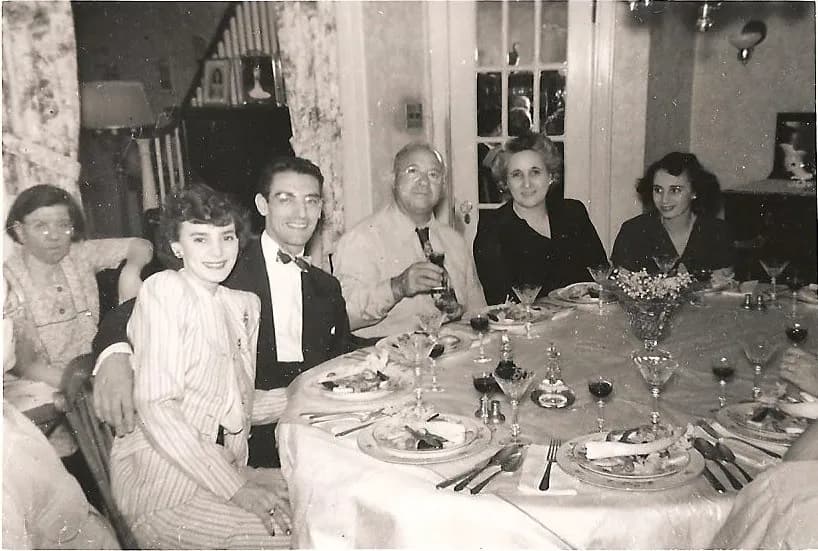
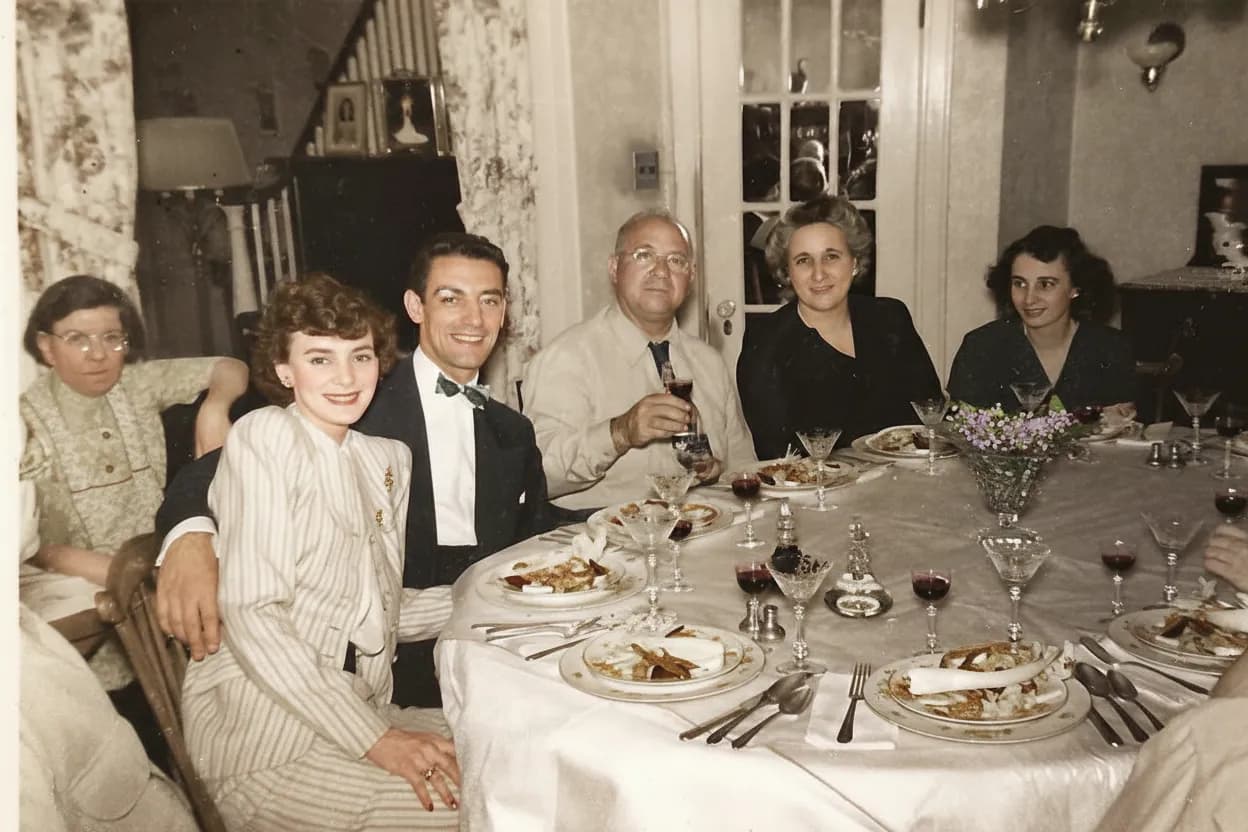
See the same effect on your own photos.
No watermark. No subscription. From $6.99.
Comparison information is based on publicly available product details and may change. Last updated 2026. Read how we test photo restoration tools.
About VanceAI
VanceAI is a web-based AI image suite operated by VanceAI Technology. It offers a wide range of tools including photo restoration, photo enhancer, photo colorizer, background remover, anime style transfer, image upscaler, and more. It is positioned as a multi-purpose AI toolkit for content creators, e-commerce sellers, and casual users.
The breadth of tools is VanceAI's biggest selling point: if you need to remove a background, restore a photo, and upscale an image all in one platform, it covers all of that. The trade-off is that pricing is structured around monthly subscriptions and credit consumption that varies by tool, which can make the per-photo cost difficult to predict.
Pros
- +Wide variety of AI photo tools in one platform
- +API access for developers
- +Regular feature updates and new tools
- +Web-based, works in any browser
Cons
- −Subscription model with credits that can expire
- −Pricing varies by tool, hard to predict total cost
- −Restoration is one of many tools, not the focus
- −Free tier is limited
- −Quality on old photo restoration can vary by tool choice
The alternative
Why people choose RestorePhotosApp over VanceAI
The most common reason is focus. VanceAI is a Swiss Army knife that does many things. RestorePhotosApp is a specialist: it does one thing (restore old face photos) and is tuned end to end for that one job. For users who only want to restore family photos, the specialist tool is usually easier to use and produces more predictable results.
The second reason is pricing simplicity. VanceAI mixes subscriptions, credit packs, and per-tool pricing in a way that can be hard to budget. RestorePhotosApp has three flat credit packs, no subscription, and credits that never expire. Once you buy credits, the math is simple.
Specialist, not generalist
Every part of the workflow (UI, model selection, defaults, output format) is tuned for restoring old face photos. No menu of tools to navigate.
Simple, predictable pricing
Three credit packs, no subscription, no per-tool variation. One credit equals one restoration, period.
Credits never expire
Buy 50 credits today, use them in 2027. There is no monthly reset.
Generous free tier
2 full-quality restorations with no credit card and no watermark. Test the AI on your hardest photo first.
Friendlier for non-technical users
You do not need to know which AI model to pick, which preset to apply, or which credit pack covers which tool.
Join 470,000+ people restoring their family photos.
No watermark. No subscription. From $6.99.
In practice
A real-world example: the second-time visitor
Here is a common pattern. Someone tries VanceAI for the first time, picks one of the photo restoration tool variants, runs a photo through it, and gets a decent result. Then they come back a week later to do another batch, and they have completely forgotten which tool variant they used and what settings they picked. They open the dashboard, see a long list of tools, and have to start over with the experimentation. Sometimes they pick a different variant by accident and get noticeably different results. The whole experience is harder than it should be because the platform itself has too many decisions in it.
The same person on RestorePhotosApp has a much simpler experience the second time around. There is no menu of tool variants to relearn. There are five styles, the same five styles as last time, with the same defaults. They pick the same style they picked before, upload the photo, get a result that is consistent with their previous restorations, and download. The whole interaction takes about a minute longer than the first time only because they have to log in again.
This kind of consistency matters more than it sounds. When you are restoring photos as a project, say, working through a family album over several evenings, the friction of relearning a complicated tool every time you sit back down adds up. A simpler tool that you can pick up and put down without losing your place is a more pleasant tool to use.
The short answer
Which one should you choose?
- You specifically want to restore old family photos
- You want flat, one-time pricing with no subscription
- You want a single tool that just works without configuration
- You only need a few dozen restorations, not a daily workflow
- You value simplicity over feature breadth
- You need many different AI image tools beyond restoration
- You need API access for a developer workflow
- You upscale, remove backgrounds, and enhance images frequently
- You are an e-commerce seller or creator processing many image types
Made your choice? Restore your first photos today.
No watermark. No subscription. From $6.99.
Bottom line
Final thoughts
VanceAI is a perfectly reasonable choice if you actually want a multi-tool AI image suite. If you regularly need to remove backgrounds, upscale e-commerce product images, restore old photos, and do anime style transfer all in one platform, the breadth genuinely is the value. The trade-off in pricing complexity and decision overhead is worth it for users with broad needs.
For everyone else, a focused tool wins. RestorePhotosApp does one thing (restores old face photos), and the entire product is shaped around making that one thing as easy and predictable as possible. If photo restoration is the only AI image task you have, the specialist will almost always feel cleaner than the generalist. See our where to restore old photos guide for a broader comparison of all the options available in 2026.
FAQ
Frequently asked questions
Is RestorePhotosApp cheaper than VanceAI?
For photo restoration specifically, yes. RestorePhotosApp charges $6.99 to $29.99 one-time with credits that never expire. VanceAI subscriptions typically start around $9.90 per month and credits can expire monthly, so the long-term cost depends on how often you use it.
Does RestorePhotosApp do everything VanceAI does?
No. VanceAI is a broad AI image suite with dozens of tools. RestorePhotosApp is focused on photo restoration, colorization, and sharpening of old face photos. If you need background removal, anime art, or other AI image tools, VanceAI covers more ground.
Which has better quality for old photo restoration?
For restoring old, faded, scratched, and damaged face photos, RestorePhotosApp is purpose-built and typically produces strong results. VanceAI has multiple restoration models that can give different results depending on which one you pick.
Do I have to pick the right model on RestorePhotosApp?
No. RestorePhotosApp has a small number of clear styles (Restore, Colorize, Sharpen, Cleanup, Enhance) and the AI handles model selection automatically based on your style choice.
Can I cancel a VanceAI subscription and switch?
Yes. Many users cancel monthly AI suites and switch to one-time tools when they realize they only use the tools occasionally. RestorePhotosApp is designed for exactly that case: pay once, use whenever, no recurring charges.
Does RestorePhotosApp have an API?
Not currently. If you need API access for an automated workflow, VanceAI is the better fit. RestorePhotosApp is designed for individual users restoring personal photos through the web app.























