
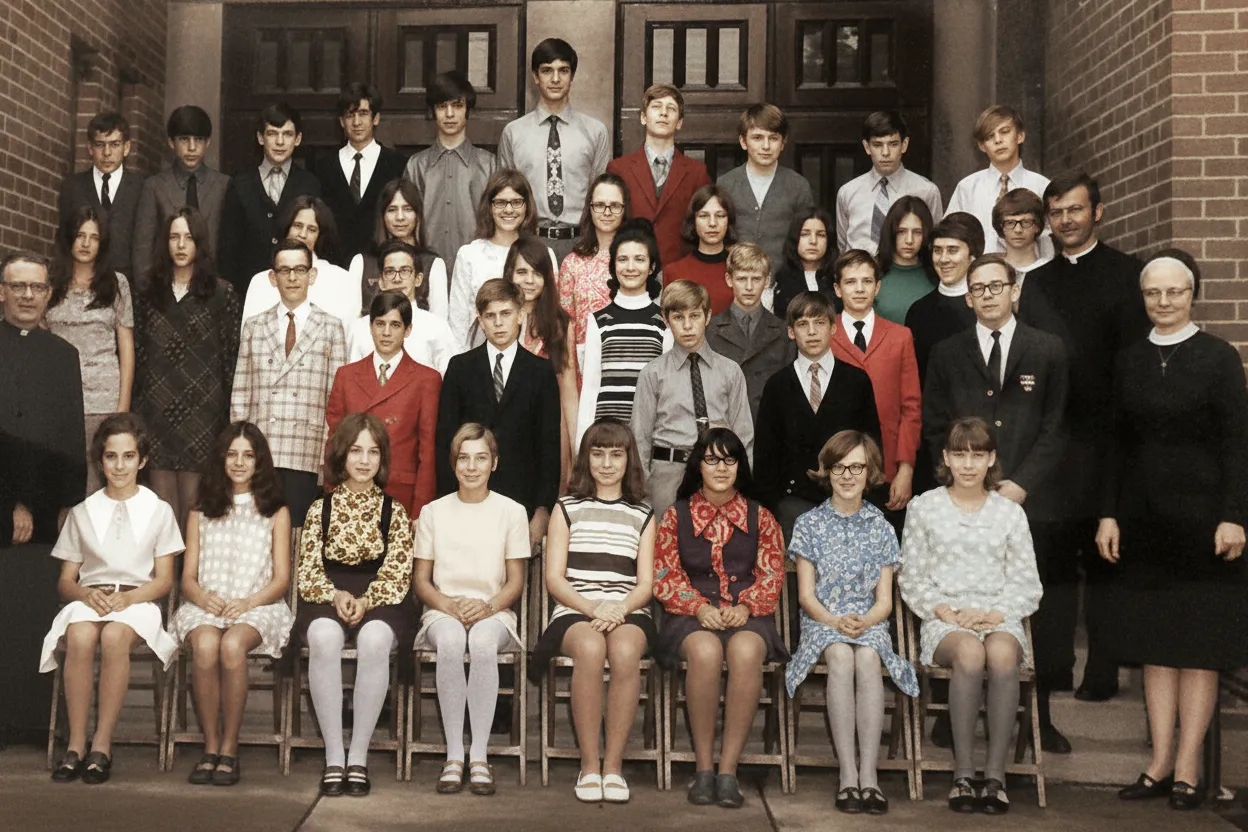
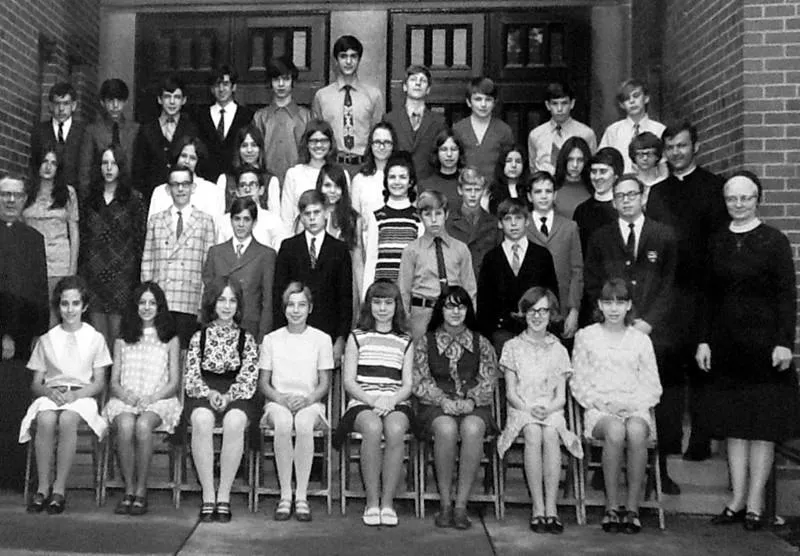
Why restore vintage photographs now?
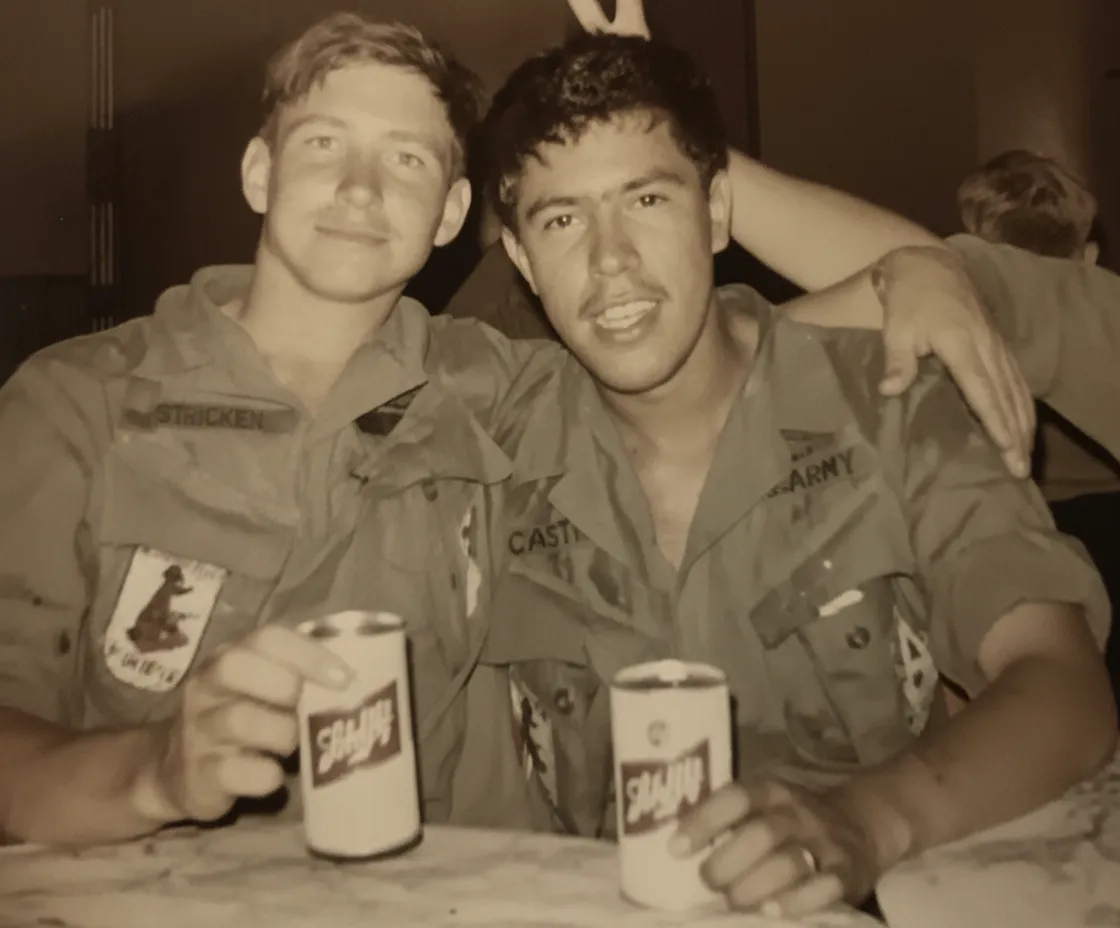
Vintage photographs are in a race against chemistry. Silver gelatin prints lose contrast every year. Albumen prints from the 1800s yellow and crack. Color prints from the 1960s and 70s shift toward magenta as cyan dyes fade. Polaroids from the 80s bleach in sunlight. Every day you wait, the physical print loses more of the image it holds. AI restoration captures what remains today and digitally reconstructs what has already been lost. The resulting digital file will never degrade further. For families, this is not about nostalgia | it is about preservation. The generation that can identify the people in these photos is aging, and once their knowledge is gone, an unrestorable photo becomes an anonymous artifact. Restore now, while someone can still tell you who is in the picture.
- Vintage prints degrade every day | restore now before more detail is lost
- Digital files never fade, crack, or yellow like physical prints
- The people who can identify faces in old photos will not be here forever
- Professional vintage restoration costs $75-$300 per photo; AI costs $0.60

“My grandma cried when she saw her wedding photo restored. Absolutely incredible.”
Maria K.

“Uploaded a blurry photo from the 70s and got back a crystal clear image. Like magic.”
James T.

“Finally recovered old family photos I thought were lost forever. So easy to use.”
Sarah M.
How it works
3 simple steps.
Era-Aware AI
Trained on prints from every photographic era.
A daguerreotype from 1860 degrades differently than a Kodachrome slide from 1965. Our AI was trained on photographs spanning the entire history of photography: tintypes, daguerreotypes, sepia prints, gelatin silver, early color, Polaroids, and modern film. It recognizes the specific degradation patterns of each era and applies historically appropriate restoration. Sepia tones are preserved where authentic, color shifts from specific film stocks are corrected accurately, and era-typical printing artifacts are distinguished from actual damage.
- ✦Recognizes degradation patterns specific to each photographic era
- ✦Preserves authentic sepia and monochrome tones when appropriate
- ✦Corrects era-specific color shifts from Kodak, Fuji, and Agfa films
- ✦Distinguishes vintage printing artifacts from actual photo damage
Damage Repair
Undo a century of physical deterioration.
Vintage photos endure decades of handling, storage, and environmental exposure. They crack, peel, stain, foxe, and curl. Our AI maps every type of physical damage and digitally removes it. Deep scratches are filled, torn edges are reconstructed, foxing spots are erased, and water stains are lifted away from the underlying image. The AI even handles the brown tide marks left by decades in damp basements or attics, restoring the full tonal range hidden beneath.
- ✦Removes scratches, creases, tears, and fold lines
- ✦Erases foxing spots, mold marks, and chemical staining
- ✦Lifts water-damage tide marks and humidity discoloration
- ✦Reconstructs torn or missing edges with plausible detail
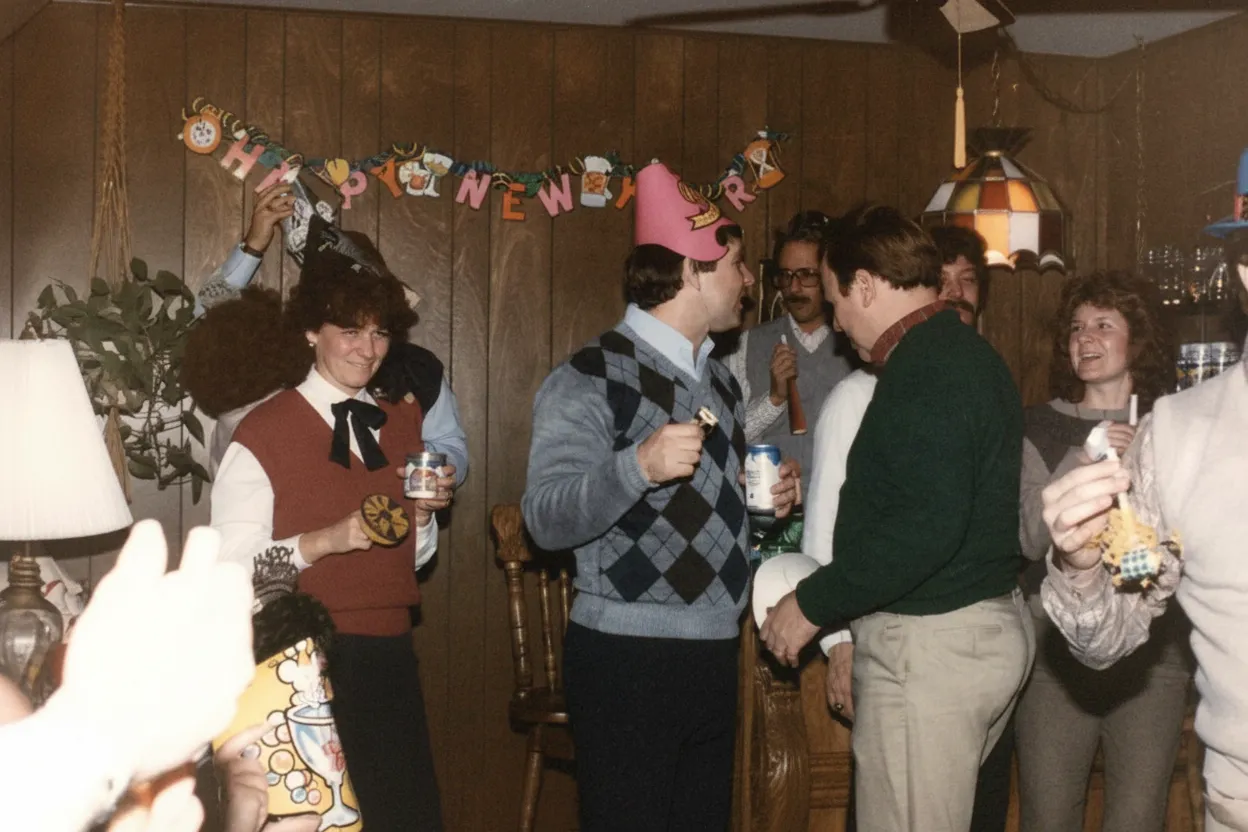
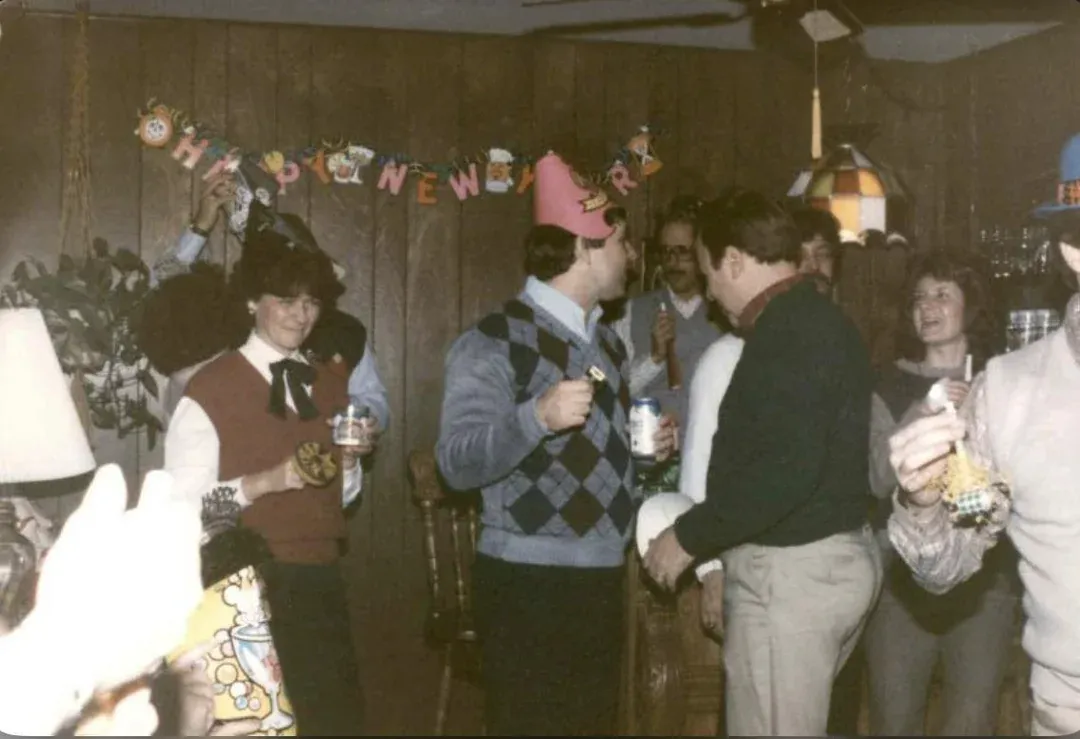
Heritage Quality
Museum-grade digital preservation for families.
Professional archival restoration of a single vintage photo costs $75 to $300 and takes weeks. Our AI produces comparable results in 30 seconds at a fraction of the cost. The output is a high-resolution digital file suitable for archival storage, printing, framing, and sharing. Many genealogy researchers and family historians use our tool to process entire collections of vintage photographs, creating digital archives that will outlast the physical prints by centuries.
- ✦Output quality suitable for archival-grade printing
- ✦Ideal for genealogy projects and family history books
- ✦Process entire collections at $0.60 per photo with the Family plan
- ✦2 free restorations to test on your most precious vintage photo
In-depth guide
A complete guide to restoring vintage photographs
Vintage photographs fall into distinct categories based on their era and technology, and understanding yours helps set expectations. Daguerreotypes (1840s-1860s) are mirror-like images on silver-coated copper plates. They are extremely fragile and often tarnished around the edges. Tintypes (1860s-1900s) are images on thin iron sheets that can rust and flake. Cabinet cards and cartes de visite (1860s-1900s) are albumen prints mounted on cardboard that yellow, crack, and foxe. Gelatin silver prints (1880s-1960s) are the most common vintage format and suffer from fading, silvering, and yellowing. Early color prints (1940s-1980s) shift toward magenta, yellow, or cyan as individual dye layers fade at different rates.
Scanning vintage photos requires extra care. Handle prints by the edges only, preferably with clean cotton gloves. Place the photo face-down on a flatbed scanner and scan at a minimum of 600 DPI in full color, even for monochrome prints. The color data in a monochrome scan captures subtle tonal variations that the AI uses for better restoration. For damaged prints that are curled or cracked, place a piece of clean white paper behind the photo and lower the scanner lid gently without pressing down. If the print is in a frame, remove it carefully | vintage photos can stick to glass that has been in contact for decades.
When uploading to the AI restoration tool, use the unedited scan file. Do not adjust levels, crop, or sharpen beforehand. The AI reads the raw tonal data to determine the type of degradation and the best correction strategy. Pre-editing can remove information the AI needs. If you have multiple scans of the same print from different scanners, upload the one with the most neutral color cast and highest resolution.
After restoration, evaluate the result at full zoom. Look especially at faces | are the eyes sharp, is the expression preserved, do skin tones look natural for the era? Compare fine details like lace, buttons, jewelry, and hair. For prints from the 1800s, the AI sometimes needs to make judgment calls about degraded areas, and you should verify that these reconstructions look plausible. If anything looks off, you can re-run the restoration | each attempt may produce slightly different micro-level decisions.
For vintage photos you plan to include in a genealogy project or family history book, consider the two-step workflow: restore first, then colorize. The restored black-and-white version serves as the historically accurate record, while the colorized version helps modern family members connect emotionally with ancestors they never met. Label both versions clearly with the date, location, and names of the people pictured, based on information from your oldest living relatives.
Building a digital archive of your vintage photos is a meaningful legacy project. Start with the oldest and most fragile prints first | these are losing the most information the fastest. Create a folder structure by decade or family branch. Name files descriptively with dates and subjects. Store copies in at least two locations: a cloud service and a local drive. The total effort to scan, restore, and archive a collection of 100 vintage photos is about one weekend, and the resulting digital archive will serve your family for generations.
Consider sharing restored vintage photos with extended family. A beautifully restored photo of a shared ancestor posted to a family group chat or printed and mailed to an elderly relative can be deeply meaningful. Many people use restored vintage photos as holiday gifts | framed prints of grandparents on their wedding day, restored and perhaps colorized, make powerful presents that no store can sell.
Expert tips
Tips for the best vintage photo restoration results
Handle vintage prints with cotton gloves
Oils from your fingers can cause permanent damage to vintage prints, especially albumen and gelatin silver photographs. Use clean cotton gloves when handling originals and touch only the edges or the mount board.
Scan at 600 DPI minimum, 1200 DPI for small prints
Vintage photos, especially cabinet cards and tintypes, are often physically small. Scanning at 1200 DPI captures far more detail from a 3x5-inch print, giving the AI significantly more data to work with during restoration.
Scan in color even for black-and-white photos
Black-and-white vintage prints have subtle warm or cool tones that a grayscale scan discards. The AI uses this color information to determine the print type and age, which helps it choose the right restoration approach.
Do not remove photos stuck to glass
If a vintage photo is stuck to the glass in its frame, do not try to peel it off | you will destroy the emulsion. Instead, scan or photograph the print through the glass. The AI can handle reflections and slight distortions better than it can handle a torn emulsion layer.
Restore the most damaged photos first
The most fragile and degraded prints are losing detail the fastest. Prioritize them for scanning and restoration. A photo that is barely visible today may be completely blank in a few years. Capturing it now, even imperfectly, preserves what AI can still recover.
Label restored files with names and dates
A restored photo without context is just a picture of a stranger. While you still have access to family members who recognize the people in these photos, label every file with names, dates, locations, and relationships. This metadata is as valuable as the image itself.
Pricing
One-time pricing. No subscription. Credits never expire.
Starter
For 5 to 10 photos. A handful of favorites, done properly.
$0.70 per photo · 10 restorations
Get Starter- 10 AI credits included
- High-Resolution Output
- Credits Never Expire
- Animate Photos with Credits
30-Day Satisfaction Guarantee
Pro
A small album: around 25 photos.
$0.68 per photo · 25 restorations
Get Pro- 25 AI credits included
- High-Resolution 1080P Output
- Credits Never Expire
- Animate Photos with Credits
30-Day Satisfaction Guarantee
Family
A shoebox of family photos: around 50.
$0.60 per photoSave 14% per photo
5 Starter packs would cost $34.95
- 50 AI credits included
- High-Resolution 1080P Output
- Credits Never Expire
- Animate Photos with Credits
30-Day Satisfaction Guarantee
Studio
A big collection: 100 photos, or dozens of animations.
$0.55 per photoSave 21% per photo
10 Starter packs would cost $69.90
- 100 AI credits included
- High-Resolution 1080P Output
- Credits Never Expire
- Animate Photos with Credits
30-Day Satisfaction Guarantee
Working through a whole archive of 250 photos or more? Archive pack: 250 credits for $109.99 ($0.44 per photo)
Prices don't include VAT.
FAQ
Frequently asked questions
What counts as a vintage photo?
Any photograph roughly 30 years old or older qualifies as vintage. This includes daguerreotypes, tintypes, cabinet cards, and albumen prints from the 1800s, gelatin silver prints from the early-to-mid 1900s, and early color and Polaroid prints from the 1960s-80s. Our AI handles all of these formats.
Can AI restore a photo from the 1800s?
Yes. The AI is trained on photographs from every era of photography, including daguerreotypes, tintypes, and albumen prints from the 1800s. These very old photos often have heavy tarnishing, foxing, and fading, and the AI recovers remarkable detail from them, frequently revealing faces clearly for the first time in over a century.
How much does vintage photo restoration cost?
Your first 2 restorations are free. After that, credits start at $6.99 for 10 restorations. The Family plan at $29.99 for 50 restorations ($0.60 each) is ideal for processing an entire vintage collection. Compare this to $75-$300 per photo at a professional restoration studio.
Will restoration change the historical character of my vintage photo?
No. The AI preserves the authentic look and feel of the era. Sepia tones in genuine sepia prints are maintained. Period-appropriate contrast levels are respected. The restoration removes damage | scratches, fading, stains | while keeping the historical character intact. You get a clean version of the original, not a modernized reinterpretation.
Can I colorize a restored vintage photo?
Yes. After restoring a black-and-white or sepia vintage photo, upload the restored version and select "Colorize B&W" mode. The AI adds historically plausible colors based on the era, clothing styles, and context. Many families keep both the restored monochrome and the colorized version.
How should I scan a very old, fragile photo?
Handle it with cotton gloves, touching only the edges. Place it face-down on a flatbed scanner and scan at 600-1200 DPI in full color. Lower the lid gently without pressing. If the photo is stuck to glass in a frame, scan through the glass rather than risk removing it. For extremely fragile items, a local archivist or library may offer scanning services.
Can I restore a vintage photo from a phone picture instead of a scan?
Yes. While a flatbed scan gives the best results, a phone photo works well if you follow a few guidelines. Shoot in bright, even daylight near a window. Hold the phone flat, directly above the print. Avoid shadows across the photo and glare from the print surface. The AI compensates for the slight quality difference between a phone capture and a true scan.
What if my vintage photo has a large section missing or torn off?
The AI can reconstruct small to medium missing areas with plausible detail based on surrounding context. For large missing sections, especially those containing unique details like a face, the AI generates a plausible fill but cannot recover the specific original content. For critically important photos with major damage, a combination of AI restoration and professional manual retouching produces the best result.
How do I preserve my vintage photos after digital restoration?
Store the physical originals in acid-free archival sleeves in a cool, dry, dark location. Save the digital restored files in at least two locations | a cloud service and a local hard drive. The digital version is now your sharing and printing copy, while the physical original is preserved as the historical artifact.
Can I restore vintage photos in bulk?
Yes. Upload multiple vintage photos and the AI processes each one individually with era-appropriate corrections. The Family plan at $0.60 per photo makes it practical to restore entire albums and collections. For a typical shoebox of 50-100 vintage prints, the total cost is under $15.
Is AI restoration as good as a professional restorer for vintage photos?
For typical vintage photo damage | fading, yellowing, scratches, minor tears, foxing, and water stains | AI restoration produces results comparable to professional manual work. Professional restorers may still be preferable for extreme cases involving large missing sections or severely cracked emulsion. But for the vast majority of vintage family photos, AI delivers excellent results at a fraction of the cost and turnaround time.
Can I animate a restored vintage portrait?
Yes. After restoring a vintage portrait, use the Animate feature to create a short video where the person appears to move | a gentle blink, a slight smile, or a slow camera push-in. Each animation costs 3 credits and produces a deeply moving tribute, especially for photos of ancestors you never met.























