
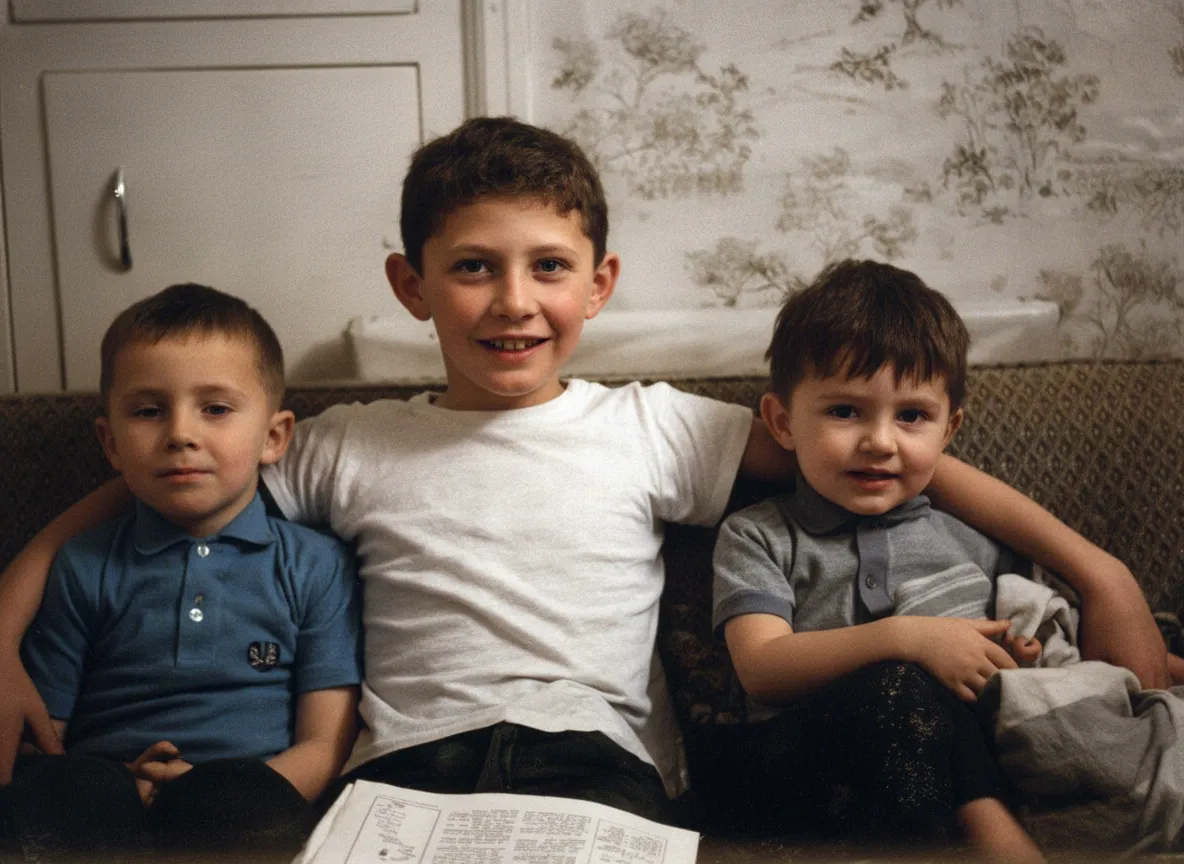
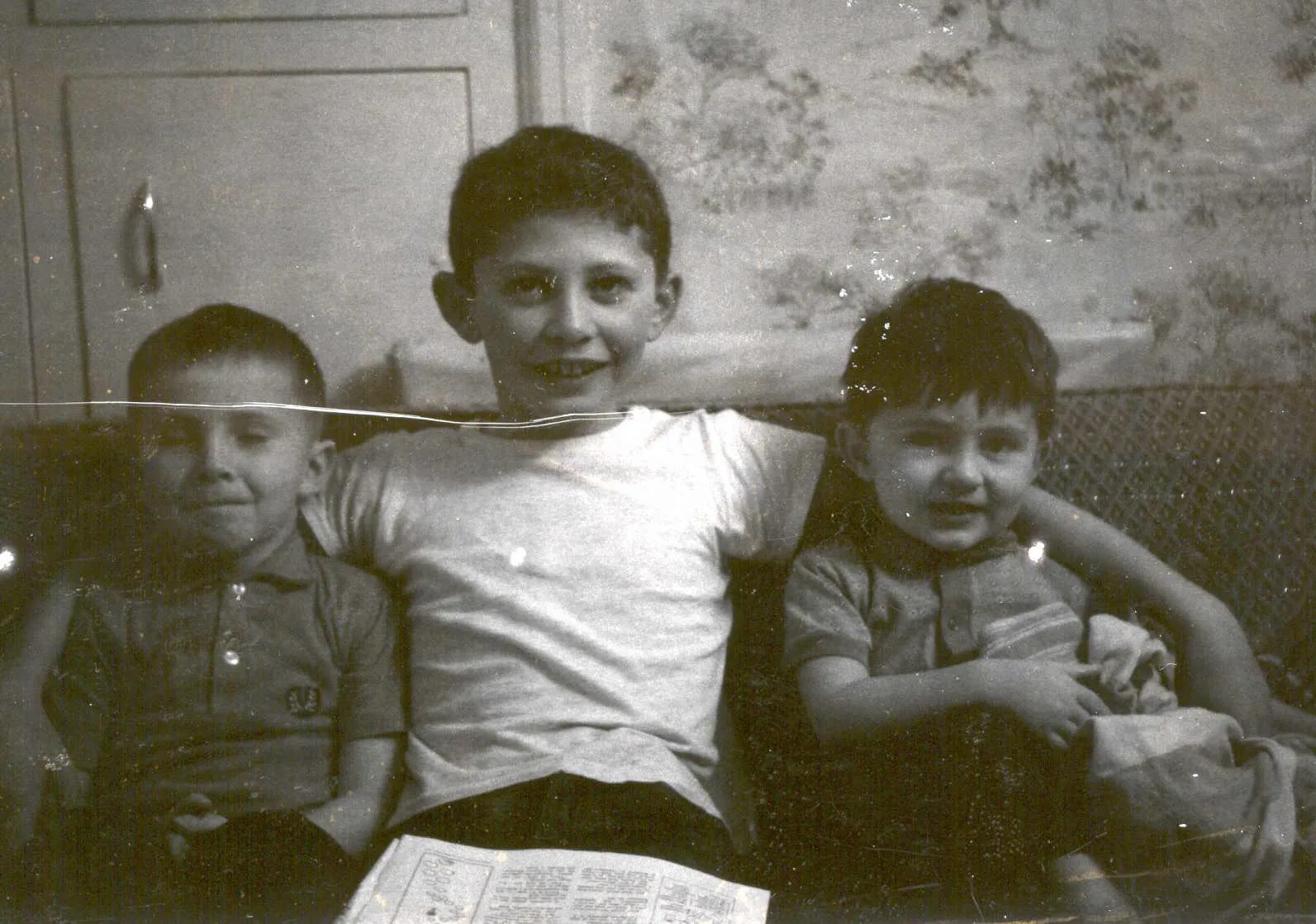
Can a torn photo really be fixed?
Yes, because a tear is surface damage, not image destruction. The image on each side of the tear is completely intact. The tear itself is just a narrow gap where the paper split. AI reads the intact areas on both sides, understands the objects in the image (a face, a dress, a tree, a wall), and generates matching content to fill the gap. It does not copy-paste from nearby pixels like Photoshop's clone stamp. It generates new image content that is consistent with what should be there. That is why AI tear repairs look invisible, not patched. The only limitation: if a section is completely missing and contained unique detail (a specific face, readable text), the AI generates something plausible but approximate.
- Tears through sky, walls, grass: seamless, invisible repair
- Tears through clothing and fabric: matching texture and pattern generated
- Tears through skin and faces: natural reconstruction, very convincing
- Missing corners with generic background: perfect reconstruction
- Missing sections with unique faces: plausible approximation, not exact recovery
What to expect
What happens when AI repairs a tear
A tear is surface damage, not image destruction. The image on each side is completely intact. The tear itself is just a narrow gap. The AI reads the intact areas on both sides, understands the objects in the image, and generates matching content to fill the gap.
For tears through sky, walls, or fabric, the repair is invisible. For tears through faces, the AI reconstructs skin tone, texture, and features from both sides. The result is very convincing, though complex facial features in a missing section are approximations.
The #1 cause of torn photos is magnetic photo albums from the 1970s-1990s. The adhesive bonds permanently after 10-20 years. When you peel the photo off, the emulsion rips, leaving irregular patches of missing image. For photos still stuck in albums, photograph them on the page without removing them.

“My grandma cried when she saw her wedding photo restored. Absolutely incredible.”
Maria K.

“Uploaded a blurry photo from the 70s and got back a crystal clear image. Like magic.”
James T.

“Finally recovered old family photos I thought were lost forever. So easy to use.”
Sarah M.
How it works
3 simple steps.
Types of Tears
Clean tear, ragged tear, missing piece: what to expect.
Clean tears fill invisibly. Ragged tears repair well with careful alignment. Missing corners are reconstructed from surrounding context. Backgrounds rebuild perfectly; unique faces are plausible approximations.
- ✦Clean tear: invisible repair, near-perfect results
- ✦Ragged tear: excellent results with careful alignment
- ✦Missing corner: seamless for backgrounds, approximate for faces
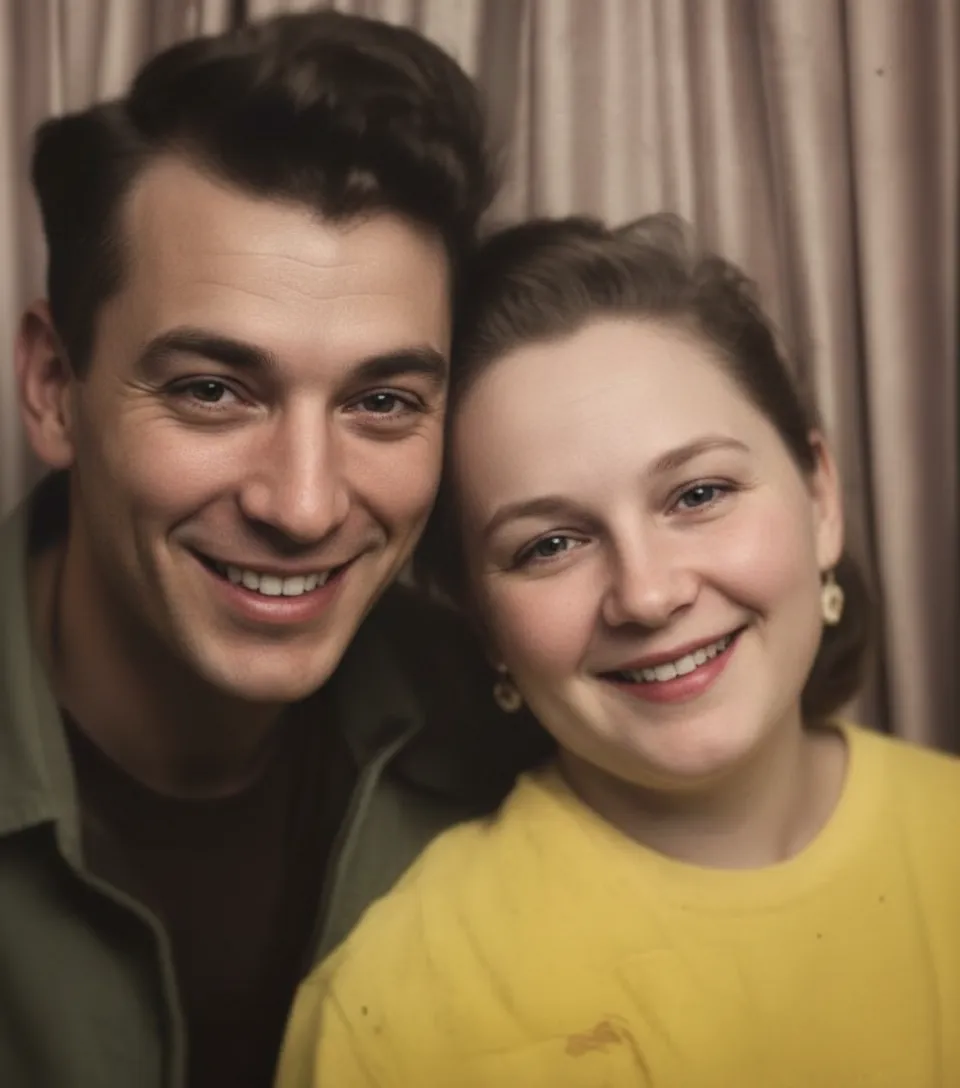
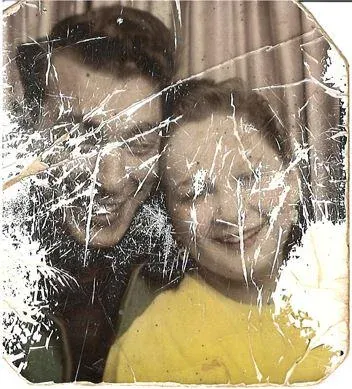
Album Damage
Ripped it out of a sticky album? That is the #1 cause.
Magnetic photo albums from the 1970s-1990s are the #1 source of torn photos. The adhesive bonds to the print over decades. When you peel, the emulsion rips. The AI fills these patchy tears using the surrounding image context.
- ✦Magnetic album adhesive bonds permanently after 10-20 years
- ✦AI fills irregular ripped patches from the surrounding image
- ✦For photos still stuck: photograph on the page instead of peeling
How Our App Fixes It
Upload the torn photo. AI makes it whole in 30 seconds.
Tape pieces together on the back, scan, and upload to restorephotosapp.com. Select "Repair." The AI fills every tear, gap, and missing area with matching image content in 30 seconds. The photo is whole again.
- ✦AI fills tears with matching content, not blur or smudge
- ✦Handles missing corners, ripped patches, and full tears
- ✦2 free repairs per account, no credit card required
- ✦Family plan: 50 photos for $29.99

In-depth guide
How to restore torn photos: step by step
First, figure out what you have. Is the photo torn into two pieces you can rejoin? Is a corner missing and lost? Is it ripped from a sticky album with patchy damage? Each situation is handled differently. For two pieces: reassemble. For a missing corner: upload as-is and let AI reconstruct. For album damage with patches missing: upload the damaged photo directly.
For reassembly: gather every piece, including small fragments. Work on a clean, well-lit surface. Flip pieces face-down and align the torn edges as precisely as possible. Join with acid-free archival tape on the back. Never use regular Scotch tape (it yellows and damages paper) and never tape the front (it marks the emulsion permanently). Press firmly on the tape so pieces do not shift during scanning.
Scan at 600 DPI in color mode. If the reassembled photo does not lie flat because of the tape, keep the scanner lid open rather than pressing down. The slight shadow from an open lid is far better than cracking a fragile reassembly. If using a phone, hold it directly above the photo in bright daylight.
Upload to restorephotosapp.com and select "Repair." The AI detects every tear line, gap, and missing section and fills them in about 30 seconds. For album-ripped photos with patchy damage, the AI fills each missing patch using the surrounding context. For cleanly reassembled tears, the tear line disappears completely.
For photos still stuck in a magnetic album where peeling would destroy them: photograph the photo on the album page without removing it. Yes, you will capture the album page and plastic sheet too. The AI can still restore the photo through the plastic overlay, and this is much better than ripping the print and destroying it.
Expert tips
Tips for repairing torn photos
Keep every piece, even small fragments
A small torn corner or strip provides context that helps the AI generate a more accurate repair. Include all fragments when you reassemble.
Use acid-free tape on the back only
Regular tape yellows and damages the paper. Acid-free archival tape is safe for long-term storage. Never tape the front because it marks the emulsion.
Align pieces carefully before taping
The more precisely you align the torn edges, the cleaner the AI repair will be. Take your time on the alignment. A misaligned reassembly gives the AI a harder problem.
Scan at high resolution for tear repairs
The AI needs detail around the tear to generate matching content. 600 DPI captures enough detail for clean repairs. For small photos or critical tears through faces, try 1200 DPI.
Pricing
One-time pricing. No subscription. Credits never expire.
Starter
For 5 to 10 photos. A handful of favorites, done properly.
$0.70 per photo · 10 restorations
Get Starter- 10 AI credits included
- High-Resolution Output
- Credits Never Expire
- Animate Photos with Credits
30-Day Satisfaction Guarantee
Pro
A small album: around 25 photos.
$0.68 per photo · 25 restorations
Get Pro- 25 AI credits included
- High-Resolution 1080P Output
- Credits Never Expire
- Animate Photos with Credits
30-Day Satisfaction Guarantee
Family
A shoebox of family photos: around 50.
$0.60 per photoSave 14% per photo
5 Starter packs would cost $34.95
- 50 AI credits included
- High-Resolution 1080P Output
- Credits Never Expire
- Animate Photos with Credits
30-Day Satisfaction Guarantee
Studio
A big collection: 100 photos, or dozens of animations.
$0.55 per photoSave 21% per photo
10 Starter packs would cost $69.90
- 100 AI credits included
- High-Resolution 1080P Output
- Credits Never Expire
- Animate Photos with Credits
30-Day Satisfaction Guarantee
Working through a whole archive of 250 photos or more? Archive pack: 250 credits for $109.99 ($0.44 per photo)
Prices don't include VAT.
FAQ
Frequently asked questions
Can AI fix a photo torn in half?
Yes. Tape the two halves together on the back, scan the reassembled photo, and upload. The AI rebuilds the tear line and the photo looks whole again. For tears through faces, the repair is very good though complex facial features may be slightly reconstructed.
Can AI fix a photo with a corner ripped off?
Yes. If you have the corner piece, tape it on the back. If you lost it, upload the photo without it. The AI reconstructs the missing corner using context from the rest of the image. Backgrounds and clothing are rebuilt almost perfectly.
Can AI fix a photo torn into many pieces?
Yes, if you can reassemble the pieces. Join them face-down with acid-free tape, aligning edges as closely as possible. The more pieces you have, the more information the AI has for a clean repair.
Will the repair be invisible?
For most tears through backgrounds, clothing, and skin, yes. The AI generates content that matches the texture, color, and pattern on both sides of the tear. The repair looks like the tear was never there.
My photo was torn up on purpose. Can it be fixed?
If you have the pieces and can reassemble them, yes. The AI does not care why the photo was torn. Tape the pieces together on the back, scan, and upload.
What if part of the photo is completely missing?
The AI reconstructs the missing area using context from the surrounding image. If the missing area is sky, grass, a wall, or clothing, the reconstruction is nearly perfect. If it contained a unique face or specific detail, the AI generates something plausible but approximate.
Can I fix a torn photo on my phone?
Yes. Reassemble the pieces, photograph them in daylight, upload to restorephotosapp.com in your mobile browser, and download the repaired version in 30 seconds.
Is torn photo repair free to try?
Yes. Every account gets 2 free repairs. No credit card required.
Can AI fix a photo that was ripped from a sticky album?
Yes. Photos pulled from sticky albums often lose a corner or have adhesive residue and torn patches. The AI repairs the torn areas and removes adhesive marks in a single pass. For vintage album photos, see also restorephotosapp.com/restore-vintage-photos.
Should I repair the tear or restore fading first?
Repair the tear first with "Repair" mode, then fix fading with "Restore Old Photo." See restorephotosapp.com/fix-faded-photos for fading-specific tips. The tear repair works better when the AI can see the full color information.























