

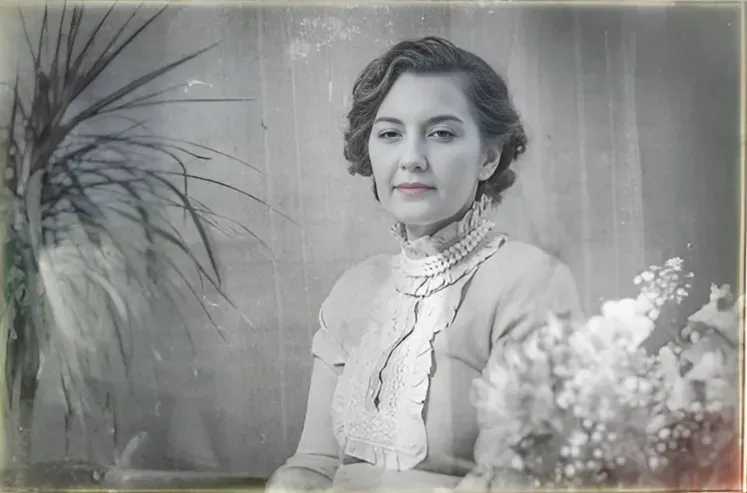
Why restore photo slides with AI?
Photo slides were the premium consumer format for decades. Families captured holidays, vacations, and milestones on Kodachrome and Ektachrome, but these slides have been fading in boxes for 30 to 70 years. AI restoration reverses color shifts and damage, transforming forgotten slide collections into shareable digital photo albums.
- Rescue decades of family memories trapped in slide boxes
- Correct color fading specific to each film type automatically
- Create digital copies you can share with family instantly
- Restore slides at a fraction of the cost of professional scanning services

“My grandma cried when she saw her wedding photo restored. Absolutely incredible.”
Maria K.

“Uploaded a blurry photo from the 70s and got back a crystal clear image. Like magic.”
James T.

“Finally recovered old family photos I thought were lost forever. So easy to use.”
Sarah M.
How it works
3 simple steps.
AI Restoration
Reverse decades of color fading.
Slide film fades in predictable patterns: Ektachrome shifts magenta, Kodachrome loses cyan, and Fujichrome turns green. Our AI recognizes these film-specific degradation patterns and corrects them automatically.
- ✦Corrects film-specific color shifts
- ✦Removes dust, scratches, and fungus marks
- ✦Restores vivid original color saturation


Easy to Use
Scan. Upload. Restore.
Scan your slides with a flatbed scanner, dedicated slide scanner, or even a DSLR with a light table. Upload the scans and get restored versions in seconds.
- ✦Works with any scanning method
- ✦Results in seconds, not hours
- ✦Download in full resolution
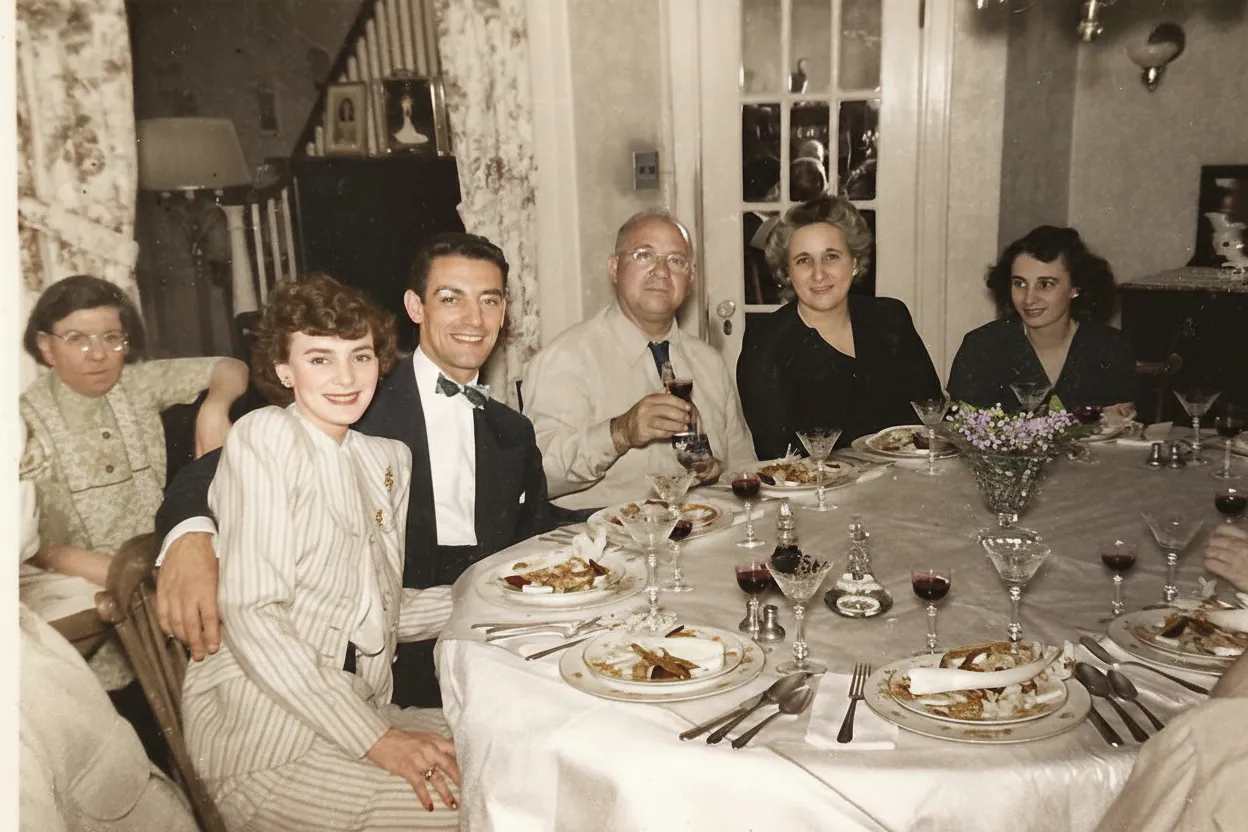
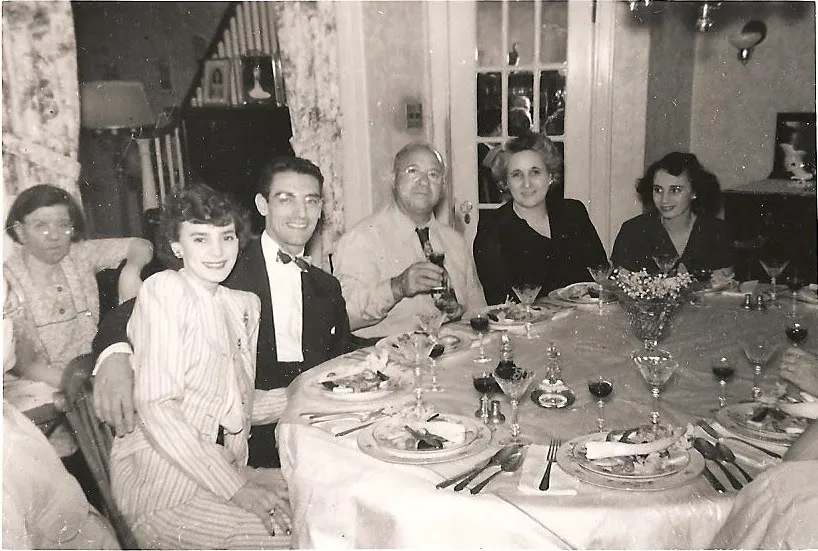
For Families
Unlock decades of hidden memories.
The average American family shot hundreds of slides between 1950 and 1990. Most sit unseen in boxes because no one has a projector anymore. Digitize and restore them to share with everyone.
- ✦Restore entire slide collections affordably
- ✦Family plan: 50 slides for $29.99
- ✦2 free restorations per account


In-depth guide
How to restore photo slides: step by step
Start by digitizing your slides. You have three main options: a dedicated film scanner, a flatbed scanner with a transparency adapter, or simply photographing slides on a light pad or bright screen with a phone or DSLR. Scan at 2400 to 4800 DPI for best results. You do not need a projector for any of this.
Upload and restore your scans. Go to restorephotosapp.com, click "Restore a photo," and upload your scan. The AI identifies the film type and corrects color shift automatically, delivering results in under 30 seconds.
Different film types fade differently. Kodachrome shifts warm and reddish, Ektachrome goes magenta, and Fujichrome turns green. The AI detects and corrects each type automatically, so you do not need to know which film you have.
For large collections, sort your slides visually first using a handheld viewer or light table. Scan the most faded slides first, since they are losing dye information over time and have the most to gain from early digitization. Use the Family plan for bulk restoration.
You can view slides without a projector. A handheld slide viewer costs about $5, or you can hold slides up to a window for a quick look. For the best experience, scan them and view on screen.
After restoration, download your images in full resolution. Create digital albums, photo books, or share directly with family. The combination of original slide quality and AI restoration produces stunning results that bring decades of hidden memories back to life.
Expert tips
Tips for restoring photo slides
Clean slides gently before scanning
Use a soft brush or compressed air to remove loose dust before scanning. Embedded dust and scratches will be handled by the AI during restoration.
Scan at 2400 DPI or higher
Slide film holds incredible detail. Scanning at 2400-4800 DPI captures the full resolution of the original slide, giving the AI more data for a better restoration.
Start with your most faded slides
Use your 2 free restorations on your most color-shifted slides to see the dramatic difference AI correction makes before committing to a credit pack.
Use the Family plan for large collections
If you have boxes of slides, the Family plan at 50 credits for $29.99 (about $0.60 per slide) is far more economical than professional scanning and correction services.
Identify your slide format first
35mm slides are in 2x2-inch mounts. Larger transparencies (6x6cm, 6x7cm) are medium format. Knowing your format determines which scanner and film holder you need, and helps you budget scanning time accurately.
Try a handheld slide viewer for sorting
Before scanning everything, use a $5 handheld slide viewer to quickly preview your collection. Sort slides into priority and bulk categories, then scan the best ones first at high resolution.
Pricing
One-time pricing. No subscription. Credits never expire.
Starter
For 5 to 10 photos. A handful of favorites, done properly.
$0.70 / credit · 10 restorations
Get Starter- 10 AI credits included
- High-Resolution Output
- Credits Never Expire
- Animate Photos with Credits
30-Day Satisfaction Guarantee
Family
A shoebox of family photos: around 50.
$0.60 per photoSave 14% per photo
5 Starter packs would cost $34.95
- 50 AI credits included
- High-Resolution 1080P Output
- Credits Never Expire
- Animate Photos with Credits
30-Day Satisfaction Guarantee
Studio
A big collection: 100 photos, or dozens of animations.
$0.55 per photoSave 21% per photo
10 Starter packs would cost $69.90
- 100 AI credits included
- High-Resolution 1080P Output
- Credits Never Expire
- Animate Photos with Credits
30-Day Satisfaction Guarantee
Archive
The whole family archive: 250 photos.
$0.44 per photoSave 37% per photo
25 Starter packs would cost $174.75
- 250 AI credits included
- High-Resolution 1080P Output
- Credits Never Expire
- Animate Photos with Credits
30-Day Satisfaction Guarantee
Only have around 25 photos? Pro pack: 25 credits for $16.99
Prices don't include VAT.
FAQ
Frequently asked questions
Can AI restore faded photo slides?
Yes. Our AI corrects the color shifts specific to each slide film type, whether it is Kodachrome, Ektachrome, or Fujichrome, and removes dust, scratches, and fungus marks automatically.
How do I digitize old photo slides?
The best method is a dedicated film scanner or a flatbed scanner with a transparency adapter. You can also photograph slides on a light table using a DSLR or mirrorless camera with a macro lens. Even a smartphone photo held up to a bright light can work for AI restoration.
How can I view old slides without a projector?
Use a handheld slide viewer (available for a few dollars online or at thrift stores), a loupe on a light table, or simply hold the slide up to any bright light source like a window. For the best experience, scan the slides and view them digitally on a screen.
Are old photo slides worth keeping?
Absolutely. Photo slides are the original camera captures and contain more color and detail than any print made from them. Slides from the 1950s to 1980s represent a family's most important visual archive. Even faded slides contain recoverable color information that AI can restore.
How do I digitize slides at home?
Use a dedicated film scanner (like the Plustek OpticFilm) or a flatbed scanner with a transparency adapter at 2400 to 4800 DPI. For a quick method, photograph slides on a light table or bright screen with a DSLR macro lens or even a smartphone. Scan in positive/slide mode, not negative mode.
What is the best slide scanner for home use?
The Plustek OpticFilm 8200i is excellent for quality. The Epson Perfection V600 with transparency adapter handles both slides and flatbed scanning. For high volume, scanners with auto-feed attachments like the Pacific Image PowerSlide save significant time. Budget option: a DSLR with a macro lens and light pad.
What should I do with old slides?
Digitize the best ones first using a scanner or camera setup. Restore faded slides with AI to recover lost color. Organize the digital files by date or event, and create digital albums to share with family. Keep the physical slides in a cool, dry, dark place in archival boxes.
Is slide restoration free?
You get 2 free restorations to test with your most faded slide. Since most families have hundreds of slides, the Family plan ($29.99 for 50 credits) is designed specifically for bulk slide collections. That works out to about $0.60 per slide, far less than any professional scanning service.
What types of slides can be restored?
Our AI works with all slide film formats including Kodachrome, Ektachrome, Fujichrome, and other E-6 process films. It handles 35mm slides, medium format transparencies, and other sizes.
Can AI remove dust and scratches from scanned slides?
Yes. Our AI detects and removes dust spots, scratches, and fungus marks from scanned slides, similar to the Digital ICE feature found in dedicated film scanners.
How long does slide restoration take?
Each slide takes under 30 seconds. The AI identifies the film type (Kodachrome, Ektachrome, Fujichrome, etc.), corrects the format-specific color shift, and removes dust and scratches in a single pass. For a box of 100 slides, the total processing time is well under an hour.























