


On this page
Quick verdict
Kinpict and RestorePhotosApp sound similar on the surface, but they are built for different jobs. Kinpict is a family photo generator: it composites separate photos of relatives into one new portrait, including people who have passed away, and can render the result in anime or vintage styles. RestorePhotosApp is a restoration tool: it repairs the actual photo you already have. If you want to fix scratches, tears, fading, or add color to a black and white print, RestorePhotosApp does that job directly and costs roughly a third as much per finished photo.
Choose RestorePhotosApp
Best for genuinely restoring damaged, faded, or black and white family photos at $0.60 per photo.
Choose Kinpict
Best for generating a new composite family portrait from separate photos, including stylized versions.

“My grandma cried when she saw her wedding photo restored. Absolutely incredible.”
Maria K.

“Uploaded a blurry photo from the 70s and got back a crystal clear image. Like magic.”
James T.

“Finally recovered old family photos I thought were lost forever. So easy to use.”
Sarah M.
See the difference on your own photos
No watermark · No subscription · From $6.99
What Kinpict actually is, and what it is not
Kinpict describes itself as an AI family photo generator, and that description is accurate. Its core product takes separate photos of different relatives, between one and six uploads, and blends them into a single new portrait. It can add a missing or deceased family member to a group shot, include a pet, or render the whole scene in anime or vintage styles. To its credit, Kinpict is unusually transparent about how it does this: its own pricing page discloses that it uses FLUX.1-schnell and FLUX.1-dev from Black Forest Labs for templates and backdrops, with Stability AI SDXL handling face matching and blending. Most AI photo tools never tell you what is under the hood, and that openness deserves recognition.
The confusion starts with the "Repair Old Photos" feature. Kinpict describes it in noticeably soft language, as a way to warm up older family photos and clean the look. That is a filter-grade enhancement pass, not restoration. Nothing in Kinpict's own description claims to repair physical scratches, mend tears, reverse decades of fading, or colorize black and white images, because that is not what the feature does. If you arrive at Kinpict with a genuinely damaged print, a photo that has been folded, water-stained, scratched, or bleached by sunlight, the product simply is not aimed at your problem. That mismatch is why this page exists.
RestorePhotosApp sits on the other side of that line. It does one job: taking the old family photo you already have and repairing what time did to it. Scratches, tears, dust, fading, blur, and yellow color casts get removed, black and white photos can be colorized, and everything comes back at 1080p through a Google Gemini powered pipeline. It does not composite people together and it does not do anime or vintage style transfer. If compositing is what you want, Kinpict is honestly the more relevant tool. If restoration is what you want, the reverse is true.
The credit math: $0.60 per credit is not $0.60 per photo
Kinpict's pricing looks very close to ours at first glance, and it is worth slowing down to see why it is not. Kinpict sells two one-time packs: the Family Pack at $15.90 for 120 credits, advertised as $0.60 per credit and roughly 30 photos, and the Family Pack Plus at $29.90 for 280 credits, advertised as $0.10 per credit and roughly 70 photos. Both figures are technically accurate, and to be fair to Kinpict, the pack descriptions themselves spell out the photo counts. The catch is in the unit: those prices are per credit, and a family photo generation costs 4 credits. Do the division and a finished photo actually costs between about $0.42 and $0.53 depending on the pack.
RestorePhotosApp's headline number is measured in photos, not credits. The Family plan is $29.99 for 50 restorations, which works out to $0.60 per finished photo, and the $54.99 Studio plan with 100 credits brings that down further. So when you see "$0.60" on both sites, the same digits describe prices that differ by roughly three to four times per finished result. This is not an accusation of dishonesty. Per-credit pricing is common across AI tools, and Kinpict states its numbers plainly. But if you are comparing the two services on cost, the only number that matters is what one finished photo costs you, and on that measure the gap is large.
There is one pricing similarity worth crediting on both sides: neither service uses subscriptions, and credits never expire with either. Kinpict also automatically refunds credits when a paid generation fails, which is a genuinely fair policy that not every AI tool offers. If you do decide Kinpict's compositing is what you need, the pack model itself is reasonable. The point of this section is narrower: read the per-credit prices carefully, and compare finished-photo costs rather than credit costs.
Free tiers, watermarks, and who is behind the tool
The two free experiences are structured very differently. A Kinpict account starts at zero credits. Free preview generation appears possible, but previews are watermarked, and paying is what unlocks watermark-free HD downloads; that is the explicit paid unlock described on their pricing page. In practice this means you cannot see a clean, full-quality result before spending money. RestorePhotosApp takes the opposite approach: every new account gets 2 free restorations at full quality, no watermark, no resolution cap, and no credit card, running through exactly the same pipeline as paid credits. The trial is the product, so the decision to pay is based on a real result rather than a watermarked preview.
The other difference is harder to put in a table but matters for family photos: track record and accountability. Kinpict appears to be very new, its site is copyrighted 2026, and at the time of writing we could not find any third-party footprint at all: no Trustpilot profile, no Reddit discussion, no independent reviews. Its footer states it is an independent AI photo tool powered by third-party models, and the only published contact is a support email address, with no named operator or company behind it. None of this means anything is wrong, new tools have to start somewhere, but it does mean you are trusting irreplaceable family photos to a service with no visible history. RestorePhotosApp has been used by more than 470,000 people, has a visible operator, publishes a 30-day automatic photo deletion policy, and backs every purchase with a 30-day money-back guarantee. For a box of one-of-a-kind family prints, that difference in verifiability is worth weighing.
Skip the research — see the result on your own photo.
No watermark. No subscription. From $6.99.
Side by side
RestorePhotosApp vs Kinpict
| Feature | RestorePhotosAppOur pick | Kinpict |
|---|---|---|
| Core product | Restoring the old photo you already have | Generating new composite family portraits |
| What "restore" means | Scratch, tear, and fading repair plus colorization | Filter-grade cleanup ("warm up the look") |
| True cost per finished photo | $0.60 (Family plan, 50 photos) | ~$0.42 to $0.53 (4 credits per photo) |
| Free trial quality | 2 full-quality restorations, same AI as paid | Account starts at 0 credits, watermarked previews |
| Watermark on free output | No | Yes, paying unlocks watermark-free HD |
| Credits expire | Never | Never |
| Compositing and art styles | Not offered | Family composites, anime and vintage styles |
| Scratch and tear repair | Yes, core feature | Not claimed or offered |
| Operator and reviews footprint | 470,000+ users, visible operator | New site, anonymous operator, no third-party reviews |
| Photo deletion policy | Published 30-day auto-deletion | Not published |
Restoration vs generation in 2026
Repairing a real photo is a different job than generating a new one
What real photo restoration involves
Restoration starts from a constraint that generation does not have: the output must stay faithful to a real photograph. A restoration model looks at a scanned print, identifies what is damage, scratches, tears, dust, fading, chemical staining, and what is original image, then removes the damage while preserving the faces, clothing, and setting exactly as they were. Colorization adds another pass, inferring plausible natural color for a black and white image. The success criterion is recognizability: your grandmother should look like your grandmother, just without the crease running through her face.
A family photo generator works from the opposite direction. Tools like Kinpict take several source photos and synthesize a new image that never existed, using diffusion models, in Kinpict's case FLUX.1 for scenes and SDXL for face blending, to place everyone into one frame. That is genuinely impressive technology and it serves a real emotional need, especially for families who never got a group photo with someone who has passed away. But it is authorship, not repair. Understanding which of these two jobs you actually want is the single most useful thing you can do before paying either service.
Why a light "enhance" pass cannot fix physical damage
Filter-grade enhancement adjusts global properties of an image: contrast, warmth, sharpness, saturation. It can make a dull scan look livelier, and for a photo that is merely a bit flat, that may be enough. What it cannot do is deal with localized physical damage, because a scratch or a tear is not a global property. Fixing it requires the model to recognize the damaged region, remove it, and reconstruct what the photo showed underneath, which is a fundamentally different and harder task than turning up warmth.
This is why Kinpict's own description of its repair feature, warming up older family photos and cleaning the look, is the honest tell. It describes enhancement, and enhancement is what you should expect from it. RestorePhotosApp's pipeline is built for the harder task: it performs damage-aware reconstruction on scratches, tears, creases, and stains, alongside de-blurring, fade correction, and optional colorization, returning a 1080p file. If your photos are undamaged and just need a little life, the gap between the tools narrows. If they have been through fifty years in a shoebox, the gap is the whole decision.
Practical limits: file sizes, formats, and workflow
The mechanics matter more than they sound. Kinpict accepts JPG, PNG, and WEBP uploads at a maximum of 5 MB each, with one to six photos per generation, which fits its compositing workflow of several small source portraits. For restoration work, that 5 MB ceiling can pinch: a good flatbed scan of an old print, made at the resolution you want for reprinting, can easily exceed 5 MB, forcing you to compress your best source material before the AI ever sees it.
Both tools are web-based with nothing to install, which is the right call for family photo projects, since scans usually live on a desktop or laptop. RestorePhotosApp is designed around exactly that workflow: drag a scan into the browser, wait a few seconds, download the restored 1080p result, and move to the next photo. With the Family plan at 50 credits and the Studio plan at 100, working through an entire attic box in a weekend is the intended use case, and because credits never expire on either service, neither tool punishes you for taking your time.

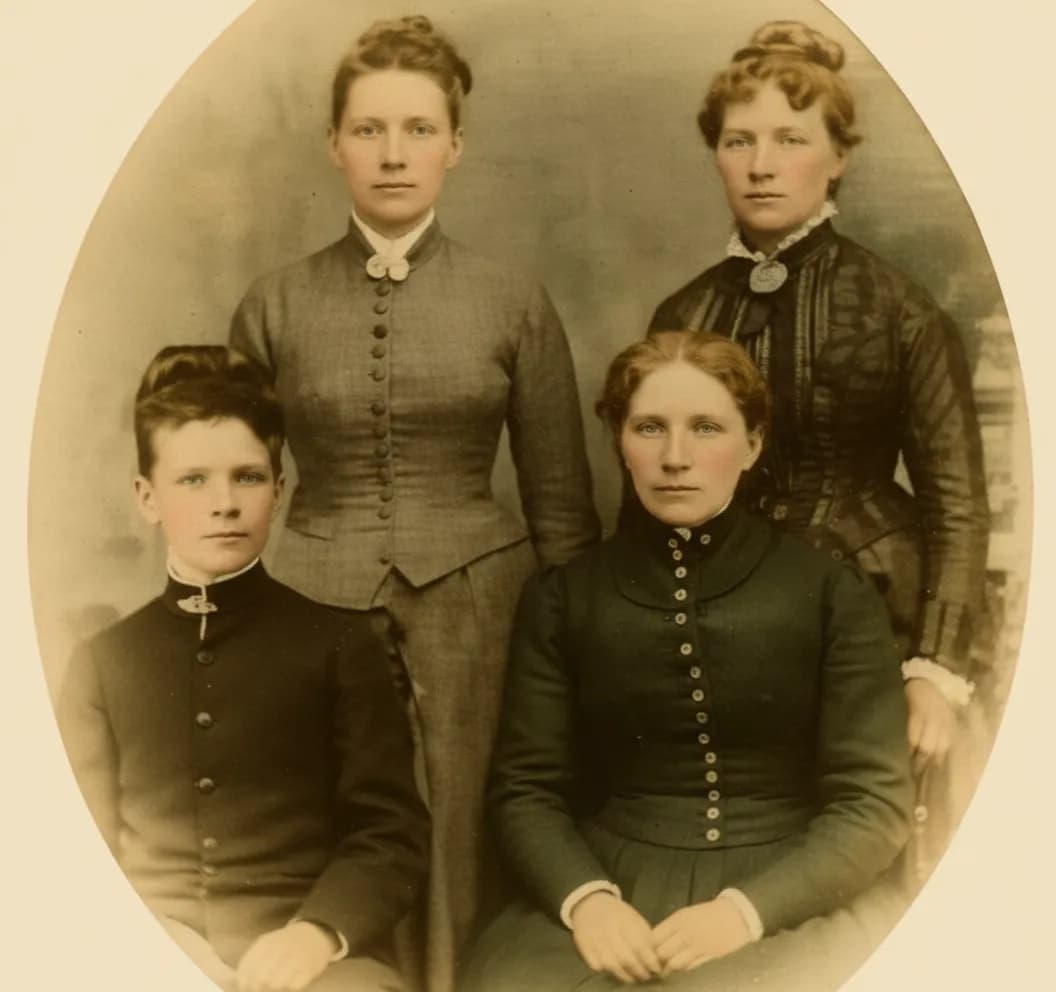
See the same effect on your own photos.
No watermark. No subscription. From $6.99.
Comparison information is based on publicly available product details and may change. Last updated 2026. Read how we test photo restoration tools.
About Kinpict
Kinpict is a web-based AI family photo generator that appears to have launched very recently; its site carries a 2026 copyright. Its main product composites separate photos of relatives, between one and six uploads in JPG, PNG, or WEBP at up to 5 MB each, into a single new family portrait. It can add missing or deceased family members, include pets, and render results in anime or vintage art styles. It also offers a "Repair Old Photos" feature described as warming up older family photos and cleaning the look. Kinpict discloses its underlying models on its own pricing page: FLUX.1-schnell and FLUX.1-dev from Black Forest Labs for templates and backdrops, and Stability AI SDXL for face matching and blending.
Pricing is refreshingly simple: two one-time credit packs with no subscriptions, $15.90 for 120 credits or $29.90 for 280, and credits never expire. A family photo costs 4 credits, so a finished photo runs roughly $0.42 to $0.53. Accounts start at zero credits, free previews appear to be watermarked, and paying unlocks watermark-free HD downloads. Failed paid generations automatically refund their credits. The footer describes Kinpict as an independent AI photo tool powered by third-party models; the only published contact is a support email, and at the time of writing we could not find any third-party reviews, Trustpilot presence, or community discussion of the service.
Pros
- +Genuine family compositing, including adding deceased relatives and pets
- +Transparent about its AI models (FLUX.1 and SDXL) on its own pricing page
- +One-time credit packs with no subscription, and credits never expire
- +Automatic credit refunds when a paid generation fails
- +Anime and vintage style options for creative family art
Cons
- −"Repair Old Photos" is filter-grade cleanup, not scratch, tear, or fading repair
- −Effective cost is roughly $0.42 to $0.53 per finished photo (4 credits each)
- −No usable free tier: accounts start at 0 credits and previews are watermarked
- −5 MB upload limit can force you to compress high-quality scans
- −Very new service with an anonymous operator and no third-party reviews yet
- −No published photo deletion or retention policy
The alternative
Why people choose RestorePhotosApp over Kinpict
Most people comparing these two tools arrive with a box of real photos that need real repair, and that is the core of the decision. Kinpict generates new composite images; its repair feature is a light cleanup pass. RestorePhotosApp is a dedicated restoration tool that removes scratches, mends tears, reverses fading, sharpens blur, and colorizes black and white prints, returning every photo at 1080p.
The economics reinforce the fit. At $29.99 for 50 photos, RestorePhotosApp's Family plan costs a true $0.60 per finished photo, versus roughly $0.42 to $0.53 per finished photo on Kinpict once you account for the 4-credit cost of each generation. And you can verify the quality before paying anything: 2 free full-quality restorations with no watermark, against Kinpict's watermarked previews from a zero-credit starting balance.
Real restoration, not a filter
Scratches, tears, creases, fading, and blur are actually repaired, and black and white photos can be colorized. Kinpict's repair feature only warms up and cleans the look.
A true $0.60 per photo
The Family plan is $29.99 for 50 finished photos. Kinpict's $0.60 is per credit, and each photo costs 4 credits, so a finished photo runs about $0.42 to $0.53.
A free trial you can actually judge
2 free restorations at full quality with no watermark and no credit card. Kinpict accounts start at zero credits and free previews are watermarked.
Guaranteed 1080p output
Every restoration comes back at 1080p, suitable for printing and framing, powered by Google Gemini AI models.
A track record you can check
Over 470,000 users, a visible operator, a published 30-day photo deletion policy, and a 30-day money-back guarantee, versus a brand-new anonymous service with no independent reviews.
Join 470,000+ people restoring their family photos.
No watermark. No subscription. From $6.99.
In practice
A real-world example: the damaged wedding photo
Here is the situation that separates these two tools cleanly. Your parents' wedding photo from 1968 has spent decades in a frame in direct sunlight and then a decade in a damp basement. The colors have faded to orange, there is a crease across the corner where it was once bent, and a scatter of white scratches runs across the background. Your mother's face is fine, but the photo as an object is in rough shape. You want to repair it, print a fresh copy, and give it to her on their anniversary.
Run that photo through a filter-grade cleanup and you get a warmer, punchier version of a creased, scratched photo. The crease is still there. The scratches are still there. The orange cast is reduced but the original colors are not recovered. That is not a criticism of Kinpict, whose repair feature never promised otherwise; it is simply the wrong tool for this photo. A restoration model handles the same image differently: the crease and scratches are identified as damage and reconstructed away, the fading is reversed toward the original color balance, and the output is a clean 1080p file ready for the print shop.
Now flip the scenario. Your grandfather died before your youngest child was born, and your mother has always wished for one photo of the whole family together. No restoration tool on earth can produce that, because the photo never existed. That is precisely the job Kinpict built its product around, compositing separate photos into one portrait, and if that is your situation, Kinpict is the honest recommendation. The two scenarios almost never overlap, which is why knowing your actual job makes this comparison easy.
The short answer
Which one should you choose?
- Your photos have real damage: scratches, tears, creases, or heavy fading
- You want black and white family photos colorized
- You want a true $0.60 per finished photo instead of ~$0.42 to $0.53
- You want to test full, watermark-free quality before paying
- You care about a published deletion policy and a verifiable track record
- You want a composite portrait combining separate photos of relatives
- You want to add a deceased family member or a pet to a group photo
- You want anime or vintage stylized family art, not faithful restoration
- You are comfortable trying a brand-new service with no reviews yet
Made your choice? Restore your first photos today.
No watermark. No subscription. From $6.99.
Bottom line
Final thoughts
This is one of the easier comparisons on this site, because the two products barely compete. Kinpict is a family photo generator with genuinely interesting compositing technology, transparent model disclosure, fair credit-refund behavior, and a no-subscription pricing model we respect. Its weaknesses for restoration work are not hidden flaws; they follow directly from what the product is. A tool built to generate new composite portraits was never going to be the right tool for mending a torn 1960s print, and its own soft description of the repair feature says as much.
If your photos need actual repair, scratches removed, tears mended, fading reversed, black and white brought to color, RestorePhotosApp does that specific job at a true $0.60 per photo, with 1080p output, a published deletion policy, and a track record of 470,000+ users. Start with the 2 free full-quality restorations, use them on your most damaged photo, and judge the result with your own eyes before spending anything. If instead you want a portrait that includes someone the camera never caught with the rest of the family, go try Kinpict, and read the credit pricing carefully before you buy.
FAQ
Frequently asked questions
Is Kinpict free?
Not in any practical sense. A Kinpict account starts at zero credits, and while free preview generation appears possible, previews are watermarked; Kinpict's own pricing page frames watermark-free HD downloads as the thing paying unlocks. To get a clean result you buy one of two one-time packs, $15.90 for 120 credits or $29.90 for 280, and since a family photo costs 4 credits, real use starts at $15.90. To be fair, the pack model itself is reasonable: there is no subscription, credits never expire, and failed paid generations refund their credits automatically. RestorePhotosApp structures its free tier the opposite way: every new account gets 2 completely free restorations at full quality, with no watermark, no resolution cap, and no credit card required, running through the same Google Gemini pipeline as paid credits. If you want to judge quality before spending anything, that difference decides it.
How much does Kinpict cost per photo?
This is the number worth reading carefully. Kinpict advertises $0.60 per credit on its $15.90 Family Pack and $0.10 per credit on its $29.90 Family Pack Plus, and those figures are accurate, but they are per credit, not per photo. A family photo generation costs 4 credits, so a finished photo actually costs about $0.53 on the smaller pack and about $0.42 on the larger one, which matches Kinpict's own estimates of roughly 30 and 70 photos per pack. This is not deceptive pricing, per-credit rates are common across AI tools and Kinpict states the photo counts plainly, but it is easy to misread at a glance, especially because RestorePhotosApp's headline number uses the same digits for a different unit. RestorePhotosApp's Family plan is $29.99 for 50 finished photos, a true $0.60 per photo, and the $54.99 Studio plan with 100 credits drops the rate further. Per finished photo, that is roughly a three to four times difference.
Can Kinpict restore old photos?
Only in a limited, filter-grade sense. Kinpict does offer a "Repair Old Photos" feature, but its own description is telling: it talks about warming up older family photos and cleaning the look. That is enhancement, adjustments to warmth, contrast, and overall polish, and nothing in Kinpict's materials claims scratch removal, tear repair, fading reversal, or colorization, because the feature is not built for physical damage. Kinpict's real product is compositing: blending separate photos of relatives into one new portrait using FLUX.1 and SDXL models, which it does openly and, by its own description, well. If your photo merely looks a little flat, a cleanup pass may be enough. If it has scratches, creases, tears, water damage, or heavy fading, or if it is black and white and you want natural color, you need an actual restoration model. That damage-aware reconstruction is precisely what RestorePhotosApp is built for, and its 2 free restorations let you verify the difference on your own photo.
What AI models does Kinpict use?
Kinpict is unusually open about this, and it deserves credit for the transparency. Its own pricing page discloses that it uses FLUX.1-schnell and FLUX.1-dev, image generation models from Black Forest Labs, for templates and backdrops, with Stability AI's SDXL handling face matching and blending. Its footer likewise describes Kinpict as an independent AI photo tool powered by third-party models. Those are legitimate, widely used diffusion models, and they are a sensible choice for Kinpict's actual job, which is generating new composite images rather than repairing existing ones. The model choice also explains the product's limits: diffusion generators synthesize plausible new imagery, which is why the repair feature reads as a stylistic cleanup rather than faithful damage reconstruction. RestorePhotosApp runs on Google Gemini AI models tuned specifically for restoration, removing scratches and tears, reversing fading, sharpening blur, and colorizing black and white photos, with every result delivered at 1080p. Different models, chosen for genuinely different jobs.
Is Kinpict safe and legitimate?
We found nothing suggesting Kinpict is a scam, but there is also very little to verify either way, and that itself is the honest answer. The service appears to be very new, its site carries a 2026 copyright, and at the time of writing it has no third-party footprint at all: no Trustpilot profile, no Reddit discussion, no independent reviews we could find. The operator is not named anywhere on the site; the only published contact is a support email address, and no photo deletion or retention policy is published. In its favor, Kinpict discloses its AI models openly and automatically refunds credits for failed generations, both signs of good faith. Every legitimate service starts with zero reviews, so newness is not an accusation. But family photos are irreplaceable, so verifiability matters. RestorePhotosApp offers what a new anonymous service cannot yet: 470,000+ users, a visible operator, a published 30-day automatic photo deletion policy, and a 30-day money-back guarantee on every purchase.
Do credits expire on either service?
No, and this is a genuine tie worth stating plainly: neither Kinpict nor RestorePhotosApp expires credits, and neither uses subscriptions. Both sell one-time packs you can use at whatever pace suits you, which is the right model for family photo projects that tend to happen in bursts, one weekend now, another when the next box of prints surfaces. Kinpict's packs are $15.90 for 120 credits and $29.90 for 280, with each family photo costing 4 credits, and failed paid generations refund automatically. RestorePhotosApp's packs run from the $6.99 Starter with 10 credits through Pro at $16.99 for 25, Family at $29.99 for 50, and Studio at $54.99 for 100, with each restoration costing one credit and a 30-day money-back guarantee on every purchase. The practical difference is not the expiry policy but the unit economics and the job: per finished photo, RestorePhotosApp costs roughly a third as much, and it performs actual restoration rather than compositing or filter-grade cleanup.























