


On this page
- Quick verdict
- What UnblurImage AI actually does well
- The catch: subscription credits that expire in 30 days
- Deblurring is one repair; old photos usually need five
- A note on who you are dealing with
- Side-by-side comparison
- About UnblurImage AI
- The RestorePhotosApp alternative
- In practice
- Which to pick
- Bottom line
- FAQ
Quick verdict
If your only problem is a blurry or soft modern photo and you want a fast, free fix with no signup, UnblurImage AI is a perfectly reasonable tool. If you are restoring old family photos, where blur is usually just one symptom alongside fading, scratches, tears, and lost color, RestorePhotosApp is the better fit: full restoration plus colorization, one-time credits that never expire, and a disclosed operator with a published photo deletion policy.
Choose RestorePhotosApp
Best for complete old-photo restoration: damage repair, fading, blur, and colorization in one pass.
Choose UnblurImage AI
Best for a quick, cheap sharpening fix on a blurry modern photo.

“My grandma cried when she saw her wedding photo restored. Absolutely incredible.”
Maria K.

“Uploaded a blurry photo from the 70s and got back a crystal clear image. Like magic.”
James T.

“Finally recovered old family photos I thought were lost forever. So easy to use.”
Sarah M.
See the difference on your own photos
No watermark · No subscription · From $6.99
What UnblurImage AI actually does well
Let us start with credit where it is due. UnblurImage AI does the thing its name promises, and it does it with very little friction. You land on unblurimage.ai, drop in a blurry photo, and get a sharpened result quickly. The homepage advertises basic use without even signing up, and creating an account gets you 40 free credits that refresh periodically, according to their pricing page. There is no watermark on the output, and "no watermark, no sign-up" is literally part of their marketing. For a category where many tools stamp logos on free results or gate everything behind an account, that is a genuinely honest free tier, and it deserves to be called out as one.
The tool is also cheap at volume. Their pricing page lists one-time credit packs from $6.99 for 50 credits up to $330 for 30,000, alongside monthly subscriptions starting at $3.90. A standard image costs 1 credit, so at the larger pack sizes the per-image cost drops to pennies. Beyond deblurring, the product has expanded into 2x and 4x upscaling to 4K, denoising, a "Restore Pro" mode for old photo restoration, and even video enhancement. If your problem is exactly "this photo is soft and I want it sharper, right now, for free or nearly free," UnblurImage AI solves that problem and you may not need anything else.
The catch: subscription credits that expire in 30 days
The pricing model is where things get less friendly. UnblurImage AI sells monthly subscriptions, 50 credits for $3.90, 200 for $8.90, 500 for $12.90, and 1000 for $16.90, and as of this writing their pricing page states that subscription credits expire after 30 days. That means if you subscribe to the 500-credit plan for a weekend project and use 80 credits, the other 420 simply vanish at the end of the cycle, and the subscription renews and charges you again. The struck-through "was" prices displayed next to every tier also suggest a permanent-sale pricing style, where the discount never actually ends, which makes the real price harder to reason about.
To be fair, UnblurImage AI does also sell one-time packs whose credits are not advertised as expiring, and those are a better fit for occasional use. But there are other small frictions worth knowing about before you commit to a big batch. The upload widget caps you at 3 files at a time and 5 MB per file, which matters if you are working from high-resolution scans, because a 600 dpi scan of even a small print can easily exceed 5 MB. And the higher-quality modes, "Unblur Pro" and "Restore Pro," reportedly cost 3 credits per image rather than 1, though we could not verify that figure directly, so treat the per-photo math on their site with a little care.
RestorePhotosApp takes the opposite approach to all of this. There is no subscription at all: you buy a one-time credit pack, from $6.99 for 10 credits up to $54.99 for 100, and the credits never expire. Not in 30 days, not ever. If you restore twenty photos this weekend and do not touch the tool again until a relative finds another shoebox in two years, your remaining credits will be waiting. For a one-time project like restoring a family archive, that difference in pricing philosophy matters more than a few cents per image.
Deblurring is one repair; old photos usually need five
The deeper difference between the two tools is not pricing but scope. UnblurImage AI is deblur-first by design: sharpening is the core product, with upscaling, denoising, and a restoration mode layered on afterward. Their marketing does not mention dedicated scratch or tear repair, and there is no colorization feature advertised at all. That is a coherent product choice, but it means the tool is built around the assumption that your photo has one problem, softness, and that fixing that one problem finishes the job.
Old family photos almost never have one problem. A print from the 1960s that looks blurry is usually also faded, often yellowed, frequently scratched or creased, and, if it is black and white, missing its color entirely. Run that photo through a pure sharpening model and you get a crisper version of a faded, scratched, monochrome image, which is better, but nowhere near restored. RestorePhotosApp was built specifically for this compound-damage case: a single restoration pass addresses blur, fading, scratches, tears, and color loss together, with optional colorization for black and white originals, and returns a clean 1080p result powered by Google Gemini AI models. One upload, one credit, the whole repair.
A note on who you are dealing with
One more thing worth weighing, especially if the photos you are uploading are irreplaceable family originals. UnblurImage AI is a web-only product with no public company profile and no named founders that we could find; the footer credits a brand called LinoCut AI, the only alternate site language offered is Chinese, and the operator's location is not disclosed anywhere obvious. Just as notably, there are essentially no independent user reviews of the service, no Trustpilot page, no meaningful Reddit discussion, only promotional listings on tool aggregator sites. None of this means anything is wrong. It simply means that when you upload a photo, you are trusting an operator you know very little about, with no independent track record to check.
RestorePhotosApp publishes who runs it, serves over 470,000 users, and states its data policy plainly: uploaded photos are automatically deleted from the servers after 30 days, and every purchase carries a 30-day money-back guarantee. When the images in question are the only surviving photos of a grandparent, that kind of disclosed, verifiable accountability is worth something, arguably as much as the restoration quality itself.
Skip the research — see the result on your own photo.
No watermark. No subscription. From $6.99.
Side by side
RestorePhotosApp vs UnblurImage AI
| Feature | RestorePhotosAppOur pick | UnblurImage AI |
|---|---|---|
| Core purpose | Full old-photo restoration | Deblurring and sharpening first |
| Pricing model | One-time credit packs from $6.99 | Monthly subscriptions plus one-time packs |
| Credit expiry | Never expire | Subscription credits expire after 30 days |
| Free tier | 2 full-quality restorations, no card | 40 credits on signup, basic use without signup |
| Watermark on free output | No | No |
| Scratch and tear repair | Yes, core feature | Not an advertised feature |
| Colorization | Yes, built in | Not offered |
| Upload limits | Built for high-resolution scans | Max 3 files at a time, 5 MB each |
| Operator transparency | Disclosed operator, 470,000+ users | No public company profile or founders |
| Photo deletion policy | Auto-deleted after 30 days, published | No prominently published policy |
Beyond deblurring in 2026
Why old photos need restoration, not just sharpening
Blur is a symptom, not the disease
When an old photo looks blurry, the softness is usually the most visible problem, but rarely the only one. Decades of chemical fading flatten the contrast, paper yellowing shifts the colors, handling leaves scratches and creases, and the original print resolution was often modest to begin with. A sharpening model attacks exactly one of those layers. It can make edges crisper, but it cannot bring back faded tones, remove a crease running through a face, or add color to a black and white portrait, because none of those are blur problems.
This is why a deblur-first tool and a restoration-first tool produce such different results on the same vintage print. The deblur tool returns a sharper version of a damaged photo. A full restoration pass treats the photo as a whole: repairing physical damage, recovering faded contrast and color, sharpening detail, and optionally colorizing, all in one step. For modern photos with a single flaw, the narrow tool is fine. For a sixty-year-old family print, the whole-photo approach is the one that actually finishes the job.
How one-time credits change the economics of a photo project
Family photo restoration is almost always a project, not a habit. You gather the prints, scan them over a weekend or two, restore the batch, share the results, and then you are done, sometimes for years. Subscription pricing fights that rhythm: you pay monthly whether or not you are mid-project, and if the plan's credits expire at the end of each cycle, any month where life gets in the way is money spent on nothing.
One-time credits match the rhythm instead. You buy a pack sized to your project, the Family pack at $29.99 covers 50 photos, about 60 cents each, and use it at whatever pace the project actually takes. If you stall for six months because scanning is tedious, nothing is lost. If a cousin mails you thirty more prints next spring, your leftover credits are still there. There is no renewal to cancel and no expiry date to race, which is exactly what an occasional, sentimental project needs.
Working from scans without fighting file limits
Good restorations start with good scans, and good scans are big files. A print scanned at 600 dpi, which is the sensible resolution for anything you might want to reprint later, routinely produces files well beyond 5 MB. If your restoration tool caps uploads at 5 MB per file, you end up recompressing or downscaling your scans just to get them through the door, throwing away detail before the AI ever sees the image. Batch limits sting too: uploading a fifty-photo archive three files at a time turns an afternoon project into a chore.
A tool built for the archival workflow accepts the scans as you made them and processes them without artificial ceilings getting in the way. RestorePhotosApp runs in any browser with no install, takes drag-and-drop uploads straight from the folder where your scanner saved them, and returns finished 1080p files ready to share, print, or archive. The best workflow is the one you never have to think about.
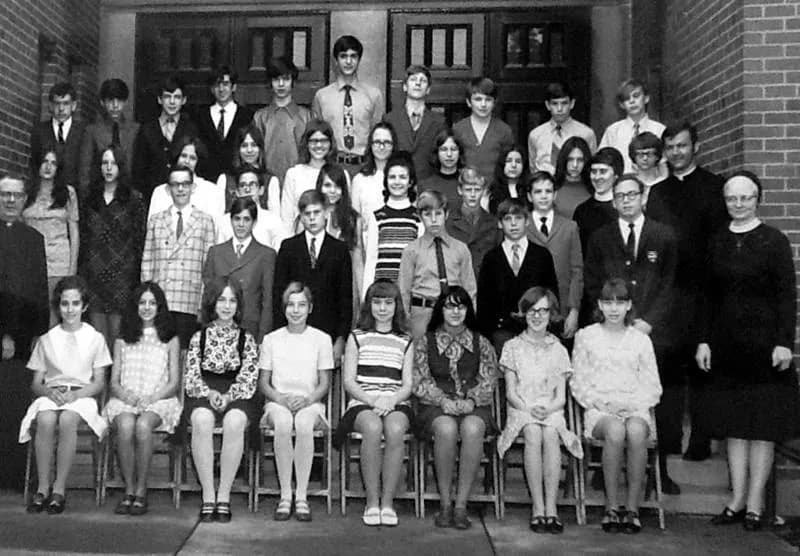
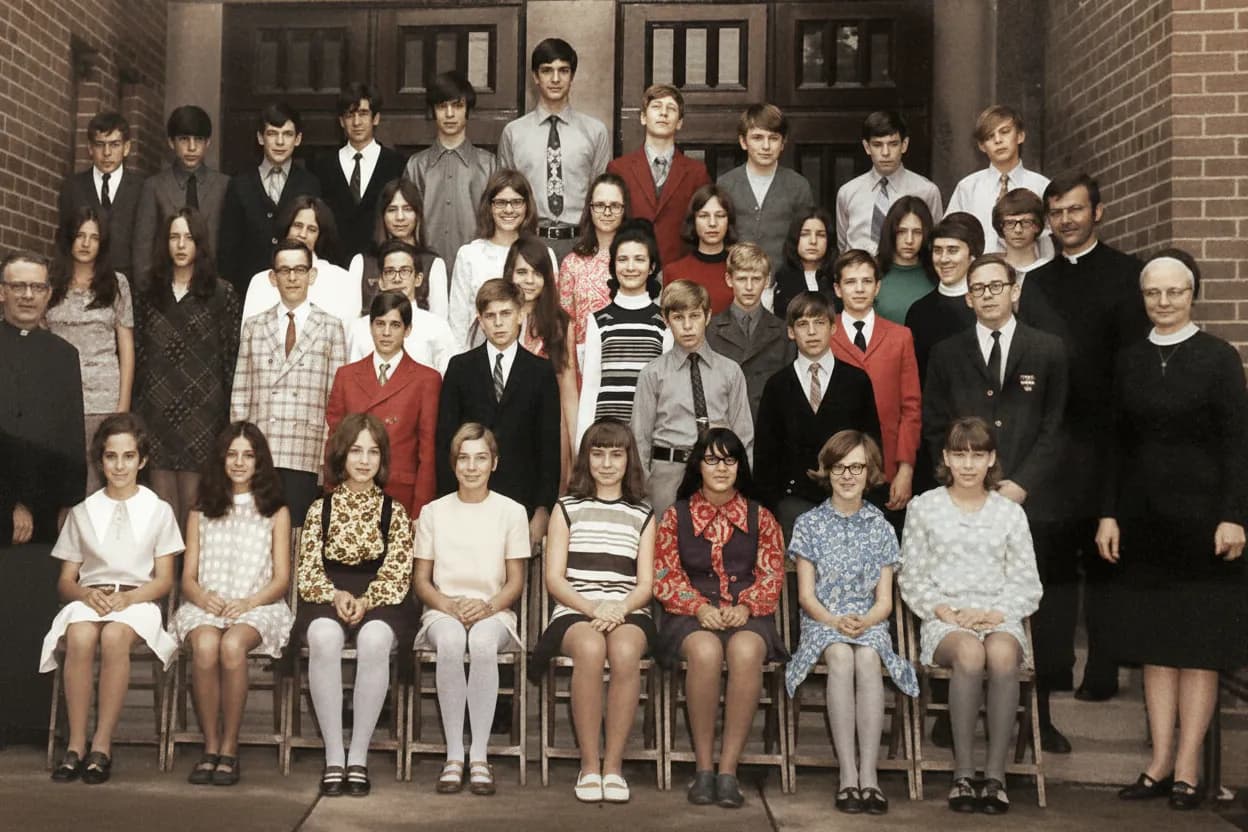
See the same effect on your own photos.
No watermark. No subscription. From $6.99.
Comparison information is based on publicly available product details and may change. Last updated 2026. Read how we test photo restoration tools.
About UnblurImage AI
UnblurImage AI is a web-based photo enhancement tool at unblurimage.ai whose core product is AI deblurring and sharpening. Around that core it offers 2x and 4x upscaling to 4K, denoising, a "Restore Pro" mode for old photos, and video enhancement. It is web only, with no native mobile or desktop apps, and an enterprise contact-sales tier for larger customers. The site's footer credits a brand called LinoCut AI, but there is no public company profile or named founders, and the operator's location is not disclosed.
Its standout trait is the low-friction free experience: basic use without signup, 40 free credits when you do sign up, and no watermarks on output. Paid access comes as monthly subscriptions from $3.90 or one-time packs from $6.99, with subscription credits expiring after 30 days per their pricing page. Independent reviews are essentially nonexistent as of this writing, with no Trustpilot presence and little organic discussion, so most of what is known about the service comes from its own marketing.
Pros
- +Fast, genuinely free deblurring with no signup required for basic use
- +No watermark on output, even on the free tier
- +Very cheap per image at higher volumes
- +Handles upscaling to 4K, denoising, and video enhancement too
Cons
- −Subscription credits expire after 30 days
- −Deblur-first: no advertised scratch or tear repair, no colorization
- −Uploads capped at 3 files and 5 MB each, awkward for high-resolution scans
- −No public company profile, founders, or disclosed operator location
- −Essentially no independent user reviews to verify quality or reliability
The alternative
Why people switch from UnblurImage AI to RestorePhotosApp
The most common trigger is discovering that a sharpened old photo still looks old and damaged. People run a beloved family print through a deblurring tool, get a crisper image back, and realize the fading, scratches, and missing color are all still there. RestorePhotosApp addresses the whole photo in one pass, which is what most people actually wanted from the start.
The second trigger is the pricing fine print. Subscription credits that expire after 30 days punish exactly the kind of stop-and-start pace that real family projects have. RestorePhotosApp's one-time packs never expire, so the project can take as long as it takes.
Full restoration, not just sharpening
Scratches, tears, fading, blur, and colorization handled in one pass. Deblurring alone leaves most old-photo damage untouched.
Credits that never expire
One-time packs from $6.99. Use them this weekend or in three years; nothing is lost and nothing renews.
Cheap for real projects
The Family pack restores 50 photos for $29.99, about 60 cents each, with a 30-day money-back guarantee on every purchase.
A tool you can look up
Disclosed operator, 470,000+ users, and a published policy that uploaded photos are auto-deleted after 30 days.
Built for the scan workflow
Runs in any browser with no install and takes high-resolution scans without restrictive per-file size caps.
Join 470,000+ people restoring their family photos.
No watermark. No subscription. From $6.99.
In practice
A real-world example: the blurry wedding photo that was not just blurry
Here is a scenario we see constantly. Someone inherits a photo of their grandparents' wedding, and the first thing they notice is that it is soft, either the original focus was off or the print was photographed rather than scanned. So they search for a way to unblur it, find a free sharpening tool, upload the photo, and get back a sharper image within a minute. Progress. But looking at the result, something is still wrong. The photo is sharper, yet it still looks like a damaged sixty-year-old print: washed out, slightly yellow, a crease across the corner, and of course still black and white.
That is the moment people realize that blur was only the most obvious problem, not the whole problem. Old photos age in layers: the emulsion fades, the paper yellows, the surface collects scratches, and the original was often monochrome. Fixing one layer makes the others more noticeable, not less. Deblurring alone is rarely enough for old photos, because blur, fading, and physical damage almost always arrive together.
This is the job RestorePhotosApp was built for. Upload that same wedding photo and the restoration pass repairs the crease, lifts the fading, sharpens the softness, and can colorize the scene, returning a photo that looks like a memory rather than an artifact. Try it on your own hardest photo first: every account gets 2 free restorations with no credit card, so you can see the difference between sharpened and restored before spending anything.
The short answer
Which one should you choose?
- Your photos are old family prints with fading, scratches, or tears, not just blur
- You want black and white photos colorized as part of the restoration
- You prefer one-time credits that never expire over a subscription
- You are working from high-resolution scans larger than 5 MB
- You want a disclosed operator and a published photo deletion policy
- Your only problem is a blurry or soft modern photo
- You want a quick free fix with no signup at all
- You need very cheap per-image pricing at large volumes
- You also want video enhancement or 4K upscaling in the same tool
Made your choice? Restore your first photos today.
No watermark. No subscription. From $6.99.
Bottom line
Final thoughts
UnblurImage AI and RestorePhotosApp are not really enemies; they are tools for different problems that happen to overlap on one keyword. UnblurImage AI is a fast, cheap, honestly free way to sharpen a soft photo, and if that is the entire job, it is a fine choice. Its weaknesses, expiring subscription credits, tight upload caps, an anonymous operator, and the absence of independent reviews, matter mostly when you ask it to be something bigger than a quick fix.
RestorePhotosApp is that something bigger for one specific domain: old family photos. It treats blur as one repair among several, prices the work as a one-time project rather than a subscription, and tells you exactly who is handling your photos and when they are deleted. If you have a box of family prints where the blur comes bundled with fading, damage, and lost color, start with the 2 free restorations and judge the results on your own photos before paying a cent.
FAQ
Frequently asked questions
Is UnblurImage AI free?
Partly, and its free tier is genuinely one of its strengths. The homepage advertises basic use without signing up, and creating an account gets you 40 free credits that, per their pricing page, refresh periodically. There is no watermark on free output, which is more generous than many competitors. Beyond that, paid access comes two ways: monthly subscriptions from $3.90 for 50 credits up to $16.90 for 1000, and one-time packs from $6.99 for 50 credits up to $330 for 30,000. The important fine print is that subscription credits expire after 30 days, so unused credits on a monthly plan are lost when the cycle resets. A standard image costs 1 credit, though the Pro-quality modes reportedly cost 3 credits each, a figure we could not independently verify. RestorePhotosApp's free tier is smaller, 2 restorations, but each is a full restoration, and paid credits never expire.
Is UnblurImage AI safe?
There is no evidence that UnblurImage AI is unsafe, but there is also very little independent evidence about it at all, and that is the honest answer. The service has no public company profile and no named founders; the site footer credits a brand called LinoCut AI, the only alternate language offered is Chinese, and the operator's location is not disclosed. As of this writing there is no Trustpilot page, no meaningful Reddit discussion, and essentially no independent user reviews, only promotional listings on tool aggregator sites. For sharpening a disposable photo, that uncertainty probably does not matter much. For uploading irreplaceable family originals, it is worth weighing. RestorePhotosApp, by comparison, discloses who operates it, serves over 470,000 users, publishes that uploaded photos are automatically deleted after 30 days, and backs every purchase with a 30-day money-back guarantee, so you can verify the track record before trusting it with your photos.
Can UnblurImage AI restore old photos?
To a degree. UnblurImage AI offers a "Restore Pro" mode aimed at old photos, alongside its core deblurring, upscaling to 4K, and denoising features. What its marketing does not mention is dedicated scratch or tear repair, and it offers no colorization at all, which are usually the repairs that matter most on genuinely old prints. The product is deblur-first by design: sharpening is the headline feature, and restoration is a secondary mode layered on top. That means a faded, creased, black and white print will come back sharper, but likely still faded, still creased, and still monochrome. RestorePhotosApp approaches the same photo from the opposite direction: a single restoration pass repairs physical damage, recovers faded tone and color, sharpens detail, and can colorize black and white originals, returning a 1080p result. For compound damage, which is the normal state of old family photos, the full-restoration approach finishes the job.
What is the difference between unblurring a photo and restoring it?
Unblurring is a single repair: an AI model estimates the sharp image hidden inside a soft one and reconstructs crisper edges and detail. Restoration is the whole treatment: repairing scratches, tears, and creases, recovering contrast and color lost to fading and paper yellowing, sharpening softness, and optionally colorizing black and white images. On a modern photo that is merely out of focus, unblurring alone may be all you need. On an old print, blur almost never travels alone; decades of chemical fading, physical handling, and monochrome film mean the photo has four or five problems at once, and sharpening fixes exactly one of them. That is why a deblurred vintage photo often still looks damaged, just more crisply damaged. If your photo is old, start from restoration rather than sharpening: RestorePhotosApp handles all of these repairs in one pass, and the 2 free restorations let you see the difference on your own photo.
Why do UnblurImage AI subscription credits expire?
Expiring credits are a common subscription design: they encourage continuous use and mean the provider rarely pays to process a backlog of hoarded credits. UnblurImage AI's pricing page states that subscription credits expire after 30 days, so a $12.90 monthly plan's 500 credits vanish at the end of each cycle whether you used 5 or 500. The struck-through "was" prices shown next to every tier also suggest a permanent-sale style of pricing, where the discount never actually ends. To be fair, UnblurImage AI also sells one-time packs that are not advertised as expiring, and those are the fairer option for occasional use. But if you are comparing on this point, RestorePhotosApp simply removes the issue: there are no subscriptions at all, only one-time packs from $6.99 for 10 credits to $54.99 for 100, and credits never expire, so a stalled project costs you nothing extra.
Is RestorePhotosApp a good UnblurImage AI alternative?
It depends on what you are actually fixing. If your photo is a modern shot that is simply soft, UnblurImage AI is quick, free for basic use, and cheap at volume, and RestorePhotosApp will not beat it on price per image for pure sharpening at scale. Where RestorePhotosApp is the better alternative is old family photos, because it was built for them: one pass handles blur along with scratches, tears, fading, and colorization, powered by Google Gemini AI models, with 1080p output. The pricing fits project work rather than habits, one-time packs from $6.99 whose credits never expire, the Family pack works out to about 60 cents per photo, and every purchase has a 30-day money-back guarantee. It is also a known quantity: a disclosed operator, 470,000+ users, and automatic photo deletion after 30 days. Try the 2 free restorations, no credit card required, and compare results side by side.























