
On this page
Quick verdict
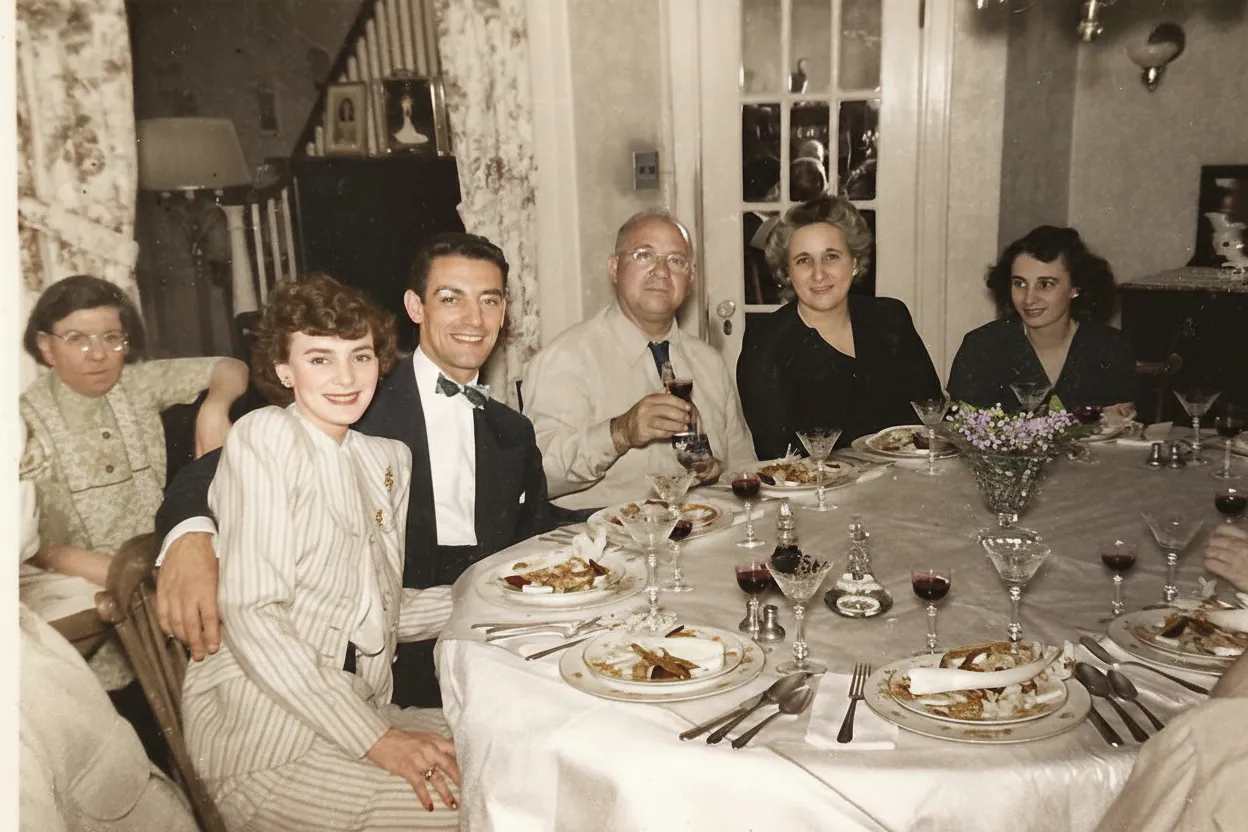
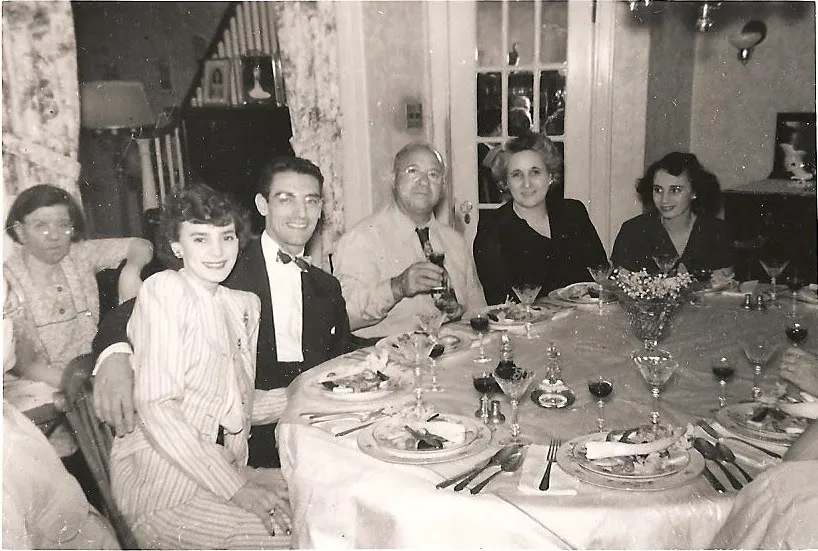
If you want a composite family portrait, merging relatives who were never photographed together or creating a memorial portrait that includes a family member who has passed away, PixReunion is built for exactly that and RestorePhotosApp does not do compositing. If you want to restore existing old photos, fix scratches, tears, and fading, or colorize black and white prints, RestorePhotosApp does the same core job for roughly one eighteenth of the price, with a free tier to prove the quality before you pay.
Choose RestorePhotosApp
Best for restoring and colorizing existing old family photos at low per-photo cost.
Choose PixReunion
Best for AI-composited family portraits that merge separately photographed relatives.

“My grandma cried when she saw her wedding photo restored. Absolutely incredible.”
Maria K.

“Uploaded a blurry photo from the 70s and got back a crystal clear image. Like magic.”
James T.

“Finally recovered old family photos I thought were lost forever. So easy to use.”
Sarah M.
See the difference on your own photos
No watermark · No subscription · From $6.99
Why people start looking for a PixReunion alternative
PixReunion calls itself an "AI Family Photo Studio," and that framing tells you almost everything about the product. Its headline feature is not photo restoration at all. It is AI portrait compositing: taking separately photographed relatives and merging them into a single family portrait, under the tagline "Making Impossible Reunions Possible." The product line includes add-a-person edits, memorial portraits that include deceased family members, an AI baby generator, and photo animation. Old photo restoration, with colorization, exists in the lineup, but it is a side tool next to the compositing features that the site actually leads with.
That focus matters if restoration is what you came for. On PixReunion's pricing page, most tools cost 3 credits per use, and old photo restoration is one of them. With credit packs priced at $9.90 for 10 credits, $45 for 50, and $80 for 100, a single restoration works out to roughly $2.40 to $2.97 depending on which pack you buy. That is a defensible price for an elaborate composite portrait, which costs 10 credits and involves genuinely difficult generative work. It is a steep price for cleaning up a scanned print, which is a simpler, more repeatable job that dedicated restoration tools handle for a fraction of the cost.
There is also a scope question. PixReunion's restoration tool is described alongside colorization, but the site does not specifically market scratch or tear repair, which is the damage most attic-box photos actually have. None of this means PixReunion is doing anything wrong. It means the product was designed around a different job, and if your job is "restore this box of fifty damaged family photos," you are shopping in the wrong aisle, at composite-portrait prices.
The per-photo math, spelled out honestly
Both PixReunion and RestorePhotosApp use one-time credit packs, and in both cases the credits never expire. That is genuinely the same model, and it is a good one: no subscription, no auto-renewal to remember to cancel, nothing lost if your project takes a year. Where the two products separate is not the model but the exchange rate between dollars and finished photos.
PixReunion's packs are $9.90 for 10 credits, $45 for 50 credits (marked as most popular), and $80 for 100 credits. Because most tools, including old photo restoration, cost 3 credits per use, those packs translate to roughly $2.97 per restoration on the smallest pack and about $2.40 on the largest. Family portrait composites cost 10 credits and birthday photo shoots cost 20, so a 10-credit starter pack covers a single portrait or three restorations. We could not find a free tier anywhere on the pricing page, which means testing the output quality appears to require buying a pack first.
RestorePhotosApp's packs run from $6.99 for 10 credits to $29.99 for 50 on the Family plan, where each restoration costs about 60 cents, and $54.99 for 100 on Studio. Even the smallest Starter pack works out to 70 cents per photo, still several times cheaper than PixReunion's best rate. For a fifty-photo attic box, the difference is not subtle: roughly $120 to $150 in PixReunion credits versus $29.99 covering the whole box with 100 credits to spare. And because every new account includes 2 free full restorations with no credit card, you can verify the quality on your own hardest photo before spending anything.
The transparency question
There is one more thing worth stating plainly, as an observation rather than an accusation. We could not find out who operates PixReunion. The site discloses no company name, has no about page, and names no team; the only contact listed is a support email address, [email protected]. Searching for independent feedback turns up essentially nothing: no Trustpilot profile, no Reddit threads, no independent reviews we could locate, only listings on aggregator directories like Capterra and There's An AI For That. That does not mean the product is bad or the operator is dishonest. It does mean that before spending $45 or $80 on credits, you are trusting a service with very little verifiable track record.
To PixReunion's credit, its stated privacy policy is genuinely strong: bank-level encryption, photos used only to create your artwork, automatic deletion 30 days after completion, and minimized human access to uploads. Those are the right commitments for a service handling family photos, including photos of deceased relatives, and they deserve acknowledgment. RestorePhotosApp makes a comparable commitment, deleting uploaded photos automatically after 30 days, and pairs it with a visible operator, over 470,000 users, and a 30-day money-back guarantee on every purchase, so the promise comes with an accountable name and a refund path attached. When you are uploading irreplaceable family photos, that combination of stated policy plus verifiable operator is worth weighing.
Skip the research — see the result on your own photo.
No watermark. No subscription. From $6.99.
Side by side
RestorePhotosApp vs PixReunion
| Feature | RestorePhotosAppOur pick | PixReunion |
|---|---|---|
| Core specialty | Old photo restoration and colorization | AI family portrait compositing; restoration is a side tool |
| Cost per restoration | $0.60 to $0.70 per photo | Roughly $2.40 to $2.97 per photo (3 credits each) |
| Credit model | One-time packs, credits never expire | One-time packs, credits never expire |
| Free tier | 2 full restorations, no credit card | None found on the pricing page |
| Speed | Results in seconds | Around 10 minutes claimed |
| Scratch and tear repair | Core competency, explicitly supported | Not explicitly marketed |
| Compositing and add-person | Not offered | Their specialty: family portraits, memorial portraits |
| Operator transparency | Visible operator, 470,000+ users | No company name, about page, or team disclosed |
| Privacy and deletion | Auto-deleted after 30 days | Strong stated policy, auto-deletion after 30 days |
| Independent reviews | 470,000+ users | None found; aggregator listings only |
Restoring old family photos in 2026
Restoration and compositing are different jobs
What a dedicated restoration tool actually does
Old photo restoration is a repair job, not a creative one. The goal is to take a scan of a physical print and remove the damage that time has done to it: surface scratches, tears and creases, dust, fading, yellow color casts from aged paper, and soft focus from small original prints. A good restoration model returns something that looks like the photo did the day it was printed, and for black and white prints a colorization pass can go one step further and render the scene in natural-looking color. Faithfulness to the original is the whole point.
This is a different discipline from generative compositing, where the AI is asked to invent an image that never existed, such as a portrait of four relatives who were never in the same room. Compositing is genuinely hard and PixReunion has built its entire product around it. But that focus is exactly why a compositing studio charges composite-studio prices for restoration, and why a tool that does nothing but restoration can do the same repair job faster, more explicitly, and far more cheaply.
Why per-photo cost dominates a real restoration project
Restoration projects are rarely about one photo. The typical project is a shoebox: thirty, fifty, sometimes a couple of hundred prints scanned over a weekend. At that scale, per-photo cost is the number that decides everything. At roughly $2.40 to $2.97 per restoration, a fifty-photo box costs $120 to $150. At $0.60 per photo on RestorePhotosApp's $29.99 Family plan, the same box costs less than the price of two coffees, and the plan's 50 credits leave room for the next box too.
Both services sell one-time credits that never expire, so neither traps you in a subscription, and that deserves to be said clearly. The difference is purely how many finished photos each dollar buys, and for restoration specifically the gap is roughly eighteen to one. If you only need one or two photos restored and you are already buying PixReunion credits for a composite portrait, the convenience of one tool may outweigh the math. For a whole-box project, it will not.
Test before you pay, on your hardest photo
The most reliable way to judge any AI restoration tool is not screenshots on a landing page. It is your own worst photo: the torn one, the badly faded one, the one where a face is barely visible. Every restoration model has a ceiling determined by what survives in the source image, and the only way to find that ceiling is to run your actual photo through the tool.
RestorePhotosApp gives every new account 2 free full-quality restorations, no credit card required, processed by the same Google Gemini AI pipeline as paid credits and returned at 1080p in seconds. We could not find an equivalent free tier on PixReunion's pricing page, so testing its restoration quality appears to mean buying at least the $9.90 pack, which covers three attempts at 3 credits each. Whatever you end up choosing, insist on seeing results on your own photos before committing real money to a full project.
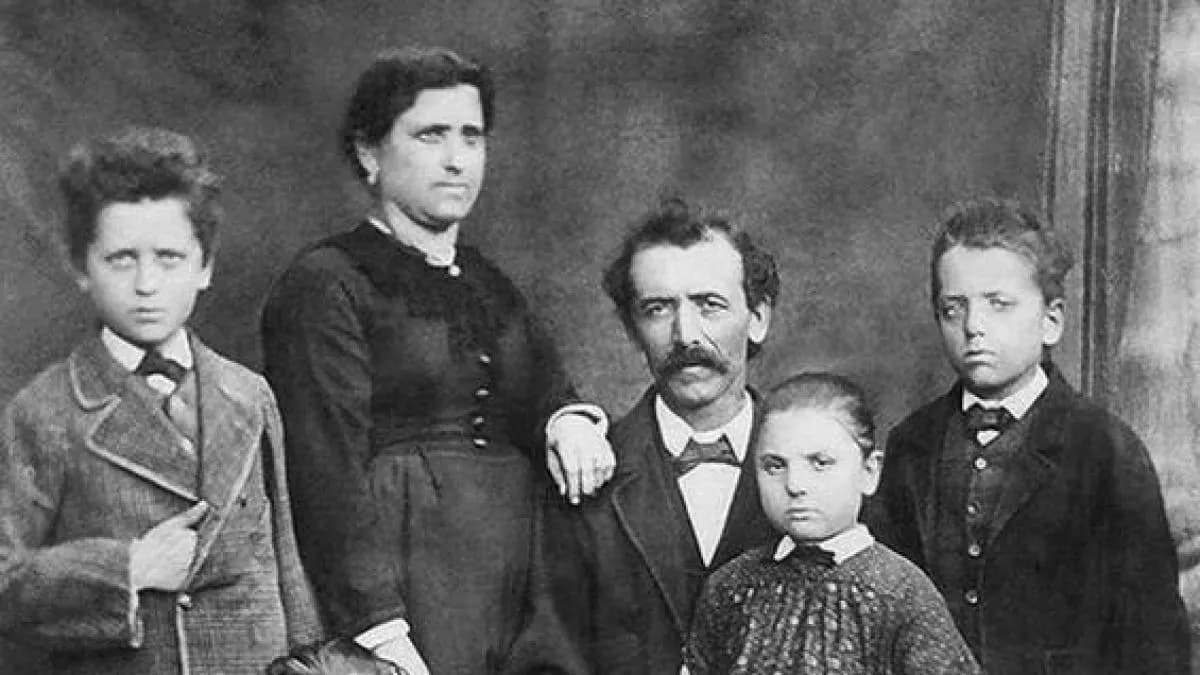
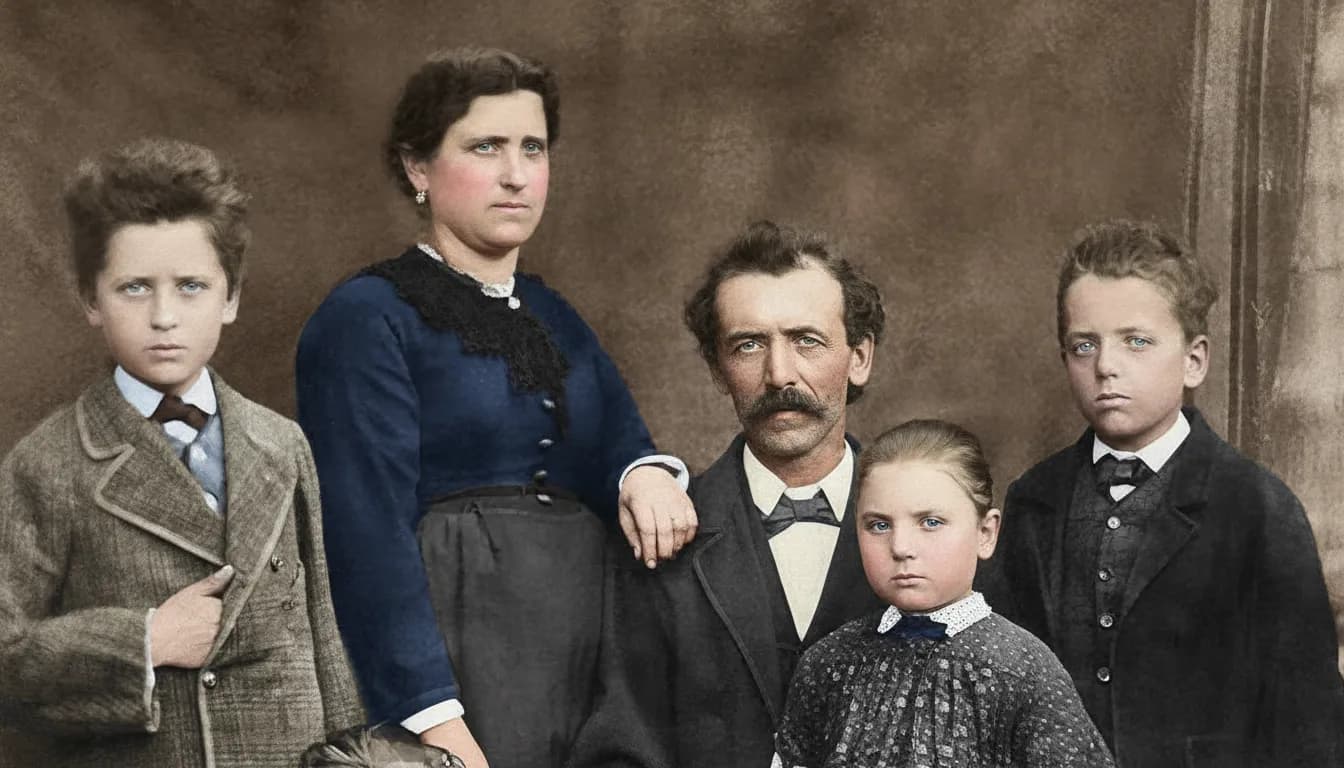
See the same effect on your own photos.
No watermark. No subscription. From $6.99.
Comparison information is based on publicly available product details and may change. Last updated 2026. Read how we test photo restoration tools.
About PixReunion
PixReunion is a web-based "AI Family Photo Studio" at pixreunion.com whose primary product is AI portrait compositing under the tagline "Making Impossible Reunions Possible." Its tools merge separately photographed relatives into one family portrait, add people to existing photos, create memorial portraits including deceased family members, generate baby photos, and animate still photos. Old photo restoration with colorization is offered as one tool among these, and the service advertises 4K output with a turnaround of around 10 minutes.
Pricing is one-time credit packs that never expire: $9.90 for 10 credits, $45 for 50, and $80 for 100, with most tools costing 3 credits per use, family portraits 10, and birthday shoots 20. Its stated privacy policy is strong, including bank-level encryption and automatic deletion 30 days after completion. The operator, however, is not disclosed anywhere on the site: no company name, no about page, no team, with [email protected] as the only contact. We could not find independent reviews on Trustpilot, Reddit, or elsewhere, only aggregator listings.
Pros
- +Unique compositing niche: merging relatives who were never photographed together
- +Memorial portraits and add-a-person edits that dedicated restorers do not offer
- +One-time credits that never expire, no subscription
- +Strong stated privacy policy with 30-day auto-deletion and bank-level encryption
- +4K output on finished artwork
Cons
- −Roughly $2.40 to $2.97 per photo restoration at 3 credits per use
- −Restoration is a side tool, with no explicit scratch or tear repair marketing
- −No free tier found on the pricing page, so testing quality appears to require payment
- −Operator not disclosed: no company name, about page, or team listed
- −No independent reviews found, only aggregator listings
- −Watermark policy on output is not stated anywhere we could find
- −Claimed turnaround of around 10 minutes per job
The alternative
Why people choose RestorePhotosApp over PixReunion
The main reason is focus and price. RestorePhotosApp does one job, restoring old family photos, and prices it like the repeatable job it is: about $0.60 per photo on the Family plan versus roughly $2.40 to $2.97 per restoration on PixReunion, an eighteen-fold difference at scale. Scratch, tear, and fade repair are the core competency rather than a side tool, and colorization is built in.
The second reason is verifiability. RestorePhotosApp has a visible operator, over 470,000 users, a 30-day money-back guarantee, and 2 free full restorations so you can judge the quality on your own photos before paying. PixReunion asks you to buy credits first, from an operator it does not name, with essentially no independent review footprint to check.
About 18x cheaper per restoration
From $0.55 per photo on the Family plan, versus roughly $2.40 to $2.97 per restoration on PixReunion at 3 credits per use.
Restoration is the core product
Scratches, tears, fading, blur, and colorization are what the tool is built for, not a side feature next to portrait compositing.
Free before you pay
Every account gets 2 full-quality restorations with no credit card. We could not find any free tier on PixReunion's pricing page.
Seconds, not ten minutes
Restorations come back in seconds through Google Gemini AI, versus PixReunion's claimed turnaround of around 10 minutes.
A visible operator and 470,000+ users
A known operator, a 30-day money-back guarantee, and a large user base, versus a service with no disclosed company and no independent reviews we could find.
Join 470,000+ people restoring their family photos.
No watermark. No subscription. From $6.99.
In practice
A real-world example: the fifty-photo shoebox
Here is the situation that decides this comparison for most people. A relative passes away, or a parent downsizes, and a shoebox of about fifty old prints surfaces. Some are black and white, some are faded, several have creases and small tears from decades of handling. The family wants all of them cleaned up, the best ones colorized, and copies shared around, ideally this weekend.
Run that project through PixReunion's pricing and the math gets uncomfortable fast. Fifty restorations at 3 credits each is 50 credits, which means buying the $80 pack for 100 credits plus the $45 pack for 50 more: $125 for the box, assuming every photo comes out right on the first attempt. There is no free tier we could find to sanity-check the quality first, and no independent reviews to lean on, so the first $9.90 is effectively the cost of finding out whether the tool suits your photos at all.
The same project on RestorePhotosApp starts with 2 free restorations on your two hardest photos, no credit card. If the results hold up, the $29.99 Family plan covers all fifty photos at about $0.60 each, credits never expire, and every purchase carries a 30-day money-back guarantee. Each photo comes back in seconds rather than ten minutes, which matters more than it sounds when you are working through fifty of them in an afternoon. The one thing this workflow cannot do is composite a new portrait of relatives who were never photographed together. If that is what the family actually wants, that is PixReunion's territory, not ours.
The short answer
Which one should you choose?
- You have existing old photos to restore: scratches, tears, fading, or blur
- You want black and white photos colorized faithfully
- You are restoring a batch and per-photo cost matters
- You want to test the AI on your own photos free before paying
- You value a visible operator, a money-back guarantee, and results in seconds
- You want a composite family portrait merging relatives never photographed together
- You want a memorial portrait that includes a family member who has passed away
- You want add-a-person edits, an AI baby generator, or photo animation
- You need 4K output and are comfortable paying premium per-use pricing
Made your choice? Restore your first photos today.
No watermark. No subscription. From $6.99.
Bottom line
Final thoughts
PixReunion and RestorePhotosApp overlap on exactly one feature, old photo restoration, and are otherwise different products. PixReunion is a compositing studio: its real business is generating family portraits that could never have been photographed, including memorial portraits, and within that niche it offers something we simply do not. Its one-time credit model and its stated privacy policy, with encryption and 30-day auto-deletion, are both genuinely good.
But if restoration is the job, the comparison is lopsided. PixReunion treats restoration as a 3-credit side tool at roughly $2.40 to $2.97 per photo, does not explicitly market scratch or tear repair, appears to offer no free way to test its quality, and operates without a disclosed company name or any independent review footprint we could find. RestorePhotosApp does restoration as its entire product, at about $0.60 to $0.70 per photo, in seconds, from a visible operator with over 470,000 users, and lets you verify the quality with 2 free restorations before you spend anything. Try the free tier on your hardest photo and let the result make the decision.
FAQ
Frequently asked questions
How much does PixReunion cost?
PixReunion sells one-time credit packs, and to its credit the credits never expire: $9.90 for 10 credits, $45 for 50 credits (marked as most popular), and $80 for 100 credits. The catch is how quickly credits are consumed. Most tools, including old photo restoration, cost 3 credits per use, which puts a single restoration at roughly $2.97 on the smallest pack and about $2.40 on the largest. Family portrait composites cost 10 credits and birthday photo shoots cost 20, so the $9.90 starter pack covers one portrait or three restorations. We could not find a free tier on the pricing page, so trying the service appears to require buying a pack first. For comparison, RestorePhotosApp's one-time packs run from $6.99 for 10 restorations to $29.99 for 50 on the Family plan, about $0.60 per photo, and every account starts with 2 free full restorations with no credit card required.
Is PixReunion legit?
We found no evidence that PixReunion is a scam, and some points genuinely in its favor: its stated privacy policy is strong, promising bank-level encryption, photos used only to create your artwork, automatic deletion 30 days after completion, and minimized human access. That said, there are verifiable observations worth knowing before you pay. The site does not disclose who operates it: no company name, no about page, no team, with [email protected] as the only listed contact. We also could not find any independent review footprint, no Trustpilot profile, no Reddit discussion, no independent write-ups, only listings on aggregator directories like Capterra and There's An AI For That. None of that proves anything negative; plenty of small tools are simply new or quiet. It does mean you are spending $9.90 to $80 largely on trust. If that gives you pause, RestorePhotosApp offers a visible operator, over 470,000 users, and 2 free restorations to judge quality before any payment.
What is a cheaper PixReunion alternative for photo restoration?
RestorePhotosApp is roughly eighteen times cheaper per restored photo. PixReunion charges 3 credits per restoration, which works out to about $2.40 to $2.97 per photo depending on the pack you buy. RestorePhotosApp's one-time packs start at $6.99 for 10 credits (70 cents per photo) and drop to about $0.60 per photo on the $29.99 Family plan with 50 credits, or $54.99 for 100 credits on Studio. Both services use one-time credits that never expire, so neither involves a subscription; the difference is purely how many finished photos each dollar buys. The gap exists because restoration is RestorePhotosApp's entire product, priced like the repeatable job it is, whereas PixReunion prices restoration alongside elaborate composite portraits. You can also verify the quality before paying: every RestorePhotosApp account includes 2 free full restorations with no watermark and no credit card, while we could not find any free tier on PixReunion's pricing page.
Does PixReunion have a free trial?
We could not find one. PixReunion's pricing page lists three one-time credit packs, $9.90 for 10 credits, $45 for 50, and $80 for 100, and no free tier, trial credits, or watermarked preview option that we could locate. Since old photo restoration costs 3 credits per use, the practical minimum to test its restoration quality appears to be the $9.90 pack, which buys three attempts. The site also does not state its watermark policy anywhere we could find, so we cannot say whether any output carries a watermark. If you want to evaluate AI restoration quality on your own photos without spending anything, RestorePhotosApp gives every new account 2 free full-quality restorations, with no watermark, no resolution downgrade, and no credit card required. The free restorations run through the same Google Gemini AI pipeline as paid credits and come back at 1080p in seconds, so the trial shows you exactly what a paid credit buys before you commit.
Can PixReunion restore old damaged photos?
PixReunion does offer an old photo restoration tool with colorization, but it is a side feature within what the site calls an "AI Family Photo Studio." The product's real focus is compositing: merging separately photographed relatives into one portrait, memorial portraits, add-a-person edits, a baby generator, and photo animation. Notably, the site does not explicitly market scratch or tear repair, which is the damage most old prints actually have, so we cannot confirm how it handles physically damaged photos, and at 3 credits (roughly $2.40 to $2.97) per attempt with no free tier we could find, experimenting is not cheap. It advertises 4K output with a turnaround of around 10 minutes. RestorePhotosApp approaches this from the opposite direction: scratch, tear, and fade repair plus colorization are the core product, results arrive in seconds at 1080p, and 2 free restorations let you test on your most damaged photo before paying anything.
Is it safe to upload family photos to these services?
Privacy is one area where both services deserve credit, so this comparison is honestly close. PixReunion's stated policy is strong: bank-level encryption, photos used only to create your artwork, automatic deletion 30 days after completion, and minimized human access to uploads. Those are the right commitments for a service handling family photos, including photos of deceased relatives. RestorePhotosApp makes a comparable commitment: uploaded photos are automatically deleted after 30 days, and restorations are processed in the cloud rather than shared or repurposed. The practical difference is accountability. RestorePhotosApp has a visible operator, over 470,000 users, and a 30-day money-back guarantee, so the privacy promise comes with an identifiable name behind it. PixReunion's operator is not disclosed anywhere on its site, which makes its policy harder to hold anyone to, even if it is followed faithfully. Whichever you choose, keep your original scans backed up locally; no service should hold the only copy of an irreplaceable photo.























