

On this page
Quick verdict
The free Upscayl desktop app is the best tool of its kind: open source, no watermark, no limits, and excellent on clean images, but it has no face model, no damage repair, and needs a discrete GPU. Upscayl Cloud fixes the browser and face-enhancement gaps for a subscription from about $9.99 a month, and is still an upscaler first. RestorePhotosApp is built for old, damaged photos of people, runs in any browser, and sells one-time credits instead of a monthly plan.
Choose RestorePhotosApp
Best for old, damaged photos of people, on any device, with faces that come out looking like the person.
Choose Upscayl
Best for free, private, offline upscaling of clean images if you have a GPU, or high-volume cloud upscaling on a subscription.

“My grandma cried when she saw her wedding photo restored. Absolutely incredible.”
Maria K.

“Uploaded a blurry photo from the 70s and got back a crystal clear image. Like magic.”
James T.

“Finally recovered old family photos I thought were lost forever. So easy to use.”
Sarah M.
See the difference on your own photos
No watermark · No subscription · From $6.99
What Upscayl is, honestly
Upscayl deserves a fair description because it is a good piece of software. The desktop app is free and open source under the AGPL, and it wraps the Real-ESRGAN family of upscaling models in a clean interface. Drop in an image, pick a model and a scale factor, and it enlarges the image on your own graphics card. Nothing is uploaded anywhere, there is no watermark, no account, and no daily limit, and the code is public.
For product photos, illustrations, screenshots, and clean photographs that simply need to be bigger, it is hard to beat. This page is not going to pretend otherwise.
Upscayl online: what Upscayl Cloud is
A lot of people search for an online version of Upscayl because the desktop app will not run on their machine. There is one now. Upscayl Cloud runs in the browser, starts with a 10-credit free trial, and then charges a monthly subscription, roughly $9.99 a month for 100 credits or $24.99 a month for 300, with unused credits rolling over for up to three months. It adds things the free app lacks: face enhancement, batch processing, higher resolution ceilings, and no GPU requirement.
Two things are worth knowing before subscribing. First, it is still an upscaler with a face-enhancement pass on top, not a restorer; scratches, creases, stains, and faded colour are not what it is built to fix. Second, it is a subscription, so the credits and the access end when you stop paying. For someone upscaling hundreds of images a month it is well priced. For someone with one shoebox of prints it is a monthly bill for a weekend of work.
Why faces come out waxy in the free app
The free app's models are general-purpose super-resolution networks. They learn what sharp textures look like and hallucinate plausible detail when enlarging. That works beautifully on brickwork, foliage, and fabric. It works badly on faces, because a face is not a texture; it is a structure with specific parts in specific relationships, and small errors in an eye or a mouth are immediately visible in a way that small errors in a brick are not. Without a model that knows what a face is, the result is smooth, slightly plastic skin and features that are sharp but subtly wrong. Reviewers consistently note this as the free app's main weakness on portraits.
RestorePhotosApp's restore style is built around face recovery: it reconstructs the eyes, mouth, and skin texture from what is in the image, so a restored face looks like a clearer photo of the same person. Upscayl Cloud's face enhancement narrows this gap on clean portraits; on old prints the damage underneath is still the bigger problem.
Upscaling is not restoration
An old print has problems that enlargement does not solve. Scratches, creases, water stains, dust, and a faded colour cast are all part of the image, and an upscaler treats them as detail to be preserved and sharpened. Run a creased 1965 print through Upscayl at 4x, on the desktop or in the cloud, and you get a large, sharp, creased print.
RestorePhotosApp's restore and cleanup styles remove that damage and reconstruct what was under it, correct the colour cast, and then recover the face, in one pass. If the original is black and white, the colorize style adds colour. None of that is what Upscayl does, and it is the reason the two tools are not really competing for the same photos.
Skip the research — see the result on your own photo.
No watermark. No subscription. From $6.99.
Side by side
RestorePhotosApp vs Upscayl
| Feature | RestorePhotosAppOur pick | Upscayl |
|---|---|---|
| Price | One-time credits from $6.99, 2 free | Desktop app free; Cloud from about $9.99 per month |
| Cost per photo (best plan) | $0.44 per photo (Archive, 250 photos) | $0 desktop; about $0.08 to $0.10 on Cloud |
| Browser version | Yes, that is the product | Only Upscayl Cloud, on subscription |
| Runs without a GPU | Yes | Cloud only; desktop needs a discrete GPU |
| Face recovery | Yes, dedicated model | Not in the free app; face enhancement on Cloud |
| Scratch, crease, and stain repair | Yes | No |
| Fade and colour-cast correction | Yes | No |
| Colorization | Yes | No |
| Upscaling factor | Output at 1080p | Up to 16x |
| Privacy | Encrypted upload, deleted after 30 days | Desktop never uploads; Cloud uploads |
| Credits expire | Never | Cloud credits roll over 3 months, then lapse |
| Money-back guarantee | 30 days | Not applicable |
Old photo restoration in 2026
What a face model changes
Reconstruction, not hallucination
A general upscaler invents texture; a face model reconstructs structure. When RestorePhotosApp recovers a face it is working from the geometry already in the image, the position of the eyes, the line of the jaw, the shape of the mouth, and filling in the detail those features should have. The result is recognisably the same person, which is the only thing that matters in a family photo.
Damage removed before anything is enlarged
Restoration order matters. Removing scratches and correcting fading first means the face model is working with a clean input, and any enlargement happens on a repaired image rather than a damaged one. RestorePhotosApp does this in a single pass; with Upscayl, desktop or Cloud, you would need to repair the damage somewhere else first.
No install, no GPU, no subscription
The trade-off for any cloud tool is that your photo leaves your machine. RestorePhotosApp uploads over HTTPS, stores files privately, never uses them for training, and deletes them after 30 days. In exchange it works on any device and never asks about your graphics card. Unlike Upscayl Cloud, there is no monthly plan: credits run from $6.99 for 10 to $54.99 for 100, never expire, and carry a 30-day money-back guarantee.
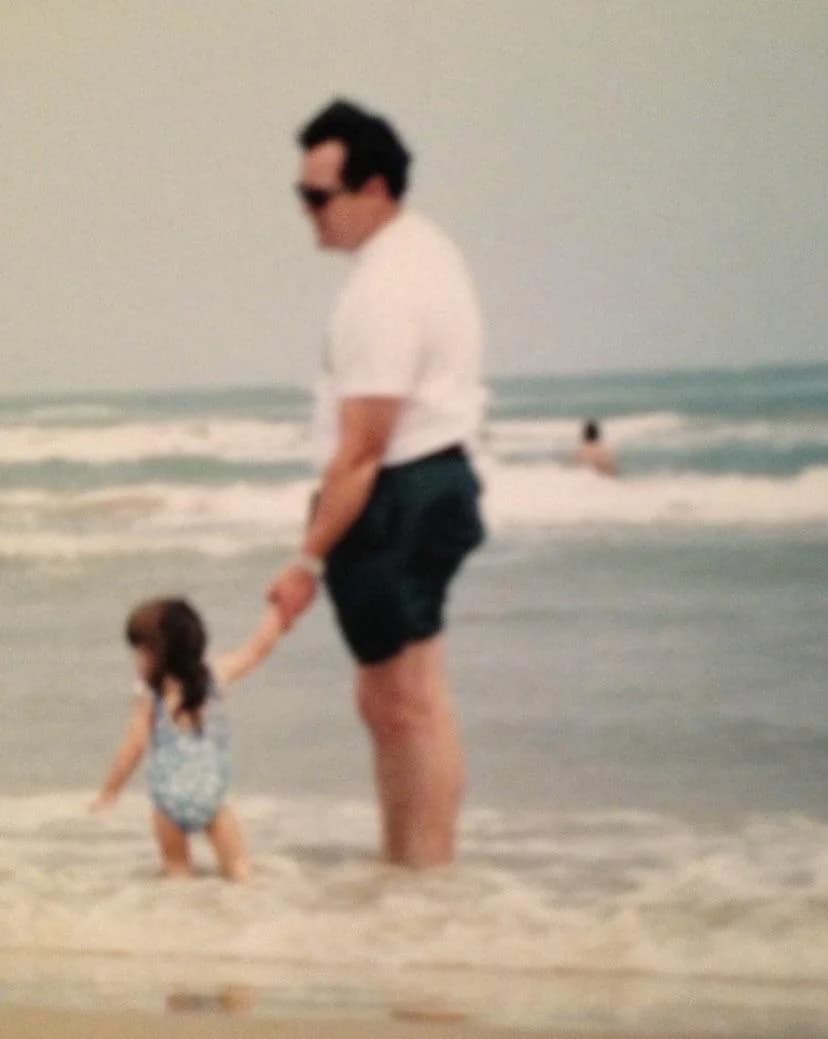
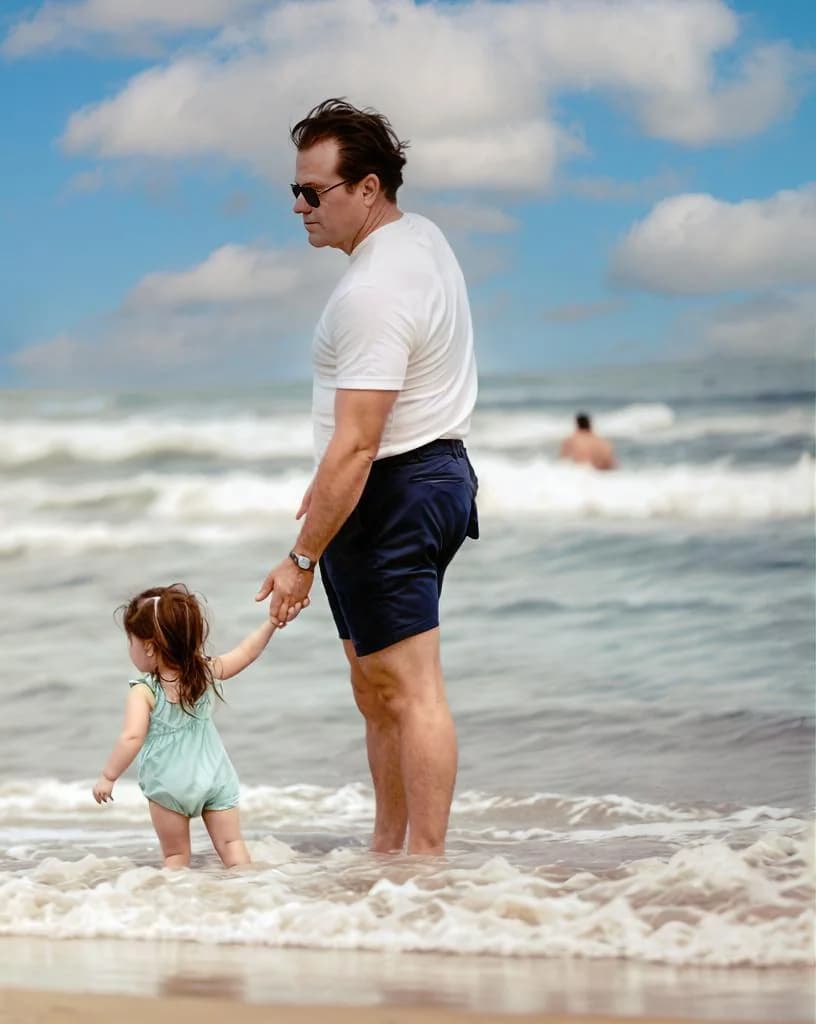
See the same effect on your own photos.
No watermark. No subscription. From $6.99.
Comparison information is based on publicly available product details and may change. Last updated 2026. Read how we test photo restoration tools.
About Upscayl
Upscayl is a free, open-source AI image upscaler for Windows, macOS, and Linux, released under the AGPL-3.0 license. It runs Real-ESRGAN and related models locally on the user's GPU, enlarging images up to 16x with a choice of models tuned for photos, digital art, and general use. There is no account, no watermark, no cloud upload, and no usage limit. It is maintained by a small open-source team and has a large and loyal user base.
Upscayl Cloud is the same team's paid, browser-based service. It starts with a 10-credit trial and then runs on monthly plans, roughly $9.99 for 100 credits or $24.99 for 300, and adds face enhancement, batch processing, and higher resolution limits without needing a GPU. Both versions are upscalers: neither repairs scratches, creases, stains, or faded colour, and neither colorizes.
Pros
- +Desktop app is completely free and open source
- +Desktop app runs offline; images never leave your machine
- +No watermark, no account, no limits on the desktop app
- +Excellent on clean images, illustrations, and product photos
- +Upscayl Cloud adds browser access and face enhancement
Cons
- −Free app has no face model; faces come out waxy or oversharpened
- −No scratch, crease, stain, or fade repair in either version
- −No colorization
- −Desktop app requires a modern discrete GPU
- −Browser use only through Upscayl Cloud, a monthly subscription
The alternative
Why people choose RestorePhotosApp over Upscayl
The first reason is faces. Most people restoring old photos are restoring photos of people, and the free app gives them a bigger, sharper, subtly wrong version of a relative. RestorePhotosApp is built around getting the face right.
The second is damage. Old prints are scratched, creased, and faded, and enlarging them, on the desktop or in the cloud, does not fix any of that. RestorePhotosApp repairs the damage in the same pass. The third is the bill: people who wanted Upscayl online find a subscription; RestorePhotosApp charges once for the batch.
A dedicated face model
Reconstructs eyes, mouth, and skin texture so the person looks like themselves, not like a smooth approximation.
Repairs damage, not just resolution
Scratches, creases, stains, dust, and colour casts are removed before the face is recovered.
Colorization included
Black-and-white originals get natural colour from the same interface.
In the browser, without a subscription
Any device, no GPU, no monthly plan. Credits never expire.
Two free restorations to compare
Run the same portrait through both tools. Judge the face at full size before spending anything.
Join 470,000+ people restoring their family photos.
No watermark. No subscription. From $6.99.
In practice
A real-world example: the tiny school photo
A reader has a two-inch school portrait of her father from 1958, scanned at low resolution, with a scratch across the shoulder and a soft face. She installs Upscayl on her laptop, gets a GPU error, and tries the Upscayl Cloud trial instead. The result is large and sharp, and the face enhancement has helped a little. The scratch is large and sharp too, and the skin still has the smooth look that upscalers give it. To do the rest of the box she would need a monthly plan.
On RestorePhotosApp, from the same laptop, she uploads the scan and runs Restore. The scratch is gone, the face has the texture and detail of a real photograph, and the output is a clean 1080p file. She uses her second free credit on Colorize and gets a natural colour version. Total cost: nothing. When the rest of the school photos surface, the Starter pack at $6.99 covers them, once.
Had the reader been enlarging a scanned landscape or a product illustration, the free Upscayl app would have been the right call, and Upscayl Cloud the right call if she had hundreds a month. The tools are good at different things.
The short answer
Which one should you choose?
- Your photos are of people and the faces need to come out right
- The prints have scratches, creases, stains, or fading
- You want black-and-white photos colorized
- You want a browser tool without a monthly subscription
- You want the whole restoration in one pass
- You need to enlarge clean images, illustrations, or product photos
- Privacy requires that files never leave your machine (desktop app)
- You upscale hundreds of images a month and a Cloud plan pays off
- The images have no damage and no faces that matter
Made your choice? Restore your first photos today.
No watermark. No subscription. From $6.99.
Bottom line
Final thoughts
Upscayl is excellent software, free on the desktop and reasonably priced in the cloud for people who upscale in volume. For clean images that need to be bigger, it is the tool to use.
For old photos of people, it is the wrong tool, not because of the price but because upscaling is not restoration: no version of it removes damage, and only the paid version tries to help with faces. RestorePhotosApp does both, in the browser, for one-time credits that never expire. Test it with the two free restorations on the same portrait and compare the faces. For the wider field, see our best photo restoration apps guide and the comparison hub.
FAQ
Frequently asked questions
Is there an online version of Upscayl?
Yes. Upscayl Cloud runs in the browser with a 10-credit free trial, then monthly plans of roughly $9.99 for 100 credits or $24.99 for 300, with unused credits rolling over for up to three months. It adds face enhancement and batch processing and needs no GPU. It is still an upscaler: it does not repair scratches, creases, stains, or faded colour, and it does not colorize. RestorePhotosApp does those things in the browser for one-time credits.
Is Upscayl really free?
The desktop app is, completely: open source under the AGPL-3.0 license, with no premium tier, no watermark, no account, and no usage limits. Upscayl Cloud is a paid subscription. RestorePhotosApp gives every account 2 free restorations and sells one-time credit packs from $6.99 for 10 to $54.99 for 100.
Why do faces look waxy in Upscayl?
The free app uses general-purpose super-resolution models such as Real-ESRGAN that invent plausible texture when enlarging. Faces are structures, not textures, and without a dedicated face model the result is smooth skin and subtly wrong features. Upscayl Cloud adds a face-enhancement pass that helps on clean portraits. RestorePhotosApp uses a face-recovery model that reconstructs facial detail from the structure already in the image, after removing any damage first.
Can Upscayl remove scratches or fix fading?
No, in either version. Upscayl enlarges images and sharpens detail; it treats scratches, creases, and stains as detail to preserve. RestorePhotosApp's restore and cleanup styles remove that damage and correct colour casts before recovering the face.
Does Upscayl work without a graphics card?
The desktop app runs its models on the GPU, and on integrated graphics it is very slow or fails with an initialisation error. Upscayl Cloud removes that requirement but charges monthly. RestorePhotosApp runs on its own servers, so any device with a browser works, and there is no subscription.
Can I use both?
Yes, and some people do: restore the photo on RestorePhotosApp so the face and damage are handled, then run the clean 1080p result through Upscayl if you need a very large print. Upscaling a repaired image gives a far better result than upscaling a damaged one.























