
On this page
Quick verdict
Topaz Photo AI is the stronger tool if you are a photographer processing RAW files, need 6x upscaling, and want fine manual control over denoise, sharpen, and face recovery. If you have a shoebox of old prints and want them restored this weekend without installing anything or paying $199 a year, RestorePhotosApp is the simpler and far cheaper fit.
Choose RestorePhotosApp
Best for restoring a finite batch of old family photos with no install, no GPU, and no subscription.
Choose Topaz Photo AI
Best for photographers who process new images every week and want a professional desktop pipeline.

“My grandma cried when she saw her wedding photo restored. Absolutely incredible.”
Maria K.

“Uploaded a blurry photo from the 70s and got back a crystal clear image. Like magic.”
James T.

“Finally recovered old family photos I thought were lost forever. So easy to use.”
Sarah M.
See the difference on your own photos
No watermark · No subscription · From $6.99
Two tools built for two different people
Topaz Photo AI was designed for working photographers. Its core jobs are denoising high-ISO shots, sharpening motion blur, and upscaling images for large prints, and it does those jobs about as well as any consumer software on the market. Face Recovery is one module among many, and it is tuned for the photographer's case: a face that is a little soft in an otherwise modern, high-resolution file.
RestorePhotosApp was designed for the person holding a 1974 print with a crease across grandma's face. The whole product, from the model to the five-button interface to the pricing, assumes the input is an old, damaged, often low-resolution photo of people, and that the person uploading it is not a photographer. There is no RAW support, no batch scripting, and no slider for noise reduction strength, because the target user does not want any of those things.
That difference in intent explains almost every other difference on this page. Topaz is deeper; RestorePhotosApp is narrower and faster to a good result on the specific case of old family photos.
What $199 a year actually buys
In September 2025 Topaz Labs moved Photo AI to subscription only. The perpetual license that many long-time users relied on is gone, and the standalone app now costs $199 per year, or $399 per year as part of Topaz Studio. Stop paying and the software stops working. For a professional who runs every shoot through it, $199 is a reasonable line item. For someone restoring one box of prints, it is $199 for a weekend.
The hardware requirement is the other hidden cost. Topaz runs its models locally, which is great for privacy but means it needs a modern discrete GPU and a lot of RAM to run at a usable speed. On an older laptop or a machine with integrated graphics, processing a single image can take minutes, and some users cannot install it at all.
RestorePhotosApp runs on its own servers, so the only requirement is a browser. A restoration takes seconds on a five-year-old laptop, a phone, or a library computer. You pay per photo, once: $6.99 for 10 credits, $16.99 for 25, $29.99 for 50, or $54.99 for 100, and the credits never expire.
Where each tool wins on quality
On modern, high-resolution photos with mild softness, Topaz wins. Its sharpening and denoising models are best in class and its upscaler produces prints far larger than the original file could support. If that is your use case, this page should not talk you out of it.
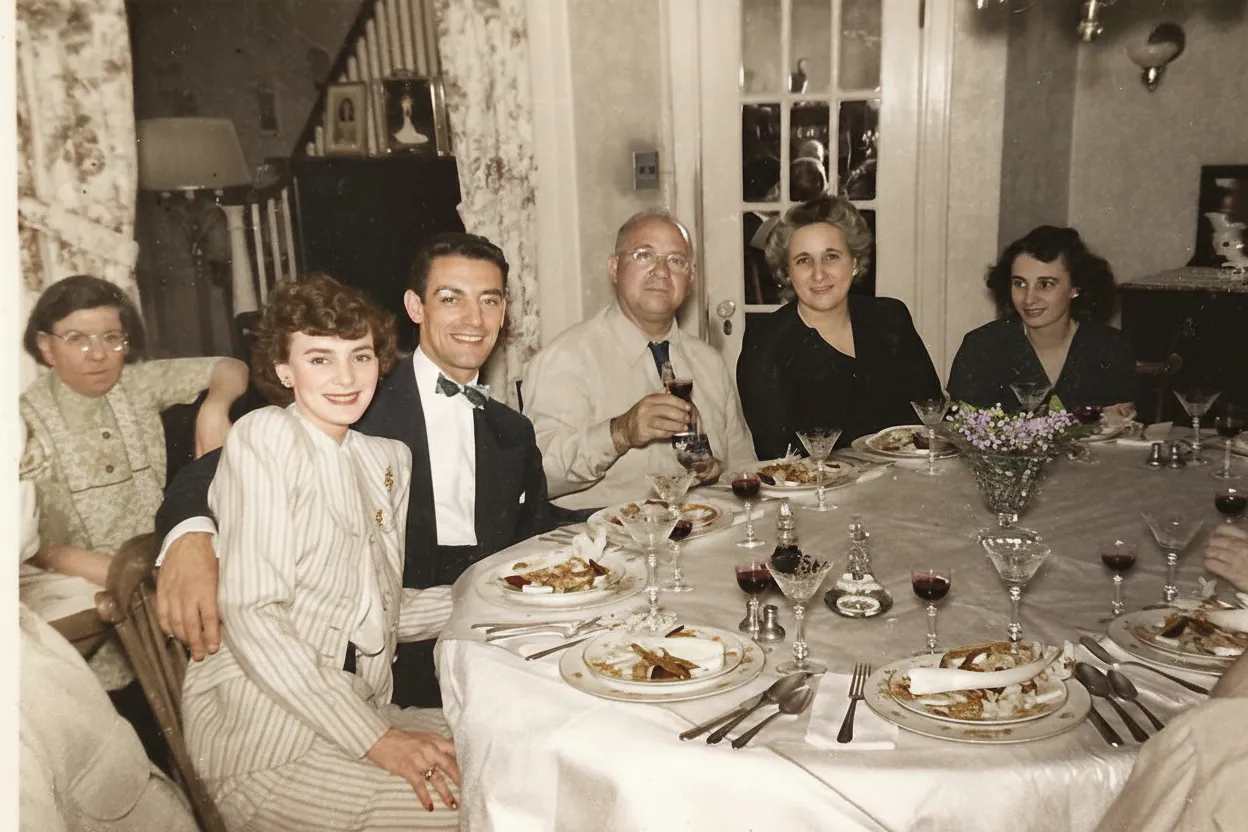
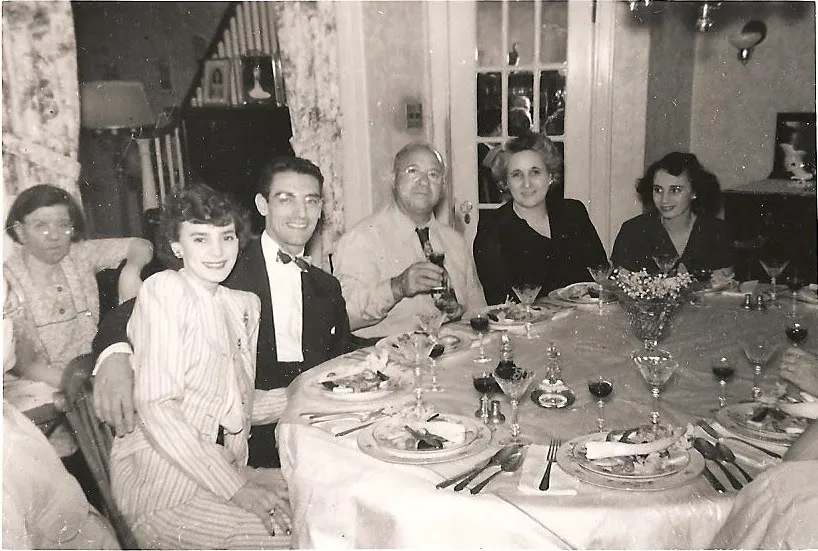
On old prints with scratches, fading, tears, and colour casts, the picture changes. Topaz has no dedicated damage-repair model; you can sharpen and denoise a scanned print, but a crease stays a crease. RestorePhotosApp's restore and cleanup styles are trained on exactly that kind of damage and remove it as part of the same pass that recovers the face. It also includes colorization, which Topaz does not offer at all.
The honest summary is that the two tools overlap on one narrow case, a slightly blurry portrait, and diverge everywhere else. Pick by what your photos actually look like.
Skip the research — see the result on your own photo.
No watermark. No subscription. From $6.99.
Side by side
RestorePhotosApp vs Topaz Photo AI
| Feature | RestorePhotosAppOur pick | Topaz Photo AI |
|---|---|---|
| Free tier | 2 full restorations, no watermark | Free trial with watermarked exports |
| Pricing model | One-time credit packs | Subscription only since Sept 2025 |
| Starting price | $6.99 one-time | $199 per year |
| Cost per photo (best plan) | $0.44 per photo (Archive, 250 photos) | Unlimited while subscribed |
| Runs on | Any browser, any device | Windows / macOS desktop with a capable GPU |
| Scratch, tear, and crease repair | Yes, built in | No dedicated model |
| Colorization | Yes | No |
| RAW support and 6x upscaling | No | Yes |
| Manual control over models | Five styles, automatic | Full per-model sliders |
| Money-back guarantee | 30 days | 30 days |
Old photo restoration in 2026
Why a browser tool is enough for family photos
You do not need a GPU to restore a print
Desktop AI software runs its models on your own graphics card, which is why it demands a modern GPU and why processing can crawl on an ordinary laptop. A cloud tool runs the same class of model on server hardware and streams the result back. For a photographer with a workstation the local approach is fine. For everyone else, it turns a five-second job into a hardware shopping trip.
RestorePhotosApp needs nothing installed. Open the site, upload the scan or a phone photo of the print, pick a style, and download the result. It works identically on a MacBook, a Chromebook, a phone, or a relative's ten-year-old PC.
Damage repair and face recovery in one pass
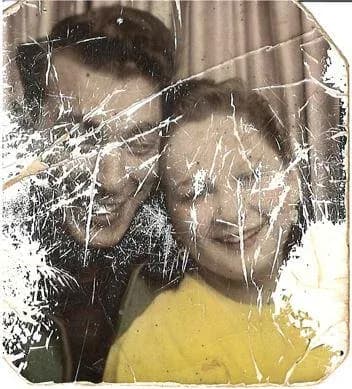
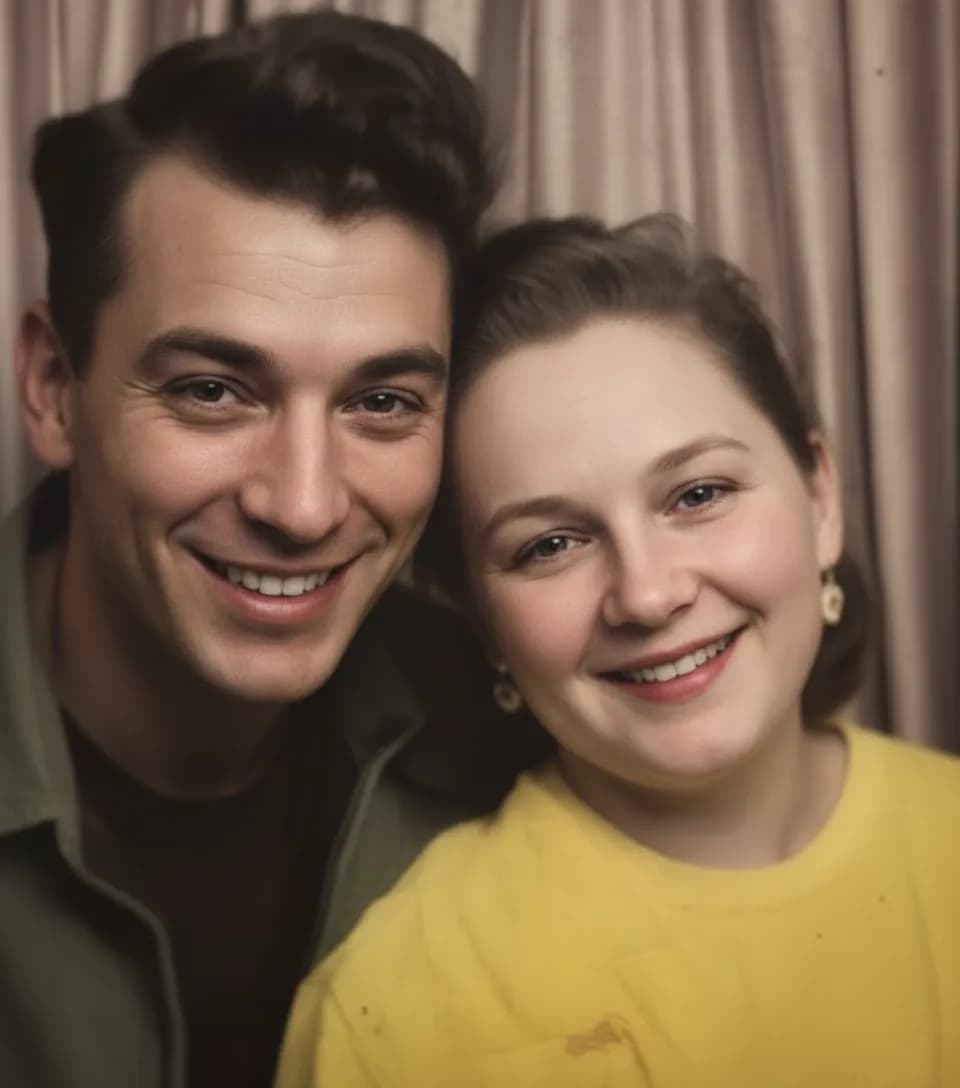
Old prints rarely have one problem. A typical scan has fading, a colour cast, dust, a scratch or two, and a soft face all at once. A general-purpose enhancer addresses the softness and leaves the rest. RestorePhotosApp's restore style treats the photo as an old photo: it removes physical damage, corrects the cast, and recovers the face in a single run, which is why the output looks like a clean print rather than a sharpened damaged one.
If the photo is black and white, the colorize style adds the missing colour with the same model family, so a 1950s wedding photo can go from scan to colour print in two clicks.
Pay for fifty photos, not for a year
Family restoration projects are bursty. A box turns up, you restore it over a weekend, and then nothing for months. A subscription bills through the quiet months; a credit pack does not. RestorePhotosApp credits never expire, so the twenty you did not use in March are still there when the next album surfaces in October.
For a box of fifty prints the Family pack at $29.99 covers the whole job at about 60 cents per photo. For a full archive, the Studio pack at $54.99 covers a hundred at about 55 cents each. Either is less than a third of one year of Topaz.
See the same effect on your own photos.
No watermark. No subscription. From $6.99.
Comparison information is based on publicly available product details and may change. Last updated 2026. Read how we test photo restoration tools.
About Topaz Photo AI
Topaz Photo AI is desktop software from Topaz Labs that combines the company's denoise, sharpen, and upscale models into one application with automatic image analysis. It runs on Windows and macOS, processes RAW files, and integrates with Lightroom and Photoshop as a plugin. Since September 2025 it is sold only as a subscription, at $199 per year standalone or $399 per year inside Topaz Studio.
Its reputation among photographers is deserved. The upscaler can enlarge an image up to 6x with convincing detail, the denoiser handles high-ISO files gracefully, and Face Recovery cleans up soft faces in modern shots. The trade-offs are the price, the hardware requirement, and the fact that it was never designed around physically damaged prints.
Pros
- +Best-in-class sharpening, denoising, and upscaling
- +Full manual control over every model
- +RAW support and Lightroom / Photoshop integration
- +Processes locally, so photos never leave your machine
- +Face Recovery module for soft modern portraits
Cons
- −Subscription only: $199 per year, no perpetual license since 2025
- −Needs a modern discrete GPU; slow or unusable on ordinary laptops
- −No scratch, tear, or crease repair model
- −No colorization
- −Overkill for a one-off box of family prints
The alternative
Why people choose RestorePhotosApp over Topaz Photo AI
The first reason is the job. Most people searching for a Topaz alternative are not photographers; they have old prints with real damage and a face they want to see clearly again. RestorePhotosApp is built for that exact photo, and it handles scratches, fading, and colour loss that Topaz does not address.
The second reason is the bill. $199 a year for a weekend project is hard to justify. A one-time pack that covers the whole box, with credits that never expire and a 30-day guarantee, is an easier decision to make and an easier one to explain to the rest of the family.
No install, no GPU
Runs in any browser on any device. The restoration happens on our servers and comes back in seconds.
Built for damaged prints
Scratch, crease, and tear removal, colour-cast correction, and face recovery in one pass. Colorization included.
One-time credits from $6.99
Ten credits for $6.99, fifty for $29.99, a hundred for $54.99. No subscription, nothing to cancel.
Credits never expire
Restore the first box now and the next one whenever it turns up. Unused credits wait.
Two free restorations to test
Full quality, no watermark, no card. Try your worst photo before spending anything.
Join 470,000+ people restoring their family photos.
No watermark. No subscription. From $6.99.
In practice
A real-world example: the inherited shoebox
A reader inherits a shoebox of about sixty prints from the 1960s and 70s. Half are faded, a dozen are scratched, and a few have creases through faces. They read that Topaz Photo AI is the best photo software available, download the trial, and discover two things: their laptop has integrated graphics and takes four minutes per image, and the creases are still there afterwards, just sharper. The trial exports carry a watermark, so they cannot even keep the test results.
On RestorePhotosApp they upload a phone photo of the worst print, pick Restore, and get a clean face and no crease in about ten seconds. They use the second free credit on a faded colour print, then buy the Studio pack for $54.99, run all sixty through it, and have forty credits left for the albums their aunt has promised to dig out. Total cost: $54.99, once, with no software installed.
Had the reader been a photographer with a 2,000-shot wedding to denoise, the recommendation would have gone the other way. The tools are not competing for the same person.
The short answer
Which one should you choose?
- Your photos are old prints or scans with scratches, fading, or creases
- You want to finish a batch this weekend without installing software
- Your computer does not have a modern discrete GPU
- You would rather pay once for the batch than $199 per year
- You want colorization as part of the same tool
- You are a photographer processing new RAW files every week
- You need 6x upscaling for large prints
- You want full manual control over denoise, sharpen, and face models
- You want processing to stay entirely on your own machine
Made your choice? Restore your first photos today.
No watermark. No subscription. From $6.99.
Bottom line
Final thoughts
Topaz Photo AI earns its reputation. If you shoot regularly, edit RAW, and print large, the $199 a year is well spent and RestorePhotosApp is not a replacement for it.
If what you actually have is a box of old prints and a wish to see the people in them clearly, you do not need a professional pipeline. RestorePhotosApp restores those photos in the browser, repairs the damage Topaz cannot, and charges once for the batch. Start with the two free restorations and compare on your own photos. For a wider look at the options, see our guide to the best photo restoration apps or the full comparison hub.
FAQ
Frequently asked questions
Is RestorePhotosApp cheaper than Topaz Photo AI?
For a finite batch of old photos, by a wide margin. Topaz Photo AI costs $199 per year and stops working when you stop paying. RestorePhotosApp charges one-time credit packs from $6.99 for 10 photos to $54.99 for 100, credits never expire, and every account starts with 2 free full-quality restorations. Only if you process hundreds of new photos every month does the subscription start to make financial sense.
Is Topaz Photo AI better quality than RestorePhotosApp?
On modern, high-resolution photos that need denoising, sharpening, or large upscaling, yes. Topaz is professional software and its models are best in class for that work. On old prints with scratches, tears, fading, and colour casts, RestorePhotosApp is the better fit because it repairs that physical damage and recovers faces in one pass, and it can colorize, which Topaz cannot.
Can I still buy Topaz Photo AI outright?
No. Topaz Labs moved to subscription-only pricing in September 2025. The perpetual license is no longer sold. The standalone app is $199 per year, or $399 per year as part of Topaz Studio.
Does RestorePhotosApp need a powerful computer?
No. It runs in the browser and the AI runs on our servers, so any laptop, tablet, or phone works. Topaz Photo AI processes locally and needs a modern discrete GPU; on integrated graphics it can be very slow or fail to run.
Does Topaz Photo AI remove scratches and creases?
Not with a dedicated model. It sharpens, denoises, and upscales, and its Face Recovery module cleans up soft faces, but physical damage on a scanned print generally stays in place. RestorePhotosApp's restore and cleanup styles are trained specifically on that kind of damage.
Can I try RestorePhotosApp before paying?
Yes. Every account gets 2 free restorations at full 1080p quality with no watermark and no credit card. Run your hardest photo through first, then decide.























